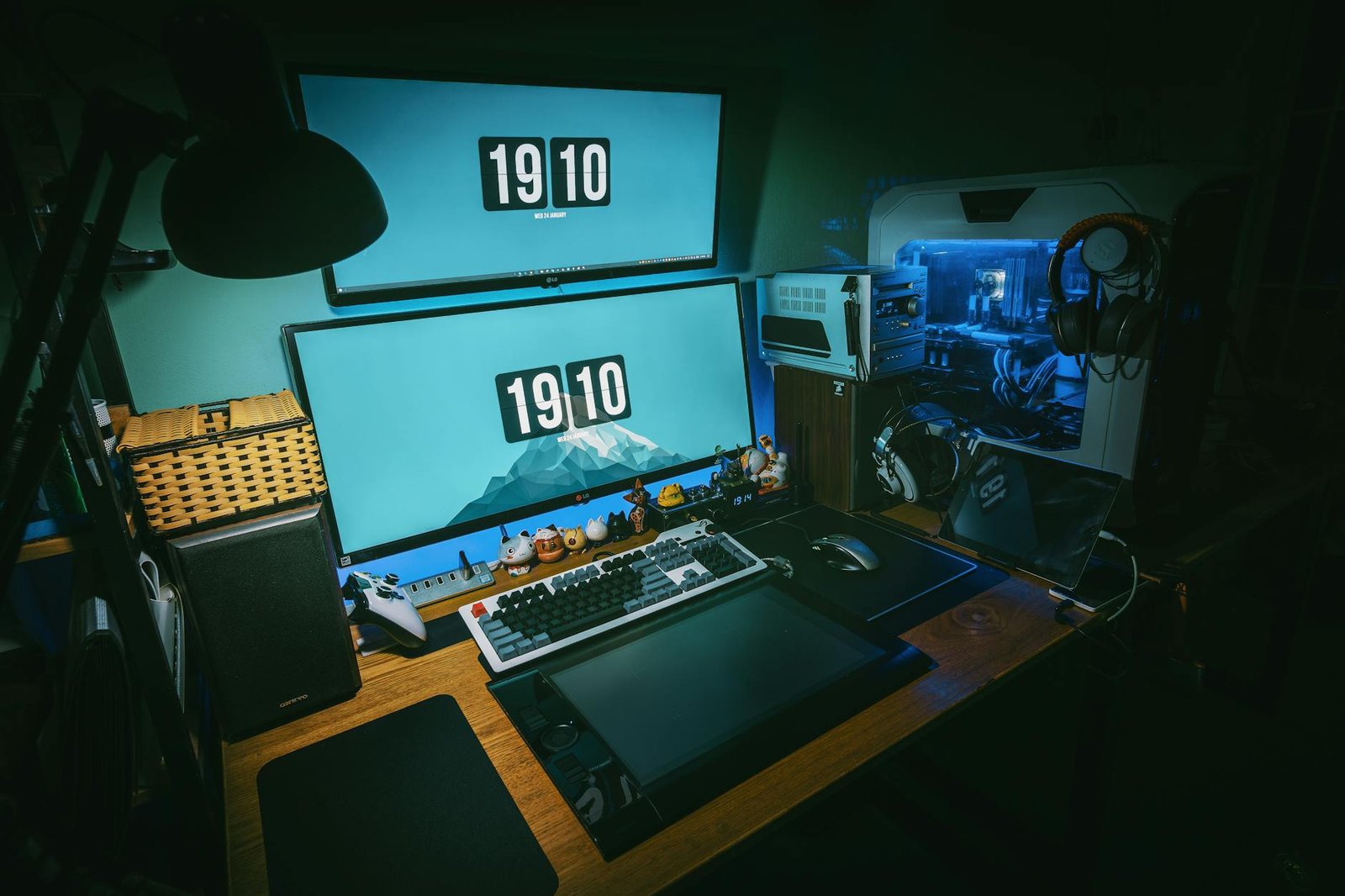
So you just pulled the trigger on a new PC for your home lab — congratulations, you are officially on one of the most rewarding tech journeys you will ever take. Whether you stumbled across the world of self-hosting by accident or have been planning this build for months, the first steps can feel overwhelming. What software do you run? What hardware do you add? Where do you even begin? At HomeNode, we have helped hundreds of beginners turn a single machine into a fully capable home server setup, and in this guide we are going to walk you through the essential gear and software that will take your home lab from zero to impressive in no time.
What Is a Home Lab and Why Should You Care?
A home lab is essentially a personal IT environment you build and manage yourself. It can run everything from private cloud storage and media servers to network monitoring tools and virtual machines. The beauty of it is that you own your data, you control your privacy, and you learn real-world IT skills that are genuinely valuable. With a new PC already in hand, you are already ahead of the curve. Now it is time to build around it.
5 Essential Products to Supercharge Your New Home Lab PC
1. Synology DS923+ NAS Device
A NAS (Network Attached Storage) device is one of the first things any serious home labber adds to their setup. The Synology DS923+ is a four bay powerhouse that pairs beautifully alongside your home lab PC, giving you centralised, redundant storage for all your data.
- Pros: Excellent DSM software ecosystem, supports Docker containers, expandable storage, great community support
- Cons: Premium price point, requires separate hard drives to function
Approximate Price: $599 USD (drives not included)
2. TP-Link TL-SG108E Managed Switch
Networking is the backbone of any home lab. The TP-Link TL-SG108E is an affordable eight port managed switch that gives you VLAN support, traffic monitoring and QoS controls without breaking the bank. It is the perfect entry point into managed networking.
- Pros: Affordable, VLAN capable, easy web interface, solid build quality
- Cons: Web interface feels dated, no PoE support on this model
Approximate Price: $30 USD
3. Raspberry Pi 5 (8GB)
Do not underestimate this tiny board. The Raspberry Pi 5 is a fantastic companion device for your home lab PC. Use it as a dedicated Pi-hole DNS ad blocker, a lightweight media server, or a home automation hub. The 8GB model gives you plenty of headroom for running multiple services simultaneously.
- Pros: Low power consumption, incredibly versatile, huge community, affordable
- Cons: Requires accessories to get started, limited PCIe bandwidth compared to full PCs
Approximate Price: $80 USD
4. GL.iNet GL-MT6000 (Flint 2) Router
Privacy starts at the router. The GL.iNet Flint 2 runs OpenWrt out of the box, supports WireGuard VPN natively, and gives you granular control over your home network. For anyone serious about self-hosting and privacy, this router is a game changer.
- Pros: OpenWrt support, built in VPN client and server, Wi-Fi 6, excellent performance
- Cons: Advanced features have a learning curve, overkill for casual users
Approximate Price: $90 USD
5. Proxmox VE (Free Software) on a Dedicated SSD
Proxmox Virtual Environment is the go-to hypervisor for home lab enthusiasts and it is completely free. Install it on a dedicated SSD such as the Samsung 870 EVO 500GB and you can run multiple virtual machines and LXC containers from your new PC simultaneously. It transforms a single machine into an entire lab environment.
- Pros: Free and open source, powerful VM and container management, web based UI, huge community
- Cons: Requires a dedicated install drive, initial setup has a learning curve
Approximate Price: Free (SSD approximately $55 USD)
Quick Comparison Table
| Product | Category | Approx. Price | Best For | Skill Level |
|---|---|---|---|---|
| Synology DS923+ | NAS Storage | $599 | Centralised storage | Beginner to Advanced |
| TP-Link TL-SG108E | Networking | $30 | Network segmentation | Beginner |
| Raspberry Pi 5 (8GB) | Mini PC | $80 | Lightweight services | Beginner to Intermediate |
| GL.iNet Flint 2 | Router | $90 | Privacy and VPN | Intermediate |
| Proxmox VE + SSD | Virtualisation | ~$55 | Running VMs and containers | Intermediate to Advanced |
Frequently Asked Questions
Do I need a NAS if I already have a home lab PC?
Not necessarily, but a NAS adds redundancy and always-on storage without keeping your main PC running 24 hours a day. It is a great addition once you are ready to expand.
What operating system should I run on my home lab PC?
Proxmox VE is the most popular choice for home labbers because it lets you run multiple operating systems as virtual machines from one host. Ubuntu Server is also a solid starting point for beginners.
Is self-hosting complicated for beginners?
It can feel daunting at first, but the home lab community is incredibly welcoming. Start with one service such as Nextcloud or Plex, get comfortable, and build from there. You will be surprised how quickly it clicks.
Do I need a fast internet connection for self-hosting?
For local use only, your existing connection is fine. If you want to access your services remotely, a stable upload speed and a solution like Cloudflare Tunnel or a VPN will make a big difference.
What self-hosted software should I start with?
Pi-hole for ad blocking, Nextcloud for private cloud storage, and Portainer for managing Docker containers are three excellent starting points that deliver immediate value.
Best Overall Pick
Proxmox VE installed on a dedicated Samsung 870 EVO SSD is our best overall pick for anyone just getting started with a new home lab PC. Here is why: it costs almost nothing, it runs directly on your existing hardware, and it immediately unlocks the ability to run dozens of virtual machines and containers from a single machine. Rather than committing your entire PC to one operating system or one service, Proxmox lets you experiment freely, break things safely, and learn at your own pace. It is the foundation every serious home lab is built on, and there is no better place to start.
Ready to take your home lab to the next level? Browse our full hardware and software guides at HomeNode and find the exact setup that fits your goals, your budget, and your skill level. Your data. Your rules. Your lab.
This post contains affiliate links. If you purchase through these links, I may earn a small commission at no extra cost to you. Prices are approximate and may vary by retailer and date. Performance results are approximate and will vary based on your specific hardware and environment.