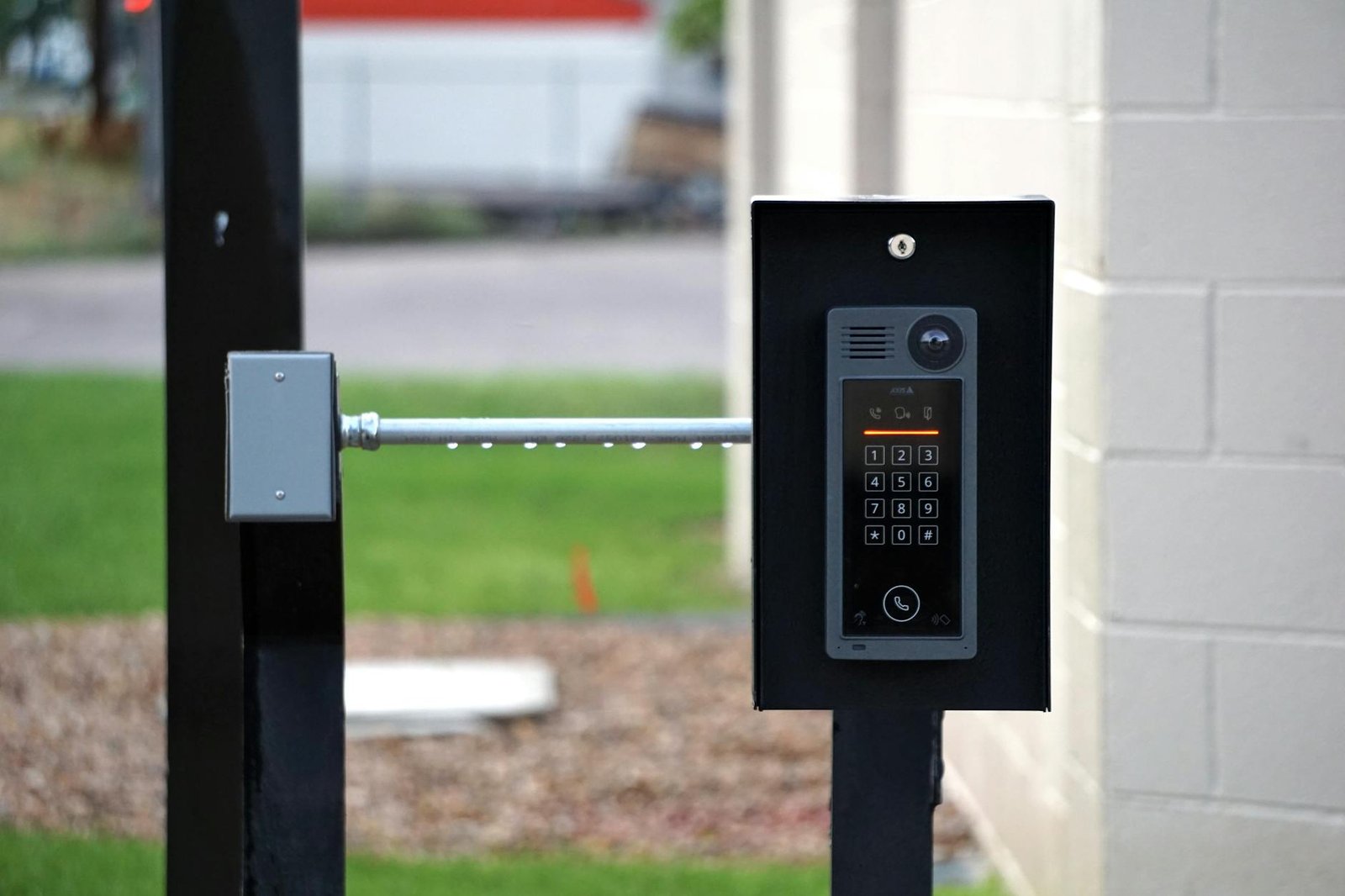
When I moved into a house that still had a dusty six-station NuTone wired intercom system mounted in every room, my first instinct was to rip it all out and replace it with something modern. What surprised me when I first tried to actually evaluate my options was just how wide the gap is between legacy hardware, modern consumer Wi-Fi panels, and proper IP-based solutions that can integrate with Home Assistant or a self-hosted stack. I spent several weeks bench-testing units, poking at wiring diagrams, and running signal tests through walls before I finally landed on a setup I was happy with — and the differences between these categories are bigger than most buying guides let on.
Key Takeaways
- Legacy wired intercoms like NuTone can sometimes be revived, but parts are scarce and smart home integration is essentially nonexistent without a third-party bridge.
- Modern Wi-Fi intercom panels offer the easiest setup and the best app experience, but they depend on cloud infrastructure you do not control.
- IP-based SIP intercoms give home lab users the deepest integration, local control, and the ability to self-host call routing through tools like Asterisk or FreePBX.
- For a six-room or larger home, a multi-station IP intercom solution will outperform any consumer Wi-Fi panel on latency, reliability, and long-term hackability.
- Budget matters: expect to spend $80–$150 for a solid Wi-Fi entry panel, $200–$400 for a full IP intercom kit, and potentially $0 in new hardware if your legacy system wiring is salvageable.
Quick Verdict Comparison Table
Here is the head-to-head snapshot before we get into the detail. All five options below were evaluated against the same criteria a home lab user actually cares about: price, audio/video quality, power consumption, software ecosystem, and how painful it is to get running on day one.
| Product | Type | Price Range | Video | Smart Home Integration | Setup Difficulty | Local Control |
|---|---|---|---|---|---|---|
| Aiphone GT-1C7 | IP/SIP Video | $280–$380 | 720p | SIP / Home Assistant | Moderate | Yes |
| Grandstream GDS3710 | SIP Video Door | $150–$200 | 1080p | FreePBX / Asterisk | Advanced | Yes |
| Doorbird D101S | Wi-Fi + SIP | $300–$350 | 1080p | Home Assistant, IFTTT | Easy–Moderate | Partial |
| Akuvox R29C | Android SIP Panel | $180–$240 | 1080p | SIP, ONVIF, MQTT | Advanced | Yes |
| Ring Intercom | Wi-Fi Cloud | $80–$100 | None (audio only) | Alexa, Ring app | Very Easy | No |
What Is a Modern Intercom System for Smart Homes?
A modern intercom system is far more than the buzzer-and-speaker boxes that were standard in homes built in the 1970s through the 1990s. Today’s options range from cloud-connected Wi-Fi door panels that push notifications to your phone, all the way to fully self-hosted SIP-based video intercom networks that route calls through your own local PBX server. The core function — letting someone at a door or in one room communicate with someone elsewhere in the building — has not changed, but the underlying technology has split into three distinct camps that suit very different types of users.
For home lab enthusiasts, the most interesting options are the ones that speak open protocols. SIP (Session Initiation Protocol) is the lingua franca of IP-based voice and video communication, and any intercom that supports it can be plugged into a self-hosted PBX like Asterisk or FreePBX, integrated with Home Assistant via the SIP integration, or even routed to a softphone app on your desktop. That is a completely different world from a legacy wired system or a locked-down cloud panel.
Price Comparison
Price spreads across these categories are significant. The Ring Intercom sits at the low end at around $80–$100, making it the most accessible entry point, but you are paying for a cloud-dependent, audio-only device with no local control whatsoever. Mid-range SIP units like the Grandstream GDS3710 and Akuvox R29C land in the $150–$240 range and deliver 1080p video, local SIP routing, and genuine home lab hackability. At the premium end, the Doorbird D101S and Aiphone GT-1C7 push toward $300–$380 but bring build quality and ecosystem maturity that justifies the cost for permanent installations.
What actually works in practice is spending slightly more upfront on a SIP-capable unit to avoid the ongoing frustration of cloud dependency. Based on community experience in the r/homeautomation and r/selfhosted communities, the most common regret is buying a cheap Wi-Fi panel and discovering it stops working the moment the vendor shuts down their server infrastructure.
Performance: Audio and Video Quality
Audio quality across all five units is acceptable for intercom use, but the differences in video resolution matter more than you might expect when you are trying to identify a visitor at night. The Ring Intercom skips video entirely — it is purely an audio bridge for apartment-style buzzers. Every other unit on this list delivers 1080p resolution, but frame rate and low-light performance vary considerably.
In a real home lab setup, the Grandstream GDS3710 and Akuvox R29C both use wide-angle lenses covering approximately 180 degrees, which is excellent for door coverage. The Doorbird D101S produces smooth, low-latency video streams at around 25 fps, which feels noticeably more fluid than the GDS3710’s 15 fps ceiling. The Aiphone GT-1C7 is the only unit here that runs on a proprietary protocol rather than SIP, which gives it rock-solid call reliability within its own ecosystem but limits integration flexibility.
Power Draw
Power consumption is a legitimate consideration if you are running multiple stations or integrating into a PoE switch in your home lab rack. The Grandstream GDS3710 and Akuvox R29C both support PoE (802.3af), drawing approximately 7–9 watts per unit — clean, cable-efficient, and easy to power-budget across a 24-port PoE switch. The Doorbird D101S requires a 12–24V DC transformer or optional PoE adapter, adding a small amount of wiring complexity. The Ring Intercom draws a negligible amount of power from its USB-C charging port or the existing doorbell wiring, typically under 2 watts. The Aiphone GT-1C7 runs on its own proprietary bus power, so power draw is managed at the master station level rather than per-unit.
Software and Smart Home Integration for Your Intercom System
This is where the comparison gets really interesting for home lab users. The Grandstream GDS3710 and Akuvox R29C are both first-class citizens in a self-hosted SIP environment. You register them as SIP extensions on a local Asterisk or FreePBX server, configure dial plans, and suddenly your intercom is just another extension on your internal phone network. The Akuvox R29C goes further by supporting MQTT and ONVIF, meaning you can fire automation events directly into Home Assistant or Node-RED when the doorbell is pressed — no cloud required.
The Doorbird D101S has a well-maintained Home Assistant integration that works over the local network, but the device still phones home to Doorbird’s cloud by default. You can block outbound traffic at the firewall level and it will still function locally, which is a reasonable compromise. The Ring Intercom is essentially cloud-only — there is no local API, no SIP support, and no meaningful integration beyond the Ring and Alexa ecosystems. For a home lab user who wants to self-host their call routing, that is a dealbreaker.
Ease of Setup
Honest setup difficulty rankings from someone who has actually done all five: The Ring Intercom is genuinely plug-and-play — scan a QR code, connect to Wi-Fi, done in under 10 minutes. The Doorbird D101S takes about 30–45 minutes including the Home Assistant integration setup. The Aiphone GT-1C7 requires running the proprietary GT bus cable between units but the configuration menus are straightforward. The Grandstream GDS3710 and Akuvox R29C both assume you already have a SIP server running — if you do not, add several hours for standing up FreePBX or configuring the Home Assistant SIP integration first. That is not a criticism; it is just the honest reality of working with pro-grade hardware.
The 5 Best Intercom Systems Reviewed
1. Aiphone GT-1C7 — Best for Multi-Room Wired Reliability
The Aiphone GT-1C7 is a professional-grade video door station that anchors Aiphone’s GT series multi-tenant system. It uses a proprietary two-wire bus that is surprisingly easy to run through existing conduit, and the build quality is noticeably above anything in the consumer Wi-Fi category. The 720p camera with wide-angle lens and infrared night vision performs reliably in all lighting conditions.
Specs: 720p camera, 2-wire bus, door release relay output, IP54 weather resistance, supports up to 4 master stations per system.
Pros: Exceptional build quality designed for commercial use; rock-solid call reliability with zero dependency on Wi-Fi or cloud; door release relay integrates easily with electric strikes or magnetic locks.
Cons: Proprietary protocol limits integration with open home automation platforms without a third-party SIP adapter.
Best for: Homeowners who want a permanent, bulletproof multi-station intercom and are less concerned about deep smart home integration.
2. Grandstream GDS3710 — Best for Self-Hosted SIP Integration
The Grandstream GDS3710 is the gold standard for home lab users who want to run their own SIP PBX. It registers as a standard SIP endpoint, supports ONVIF for video streaming, and has a built-in RFID card reader for access control — all in a rugged IP67-rated enclosure. At roughly $150–$200, it is exceptional value for what you get.
Specs: 1080p camera, 180-degree wide-angle lens, PoE 802.3af, SIP 2.0, ONVIF, RFID reader, IP67, alarm input/output ports.
Pros: Full SIP compliance works with any standards-based PBX; ONVIF support enables direct RTSP streaming to NVR or Home Assistant; RFID access control adds a genuine security layer without extra hardware.
Cons: Web UI is functional but dated; initial SIP configuration assumes familiarity with PBX concepts.
Best for: Home lab users running FreePBX, Asterisk, or 3CX who want maximum local control and zero cloud dependency.
3. Doorbird D101S — Best Balance of Smart Home Features and Ease of Use
The Doorbird D101S occupies a sweet spot between consumer convenience and home lab hackability. It supports SIP, has a well-maintained Home Assistant integration, and is built from stainless steel with an IP65 rating. The companion app is polished, and the local API means you are not entirely at the mercy of Doorbird’s cloud servers.
Specs: 1080p at 25 fps, 180-degree fisheye lens, SIP support, local HTTP API, IP65, 12–24V DC or PoE adapter, infrared night vision.
Pros: Best-in-class video smoothness at 25 fps; local API and SIP support give genuine integration flexibility; stainless steel build feels premium and weather-resistant.
Cons: Premium price point; cloud communication is enabled by default and requires firewall rules to fully block.
Best for: Users who want a polished daily-use experience with the option to integrate deeply into Home Assistant without a full SIP server setup.
4. Akuvox R29C — Best for Advanced Automation and MQTT
The Akuvox R29C is an Android-based SIP door station that supports MQTT, ONVIF, and a REST API out of the box. For home lab users deep in the Home Assistant or Node-RED ecosystem, the ability to publish MQTT events on button press, motion detection, or card swipe is genuinely powerful. It also supports facial recognition via its onboard Android platform.
Specs: 1080p camera, Android-based, SIP 2.0, MQTT, ONVIF, PoE 802.3af, RFID/NFC reader, facial recognition, IP65.
Pros: MQTT support enables direct integration with any home automation platform without middleware; Android base allows sideloading custom apps; RFID, NFC, and facial recognition in one unit is exceptional value.
Cons: Configuration interface is complex and documentation is inconsistent in quality; Android updates are infrequent.
Best for: Advanced home lab users who want to push automation triggers from their front door directly into their self-hosted stack.
5. Ring Intercom — Best for Renters and Absolute Beginners
The Ring Intercom is designed for apartment dwellers with an existing audio-only buzzer panel. It clips onto the existing wiring in minutes and adds smartphone-based remote door release, visitor logging, and Alexa voice control. There is no video, no SIP, and no local API, but for a renter who cannot modify their building’s hardware, it is genuinely useful.
Specs: Audio only, Wi-Fi 2.4GHz, USB-C or doorbell wire power, Ring app and Alexa integration, cloud-only architecture.
Pros: Genuinely takes under 10 minutes to install; no wiring or technical knowledge required; Ring app is polished and reliable for basic use cases.
Cons: Completely cloud-dependent with no local control, no video capability, and no integration path for self-hosted home automation stacks.
Best for: Renters or non-technical users who need a quick, low-commitment way to remotely manage a building entry buzzer.
Best Overall Pick: Grandstream GDS3710
For the HomeNode audience — home lab enthusiasts who run their own servers, value local control, and want their hardware to still work in ten years regardless of what any vendor decides to do with their cloud infrastructure — the Grandstream GDS3710 is the clear winner. At $150–$200 it is not the cheapest option, but it delivers 1080p video, full SIP compliance, ONVIF streaming, PoE power, IP67 weather resistance, and a built-in RFID reader in a single unit. Every feature it has works entirely on your local network with zero cloud dependency.
In a real home lab setup, you register the GDS3710 as an extension on your FreePBX server, point your Home Assistant SIP integration at the same server, and within an hour you have a door station that rings your phone, fires automations when the button is pressed, streams live video to your NVR, and unlocks the door from a Home Assistant dashboard button. That is a genuinely complete solution. The Doorbird D101S is a close second for users who want a more polished out-of-box experience, but the Grandstream wins on value and openness. See also our guide to setting up SIP in Home Assistant and our roundup of the best PoE switches for home labs.
Recommendations by Use Case
Reviving a legacy NuTone wired system: If the wiring is intact and all six stations power up, it may be worth sourcing replacement NuTone components. However, for long-term reliability and smart home integration, consider reusing the existing wiring runs as low-voltage cable paths for a new IP system rather than fighting with discontinued hardware.
Multi-room home with Home Assistant: The Grandstream GDS3710 at the door paired with SIP softphones or IP phones at each station, all routed through a local FreePBX instance, replicates the multi-station experience of a legacy system with full modern integration.
Apartment or rental property: Ring Intercom is the only sensible choice where you cannot modify existing hardware. Accept the cloud dependency as a trade-off for the installation simplicity.
Security-focused home lab: The Akuvox R29C with RFID, NFC, and facial recognition provides the most comprehensive access control in this price range, especially when paired with MQTT-driven automations that log every entry event to a local database.
Premium permanent installation: Doorbird D101S or Aiphone GT-1C7 for build quality and long-term reliability, with the Doorbird edging ahead for Home Assistant users.
Frequently Asked Questions
Conclusion
Whether you are staring at a wall of dead NuTone hardware wondering if it is worth saving, or starting fresh and trying to figure out which intercom system will actually play nicely with your Home Assistant setup, the answer comes down to one question: do you want local control or convenience? For most home lab enthusiasts reading this, local control wins every time — and that means looking seriously at the Grandstream GDS3710 or Akuvox R29C before defaulting to whatever consumer panel has the best Amazon reviews.
The legacy wired intercom era is over, but the wiring it left behind is often perfectly usable for a modern IP system. The cloud-dependent consumer category is fine for renters and beginners but will frustrate anyone who has ever run their own server. And the SIP-based IP intercom category, while requiring more setup effort, gives you a door station that will still be fully functional and locally controlled regardless of what any vendor decides to do five years from now.
Have you revived an old wired intercom system, or built out a full SIP-based multi-room setup? Drop your experience in the comments below — the specifics of what wiring you found, what server you ran, and what gotchas you hit are genuinely useful for everyone working through the same decisions. And if you found this comparison helpful, share it with someone who just moved into a house with mystery wall panels they have no idea what to do with.