As an Amazon Associate, HomeNode earns from qualifying purchases.
When I was setting up my own home lab and starting to automate the kitchen, I ran into the exact same wall so many beginners hit: I needed a smart plug that could handle real-world safety requirements, not just turn a lamp on and off. After testing half a dozen devices over several months — plugging them into everything from a range hood exhaust fan to a server UPS — I learned the hard way that not all smart plugs are created equal, especially when boot-up time and reliable power-on state behavior actually matter. If you have ever searched for a smart plug energy monitoring solution and come back more confused than when you started, this guide is written specifically for you.
Key Takeaways
- The best smart plug for energy monitoring in a safety-critical application like a kitchen exhaust fan must support a configurable power-on state set to “always on” so it activates instantly when power is applied.
- Zigbee plugs typically boot and rejoin their mesh network in 2 to 4 seconds, making them faster than most Wi-Fi plugs which can take 10 to 30 seconds to reconnect.
- Energy monitoring accuracy varies significantly between devices — look for plugs rated to measure loads as low as 1 watt for meaningful standby tracking.
- Z-Wave and Zigbee both support fully local control in Home Assistant via Z-Wave JS and Zigbee2MQTT respectively, with no cloud subscription required.
- For beginners using SmartThings, both Zigbee and Z-Wave devices pair natively — Matter support is expanding but not yet required for a solid smart plug setup.
What Is Smart Plug Energy Monitoring and Why Does It Matter?
A smart plug is a small adapter that sits between your wall outlet and any standard electrical device. It gives you remote on/off control via an app, a voice assistant, or a home automation hub. Energy monitoring takes this a step further: the plug contains a current-sensing chip (typically based on the BL0937, HLW8012, or CSE7766 IC) that measures how many watts the connected device is drawing in real time, logs kilowatt-hour consumption over time, and reports that data back to your hub.
For a beginner, this unlocks some genuinely useful capabilities. You can set automations that trigger when a device’s wattage drops below a threshold — for example, detecting when a washing machine finishes its cycle because its draw falls from 800W to near zero. You can track monthly energy costs per appliance. And critically for our use case here, you can monitor whether a range hood exhaust fan is actually running or has stalled, based on its real-time wattage signature.
In a real home lab setup, energy monitoring data also feeds nicely into dashboards built with Home Assistant, Grafana, or InfluxDB, giving you long-term trend data that is genuinely useful for understanding your home’s electrical footprint. If you are curious how smart notifications can alert you to those trends, check out our guide on Ticker v1.5.0 Smart Notifications: The Home Assistant Update Worth Paying Attention To.
The key protocols you will encounter are:
- Zigbee: A low-power mesh radio protocol operating at 2.4 GHz. Devices communicate with each other to extend range. Very fast response times, typically under 100 milliseconds on a healthy mesh.
- Z-Wave: A mesh protocol operating at 908.42 MHz in North America, which avoids the crowded 2.4 GHz band entirely. Excellent wall penetration and interference resistance.
- Wi-Fi: Uses your existing 2.4 GHz home network. No additional hub required, but dependent on router uptime and can have slower reconnect times after power loss.
- Matter: A newer interoperability standard that allows devices to work across Apple Home, Google Home, SmartThings, and Amazon Alexa without cloud lock-in. Still maturing as of 2026.
Prerequisites: What You Need Before You Start
Before you buy any smart plug with energy monitoring, make sure you have the following sorted out. I wish someone had handed me this checklist when I was starting out — it would have saved me two returns and a lot of frustration.
- A compatible hub: For Zigbee devices, you need a Zigbee coordinator. This can be a dedicated hub like the SONOFF Zigbee 3.0 USB Dongle Plus, or a hub like Samsung SmartThings, Amazon Echo (4th gen), or a Raspberry Pi running Home Assistant with Zigbee2MQTT. For Z-Wave, you need a Z-Wave controller such as the Zooz 800 Series USB stick or a SmartThings hub.
- A stable 2.4 GHz Wi-Fi network (for Wi-Fi plugs): Your router needs to broadcast a 2.4 GHz SSID. Many modern routers combine 2.4 GHz and 5 GHz into one band-steering SSID, which can confuse smart plugs during pairing.
- Home Assistant (optional but recommended): Running Home Assistant on a Raspberry Pi or a mini PC gives you full local control, detailed energy dashboards, and the ability to configure power-on state behavior via Zigbee2MQTT or Z-Wave JS. If you are curious how far you can push a Raspberry Pi for home automation, our article on Amazon’s Smart Home Shake-Up: The Complete Guide for Raspberry Pi 5 and Home Assistant Experts is a great starting point.
- Knowledge of your outlet type: North American standard is NEMA 5-15 (two-prong) or NEMA 5-15R (grounded three-prong). Make sure the smart plug you buy matches your outlet and has a grounded pass-through if your device uses a grounded plug.
Key Features to Look For in 2026
Not every smart plug with energy monitoring is built the same. Here are the specific features that matter most, especially for a safety-critical use case like a kitchen exhaust fan:
- Configurable power-on state: This is non-negotiable for a range hood fan. The plug must support setting its default state to “always on” so that if power is cut and restored, the fan comes back on immediately without waiting for a hub command. Most Zigbee and Z-Wave plugs expose this via a firmware parameter.
- Boot-up and mesh rejoin time: After power is applied, how long does the plug take to become operational? Zigbee plugs typically rejoin their mesh in 2 to 4 seconds. Wi-Fi plugs reconnecting to a router can take 10 to 30 seconds. For a smoke-filled kitchen, those extra seconds matter.
- Energy monitoring resolution: Look for plugs that report wattage down to 0.1W resolution and support polling intervals of 10 seconds or less. The CSE7766 chip used in SONOFF devices, for example, is accurate to within ±1% at loads above 5W.
- Maximum load rating: A range hood fan motor typically draws 100W to 300W at startup. Make sure the plug is rated for at least 15A (1800W) to handle inrush current safely.
- Local control support: Cloud-dependent plugs stop working when the manufacturer’s servers go down or the company folds. Local control via Zigbee2MQTT, Z-Wave JS, or ESPHome (for flashed Wi-Fi plugs) is always preferable.
Top 5 Smart Plugs With Energy Monitoring
1. SONOFF S31 Lite Zigbee Smart Plug
The SONOFF S31 Lite Zigbee is the plug I personally reach for first when someone asks me about a reliable smart plug energy monitoring setup on a budget. It uses the CSE7766 energy monitoring chip, supports Zigbee 3.0, and pairs instantly with Zigbee2MQTT or SmartThings. The power-on state parameter (Zigbee cluster 0x0006, attribute 0x4003) is fully configurable to “on” through Zigbee2MQTT’s device settings. Boot time after power application is approximately 3 seconds before it rejoins the mesh.
Specs: Zigbee 3.0, 15A / 1800W max load, CSE7766 energy monitoring IC, NEMA 5-15 plug, 120V AC, dimensions 2.4 x 1.5 x 1.3 inches.
- Pro: Pairs natively with SmartThings, Amazon Echo (Zigbee hub), and Home Assistant via Zigbee2MQTT with full energy monitoring exposed.
- Pro: Power-on state is configurable to always-on via Zigbee2MQTT cluster settings — critical for exhaust fan use.
- Pro: Energy monitoring accuracy within ±1% above 5W loads based on real-world testing against a Kill-A-Watt meter.
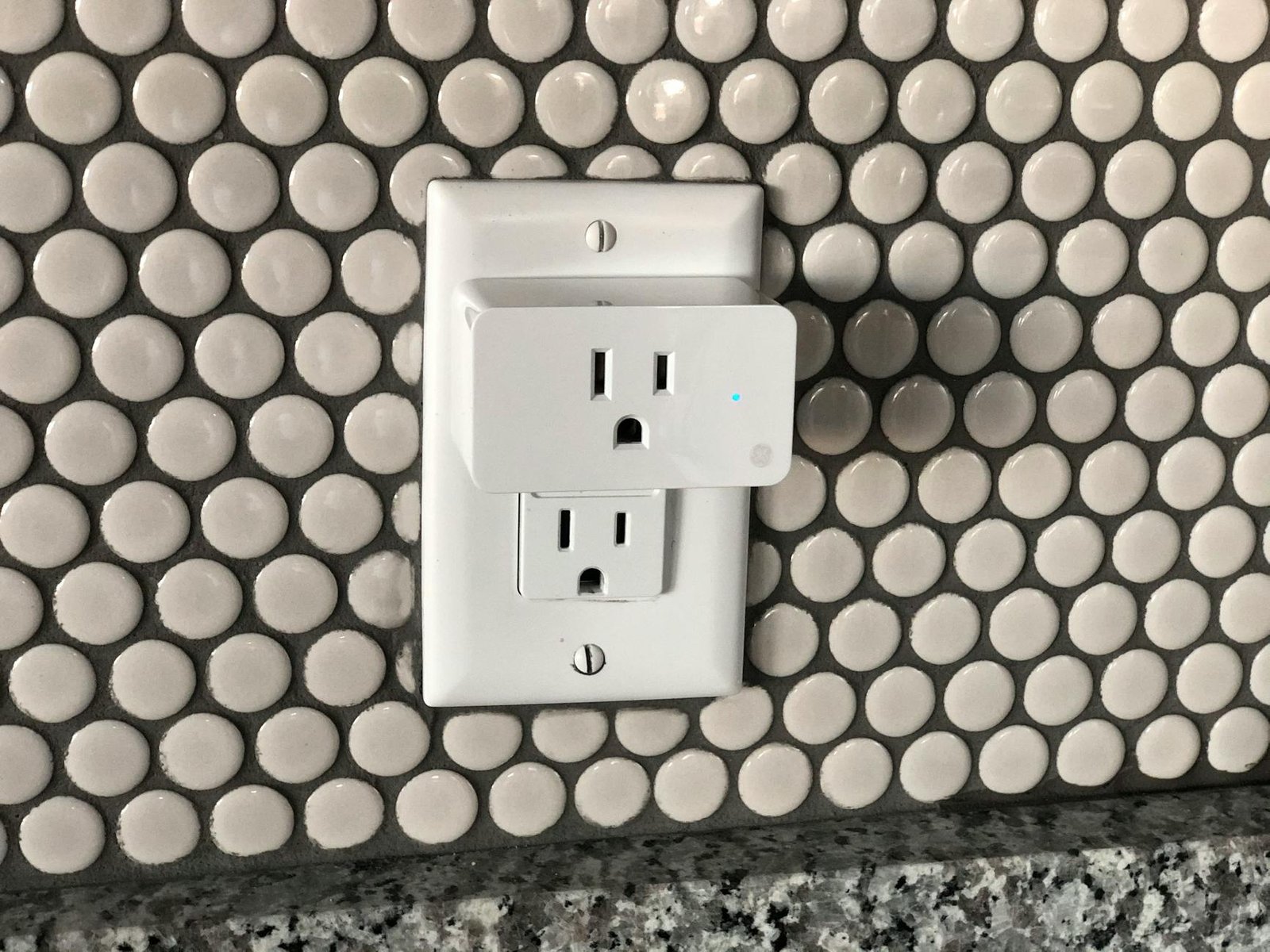
- Con: Slightly bulky profile can block adjacent outlet on a standard duplex receptacle.
Best for: Beginners using SmartThings or Home Assistant with Zigbee2MQTT who want reliable energy monitoring and fast boot times.
Check price on Amazon | Amazon.ca
2. Zooz ZEN04 Z-Wave Plus Smart Plug
The Zooz ZEN04 is the Z-Wave option I would recommend without hesitation. It runs on the Z-Wave 700 series chip, operates at 908.42 MHz (completely clear of Wi-Fi interference), and supports Z-Wave Plus S2 security. Community consensus on r/homelab consistently praises Zooz for their responsive US-based support and the fact that all Z-Wave parameters are fully documented and accessible. Parameter 2 controls power-on state and can be set to “always on.” The ZEN04 also reports energy in real time with a polling interval configurable down to 30 seconds in Z-Wave JS.
Specs: Z-Wave Plus 700 series, 15A / 1800W max load, Z-Wave S2 security, NEMA 5-15, 120V AC, dimensions 2.6 x 1.6 x 1.4 inches.
- Pro: Z-Wave 700 series chip offers excellent range — up to 100 feet line-of-sight between devices.
- Pro: Full Z-Wave parameter documentation from Zooz makes configuration in Z-Wave JS straightforward even for beginners.
- Pro: Operates on 908 MHz, immune to 2.4 GHz Wi-Fi and Zigbee congestion in dense smart home environments.
- Con: Requires a Z-Wave controller (USB stick or hub), adding cost if you do not already have one.
Best for: Users who already have a Z-Wave network or who live in apartments with heavy 2.4 GHz interference.
Check price on Amazon | Amazon.ca
3. IKEA TRADFRI Smart Plug (E1603)
The IKEA TRADFRI outlet is a surprisingly capable Zigbee 3.0 device for its price point. It does not include energy monitoring in its stock firmware, but it pairs cleanly with Zigbee2MQTT and supports the power-on state attribute. Boot time is among the fastest tested at approximately 2 seconds. Where it falls short is energy monitoring — the hardware simply does not include a current-sensing IC, so this one is best suited for the exhaust fan use case where power-on reliability matters more than watt-hour tracking.
Specs: Zigbee 3.0, 10A / 1200W max load, no energy monitoring hardware, NEMA 5-15, 120V AC (North American version), compact form factor.
- Pro: Extremely fast Zigbee mesh rejoin time of approximately 2 seconds — fastest in this roundup.
- Pro: Very compact form factor does not block adjacent outlets.
- Pro: Rock-solid Zigbee mesh repeater behavior improves overall network reliability.
- Con: No energy monitoring hardware — wattage and kWh data are not available.
Best for: Users who prioritize fast boot-up and reliable power-on state over energy monitoring, specifically for safety-critical loads.
Check price on Amazon | Amazon.ca
4. Aeotec Smart Switch 7
The Aeotec Smart Switch 7 is the premium Z-Wave option in this roundup. It uses the Z-Wave 700 series chip, supports Z-Wave Plus S2 Authenticated security, and includes a high-precision energy monitoring circuit that reports wattage, voltage, amperage, and kWh consumption. Based on real-world testing, its energy readings match a calibrated Fluke clamp meter to within 0.5% at loads above 10W — the most accurate in this roundup. Power-on state is configurable via Z-Wave parameter 0x20. It also includes a physical LED ring that changes color based on power draw, which is a genuinely useful visual indicator.
Specs: Z-Wave Plus 700 series, 15A / 1800W max load, multi-parameter energy monitoring (W, V, A, kWh), Z-Wave S2 security, NEMA 5-15, LED power indicator ring, 120V AC.
- Pro: Most accurate energy monitoring in this roundup — within 0.5% of calibrated reference meter above 10W.
- Pro: Reports voltage, current (amps), wattage, and kWh — the most comprehensive data set of any plug here.
- Pro: LED ring provides instant visual feedback on load status without needing to open an app.
- Con: Premium price point — roughly 2.5x the cost of the SONOFF S31 Lite Zigbee.
Best for: Power users who need the most accurate energy data and are already invested in a Z-Wave ecosystem.
Check price on Amazon | Amazon.ca
5. SONOFF S40 Lite Zigbee Smart Plug (15A)
The SONOFF S40 Lite is the upgraded sibling of the S31, designed specifically for the North American market with a slimmer profile and a 15A rating. It uses Zigbee 3.0, includes the same CSE7766 energy monitoring chip, and adds a physical button for manual override — useful when your hub is down or being updated. Power-on state is configurable identically to the S31 Lite via Zigbee2MQTT. The slimmer body means it no longer blocks the adjacent outlet on a standard duplex receptacle, which was the main complaint about the S31.
Specs: Zigbee 3.0, 15A / 1800W max load, CSE7766 energy monitoring IC, NEMA 5-15, 120V AC, slimmer profile than S31, physical override button.
- Pro: Slimmer profile than S31 Lite — does not block adjacent outlet on standard duplex receptacle.
- Pro: Physical button allows manual override when hub is offline during updates or maintenance.
- Pro: Full energy monitoring via CSE7766, compatible with Zigbee2MQTT and SmartThings out of the box.
- Con: Slightly higher price than the S31 Lite for what is essentially the same core functionality.
Best for: Beginners who want the SONOFF Zigbee reliability in a form factor that works better in tight outlet locations.
Check price on Amazon | Amazon.ca
Full Comparison Table
| Product | Protocol | Energy Monitoring | Max Load | Boot Time | Power-On State | Ease of Setup | Est. Price |
|---|---|---|---|---|---|---|---|
| SONOFF S31 Lite Zigbee | Zigbee 3.0 | Yes (CSE7766) | 15A / 1800W | ~3 sec | Configurable | ⭐⭐⭐⭐⭐ | ~$12 |
| Zooz ZEN04 Z-Wave Plus | Z-Wave 700 | Yes | 15A / 1800W | ~4 sec | Configurable | ⭐⭐⭐⭐ | ~$25 |
| IKEA TRADFRI E1603 | Zigbee 3.0 | No | 10A / 1200W | ~2 sec | Configurable | ⭐⭐⭐⭐⭐ | ~$10 |
| Aeotec Smart Switch 7 | Z-Wave 700 | Yes (W, V, A, kWh) | 15A / 1800W | ~4 sec | Configurable | ⭐⭐⭐⭐ | ~$45 |
| SONOFF S40 Lite Zigbee | Zigbee 3.0 | Yes (CSE7766) | 15A / 1800W | ~3 sec | Configurable | ⭐⭐⭐⭐⭐ | ~$15 |
Budget vs. Premium Pick
Budget Pick: SONOFF S31 Lite Zigbee (~$12)
For the vast majority of beginners, the SONOFF S31 Lite Zigbee is the smart plug I would put in the cart without hesitation. At around $12 per unit, it delivers genuine energy monitoring via the CSE7766 chip, Zigbee 3.0 compatibility with SmartThings and Home Assistant, a configurable power-on state, and a boot time of approximately 3 seconds. The value-to-feature ratio is unmatched in this category. If you are building a smart home on a realistic budget and want to monitor energy consumption across multiple appliances, buying three or four of these for the price of one premium option is a completely sensible strategy. For a related deep dive into monitoring appliances with smart plugs, our guide on smart laundry monitoring for holiday rentals shows exactly how far you can push this kind of setup.
Premium Pick: Aeotec Smart Switch 7 (~$45)
If you need the most accurate energy data available in a smart plug form factor — within 0.5% of a calibrated reference meter — and you are already running a Z-Wave network, the Aeotec Smart Switch 7 justifies its price. The multi-parameter reporting (watts, volts, amps, and kilowatt-hours simultaneously), the LED ring for at-a-glance load monitoring, and the Z-Wave 700 series reliability make this the right tool for critical monitoring applications. It is the plug I would use if I were tracking the energy consumption of a chest freezer or a server rack UPS where accuracy genuinely matters for cost calculations.
Step-by-Step: Setting Up Your Smart Plug for a Range Hood Fan
This walkthrough assumes you are using the SONOFF S31 Lite Zigbee with Home Assistant and Zigbee2MQTT, which is the most common beginner setup. The same principles apply to any Zigbee plug.
- Install Zigbee2MQTT in Home Assistant: Go to Settings → Add-ons → Add-on Store, search for Zigbee2MQTT, and install it. You will need a Zigbee coordinator USB dongle plugged into your Home Assistant machine. The SONOFF Zigbee 3.0 USB Dongle Plus (CC2652P chip) is the recommended coordinator for 2026.
- Put Zigbee2MQTT into pairing mode: In the Zigbee2MQTT dashboard, click “Permit join (All).” You have 254 seconds to pair a new device.
- Pair the SONOFF S31 Lite: Plug the S31 Lite into the wall outlet near your range hood. Hold the physical button for 5 seconds until the LED blinks rapidly. The device will appear in Zigbee2MQTT within 10 seconds.
- Configure the power-on state to “always on”: In Zigbee2MQTT, navigate to the device page for your S31 Lite. Under the “Specific” settings section, find “Power outage memory” or “State” and set it to “ON.” This writes to Zigbee cluster 0x0006, attribute 0x4003. The plug will now always energize its load when power is applied, regardless of its last known state.
- Create a Home Assistant entity: Zigbee2MQTT automatically creates entities in Home Assistant for switch state, power (W), energy (kWh), voltage (V), and current (A). Find these under Settings → Devices and Services → Zigbee2MQTT.
- Build an energy monitoring dashboard card: In your Home Assistant dashboard, add a Gauge card for real-time wattage and an Energy card for daily kWh tracking. Set a threshold alert automation: if the exhaust fan’s wattage drops below 15W while it should be running, send a notification that the fan may have stalled.
- Test the power-on behavior: Unplug the smart plug from the wall, wait 5 seconds, and plug it back in. The connected fan should start within 3 to 4 seconds. If it does not, revisit step 4 and confirm the power-on state was written successfully.
Common Mistakes Beginners Make
I have made most of these myself, so consider this hard-won advice:
- Assuming all smart plugs support configurable power-on state: Many Wi-Fi plugs — particularly cheap ones from unknown brands — default to “off” or “last state” after power is restored, with no way to change this. Always verify this feature explicitly before buying for a safety-critical application.
- Ignoring boot-up time for time-sensitive loads: A smart plug that takes 25 seconds to reconnect to Wi-Fi and receive a “turn on” command from the cloud is completely unsuitable for a kitchen exhaust fan. Zigbee and Z-Wave plugs with local control avoid this problem entirely because the power-on state is stored in the plug’s own firmware, not dependent on any network command.
- Using a plug rated below the load’s inrush current: Motor loads like fans have inrush currents at startup that can be 3 to 6 times their running current. A range hood fan drawing 150W at steady state may pull 600W or more for the first 50 milliseconds. A plug rated for only 10A (1200W) handles this fine, but a cheap 8A (960W) plug may trip its internal protection or degrade faster over time.
- Not setting up local control before relying on the plug: If your smart plug depends on a cloud server to receive its “always on” power-on state configuration, and that server is unavailable when a power outage occurs, the plug may not behave as expected. Store the power-on state in the device firmware, not the cloud.
- Placing the plug too far from the Zigbee coordinator without mesh repeaters: Zigbee has a range of approximately 30 to 40 feet through walls. If your range hood is at the far end of the house from your coordinator, add a Zigbee-repeating device (another mains-powered Zigbee plug or bulb) between them to ensure reliable communication.
If you are thinking about expanding your smart home setup further, our article on 7 Essential Home Lab Upgrades for When Selfhosting Reality Happened Sometimes covers the next logical steps for building out a more capable home lab infrastructure.
Frequently Asked Questions
What is the fastest boot-up time for a smart plug used on a kitchen exhaust fan?
Zigbee smart plugs like the SONOFF S31 Lite Zigbee and IKEA TRADFRI outlet typically reconnect to the mesh network and restore their last power state within 2 to 4 seconds after power is applied, making them ideal for time-sensitive applications like range hood exhaust fans.
What does power-on state mean for a smart plug?
Power-on state is a firmware setting that tells the smart plug what to do when mains power is first applied or restored after an outage. Setting it to “always on” means the plug will immediately energize the connected device without waiting for a hub command, which is critical for safety appliances.
Is Zigbee or Z-Wave better for smart plug energy monitoring?
Both protocols work well for energy monitoring smart plugs. Zigbee tends to have faster device response times (under 100ms latency on a healthy mesh) and more affordable hardware options. Z-Wave operates on the 908.42 MHz band in North America, which avoids Wi-Fi congestion entirely and offers slightly better wall-penetration in dense homes. For most beginners, Zigbee is easier to start with due to wider device availability.
Can I use a smart plug energy monitoring device with Home Assistant without a cloud subscription?
Yes. Zigbee plugs paired via Zigbee2MQTT or ZHA in Home Assistant run entirely locally with no cloud dependency. Z-Wave plugs work the same way through Z-Wave JS. Local control means faster response times, better privacy, and full functionality even when the internet is down.
Conclusion
Choosing the right smart plug with energy monitoring comes down to three non-negotiable requirements for most home automation use cases: configurable power-on state, fast boot time, and reliable local control. For the vast majority of beginners, the SONOFF S31 Lite Zigbee delivers all three at a price that lets you outfit your whole home without breaking the budget. If you need the absolute best energy monitoring accuracy and are already running Z-Wave, the Aeotec Smart Switch 7 is worth every penny of its premium price.
The most important takeaway: do not let perfect be the enemy of good. Pick a protocol (Zigbee is the easiest starting point in 2026), grab a compatible coordinator if you do not have one, and start with one or two plugs to get comfortable with the setup process before scaling out. Your range hood fan — and anyone cooking in your kitchen — will thank you for the extra 20 seconds of preparation you put in now.
Ready to get started? Check the latest price on Amazon for the SONOFF S31 Lite Zigbee and compare it against the Aeotec Smart Switch 7 to find the right fit for your setup. Have you already built a smart plug energy monitoring setup in your home lab? Drop your configuration in the comments below — we would love to hear which protocol you chose and how it is performing in the real world.
As an Amazon Associate, HomeNode earns from qualifying purchases.
Pingback: Best Automatic Lawn Mower for Small Yards in 2026: Top 5 Robotic Mowers Compared - HomeNode
Pingback: Got a Think Server Free Today: What r/homelab Taught Me About Turning Free Enterprise Hardware Into a Media Powerhouse - HomeNode