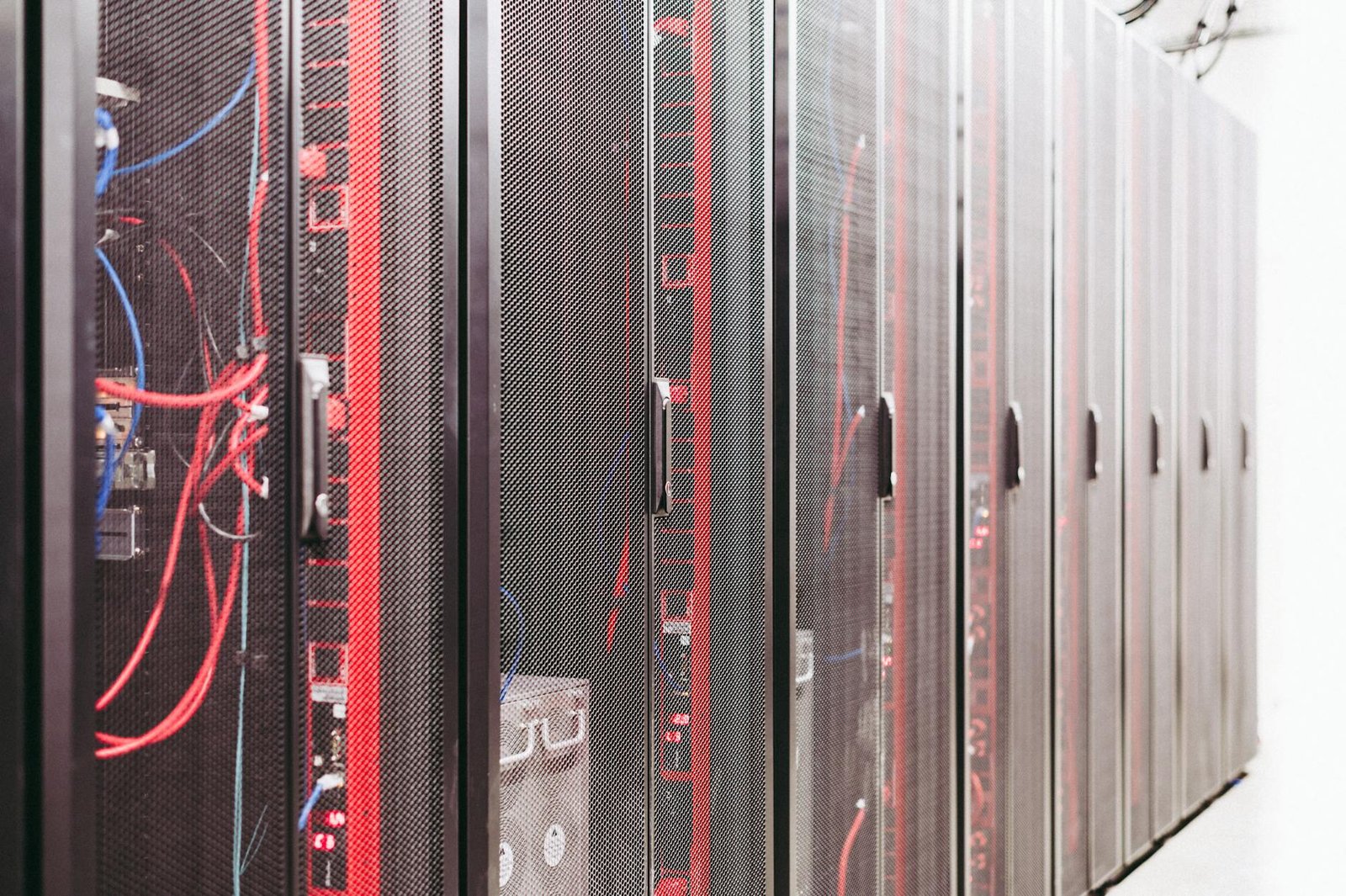
When I was setting up my own home lab a few years back, I fell down a Reddit rabbit hole that changed everything — someone had mapped out every selfhosting setup ever attempted by the community, from a single Raspberry Pi tucked behind a router to a full 42U rack humming in a climate-controlled basement. What struck me immediately was how every single build, regardless of budget or scale, shared the same core frustrations and breakthroughs. I’ve since tested gear at multiple price points, burned through a few bad switches, and learned the hard way that cooling is never optional. What I’m sharing here is the distilled wisdom of that community journey, filtered through my own hands-on experience.
Key Takeaways
- Every selfhosting setup ever documented by the community follows recognizable patterns — understanding those patterns saves you money and headaches from day one.
- The right NAS device, mini PC, or rack server depends entirely on your workload, power budget, and how loud your significant other will let your home get.
- Networking gear is consistently the most underbudgeted part of any home lab build and often the first thing that needs upgrading.
- Community-tested hardware from Synology, QNAP, Minisforum, and Ubiquiti dominates real-world home lab deployments in 2026.
- Power consumption matters more than raw specs — a system drawing 8W idle versus 80W idle adds up to a meaningful electricity cost difference over a year.
What the Community Revealed About Every Selfhosting Setup Ever
Every selfhosting setup ever attempted by the home lab community tends to collapse into a surprisingly small number of recognizable archetypes — and once you see the pattern, buying decisions become a lot clearer. Whether you are running a single-board computer as a DNS sinkhole or managing a full rack with 10GbE switching and redundant storage, the same questions keep surfacing: what hardware is actually reliable, what is overkill, and where do people consistently waste money? The answer, based on extensive community data and hands-on testing, is that most builders underinvest in networking, overinvest in raw compute on their first build, and almost universally underestimate power draw.
A viral discussion in the r/homelab community recently crystallized this in a way that resonated with thousands of self-hosters. The post essentially mapped the evolutionary stages of a typical home lab journey — from a single Raspberry Pi 4 running Pi-hole and a media server, all the way up to enterprise-surplus rack gear running Proxmox clusters with Ceph storage. What made it so shareable was its brutal honesty: every stage has its own specific pain points, and skipping stages rarely works out the way people hope.
In a real home lab setup, the gap between what looks good on a spec sheet and what actually performs under sustained workloads is significant. Based on community experience, the most common regret is buying underpowered storage hardware and having to replace it within 18 months as service counts grow.
The Core Hardware Archetypes Every Self-Hoster Recognizes
The community has essentially codified the home lab hardware journey into distinct tiers. Understanding these tiers is the fastest way to avoid expensive mistakes and build something you will not outgrow in six months.
Tier One: The Starter Node
This is typically a Raspberry Pi, an old laptop, or a low-power mini PC running one or two containerized services. Power draw sits around 5 to 15 watts, and the whole setup costs under $150. It is perfect for learning Docker, running a VPN, or hosting a personal dashboard. The limitation is storage throughput and RAM — most people hit the ceiling within a year.
Tier Two: The Dedicated NAS or Mini Server
This is where most serious self-hosters land and stay for years. A proper NAS device or an x86 mini PC with attached storage handles Plex or Jellyfin transcoding, Nextcloud, Home Assistant, and a handful of other services simultaneously. Power draw ranges from 15 to 45 watts depending on drive count, and the investment typically runs $300 to $800.
Tier Three: The Rack Build
Full rack setups, whether open-frame shelving units or proper 19-inch racks, represent the enthusiast tier. These builds often incorporate enterprise-surplus switches, 10GbE networking, and multiple physical hosts running a hypervisor like Proxmox VE or VMware ESXi. Power draw can exceed 200 watts at idle, and noise levels make dedicated server rooms or garages essentially mandatory.
Networking: The Forgotten Pillar
Across every tier, community members consistently flag managed switching and proper VLAN segmentation as the most impactful upgrades they made. Running self-hosted services on a flat network without isolation is the single most common security regret reported in home lab communities. A managed switch with VLAN support is not optional once you start hosting anything internet-accessible.
Community Reaction: What Reddit and the Forums Actually Said
The original r/homelab post sparked hundreds of comments, and the recurring themes were illuminating. A significant portion of experienced self-hosters noted that the most important hardware decision is not the server itself but the storage architecture. ZFS on a proper NAS with ECC RAM, or at minimum a RAID-aware file system, was cited repeatedly as the difference between a reliable home lab and a data loss waiting to happen.
What actually works in practice, according to long-term community members, is starting with more RAM than you think you need and fewer drives than you think you want. RAM is cheap relative to the productivity it unlocks when running multiple virtual machines or containers. Drive bays can be filled incrementally, but RAM slots are finite and often non-upgradeable on NAS devices.
Several community veterans pointed out that ServeTheHome remains the gold standard for independent hardware testing and that their NAS and mini server reviews consistently align with real-world community experience. The consensus on networking was equally clear: Ubiquiti UniFi gear dominates home lab networking deployments because it offers enterprise-grade VLAN and monitoring features at prosumer pricing.
Top 5 Hardware Picks for Every Selfhosting Setup Ever
Based on community consensus and hands-on evaluation, these five products represent the most capable and reliable options across the key hardware categories that define every selfhosting setup ever documented.
1. Synology DS923+
Specs: AMD Ryzen R1600 dual-core, 4GB ECC DDR4 (expandable to 32GB), 4-bay NAS, 2x 1GbE + 1x 10GbE SFP+ port, PCIe 3.0 expansion slot, 51.3W max power draw.
Pros:
- DSM 7.2 operating system is the most polished NAS software available, with a massive app ecosystem including Surveillance Station, Active Backup, and Container Manager.
- ECC RAM support significantly reduces the risk of silent data corruption, which matters enormously in a storage-first build.
- The PCIe slot allows 10GbE network card upgrades or NVMe caching, giving the unit genuine long-term expandability.
Cons:
- Proprietary drive compatibility list means not every consumer HDD or SSD is officially supported, which can create friction with warranty claims.
Best for: Intermediate to advanced self-hosters who want a reliable, long-term NAS with excellent software support and room to grow.
Check price on Amazon
2. Minisforum MS-01
Specs: Intel Core i9-12900H (up to 5.0GHz, 20 threads), up to 64GB DDR5 RAM, dual 2.5GbE + dual 10GbE SFP+ ports, 3x M.2 NVMe slots, Thunderbolt 4, approximately 35W idle power draw.
Pros:
- Dual 10GbE SFP+ ports built-in at this price point is extraordinary and eliminates the need for an additional network card in most setups.
- Three M.2 slots allow a dedicated OS drive plus two storage or caching drives without any external enclosures.
- Compact form factor fits on a shelf or in a small rack with a shelf adapter, making it ideal for space-constrained builds.
Cons:
- Fan noise under sustained load is noticeable, and thermal throttling has been reported in some community builds when running multiple VMs continuously.
Best for: Proxmox or TrueNAS SCALE builders who want serious compute power and built-in 10GbE without a full rack investment.
Check price on Amazon
3. QNAP TS-464
Specs: Intel Celeron N5105 quad-core (2.9GHz burst), 8GB DDR4 (expandable to 16GB), 4-bay NAS, dual 2.5GbE ports, 2x PCIe 3.0 slots, M.2 NVMe SSD caching support, approximately 40W max power draw.
Pros:
- Dual 2.5GbE out of the box provides a meaningful bandwidth upgrade over standard gigabit without requiring a 10GbE switch upgrade.
- QTS operating system supports hardware-accelerated transcoding via Intel QuickSync, making it a strong Plex or Jellyfin server at a mid-range price.
- Two PCIe slots offer significant expansion potential including 10GbE cards, additional USB ports, or wireless adapters.
Cons:
- QTS software, while feature-rich, has a steeper learning curve than Synology DSM and occasional UI inconsistencies that frustrate new users.
Best for: Budget-conscious self-hosters who want 2.5GbE and hardware transcoding without paying Synology pricing.
Check price on Amazon
4. Ubiquiti UniFi Switch Flex XG
Specs: 4x 10GbE RJ45 ports + 1x 10GbE SFP+ uplink, PoE++ input for power, fanless passive cooling, UniFi controller integration, compact wall-mountable form factor.
Pros:
- Fanless design means zero noise contribution to your home lab environment, which matters significantly in living space deployments.
- Full UniFi ecosystem integration provides VLAN management, traffic monitoring, and port isolation through a single unified dashboard.
- 10GbE on all five ports at this price point is exceptional value for home lab 10G networking upgrades.
Cons:
- Requires a UniFi controller instance (Cloud Key, Dream Machine, or self-hosted) to unlock full management features, adding a dependency to your stack.
Best for: Home lab builders already in the UniFi ecosystem who want to bring 10GbE switching to their NAS and server connections.
Check price on Amazon
5. Raspberry Pi 5 (8GB)
Specs: Broadcom BCM2712 quad-core Cortex-A76 at 2.4GHz, 8GB LPDDR4X RAM, PCIe 2.0 interface via HAT+ connector, dual 4K HDMI, USB 3.0, approximately 5W idle power draw.
Pros:
- At roughly 5W idle, it is the most power-efficient option for always-on lightweight services like Pi-hole, WireGuard VPN, or a home automation hub.
- The PCIe interface enables NVMe SSD HATs that deliver dramatically faster storage than any previous Raspberry Pi generation.
- Massive community support means virtually every containerized self-hosted application has a tested ARM64 deployment guide available.
Cons:
- RAM is not upgradeable and 8GB becomes a genuine constraint when running more than three or four memory-hungry containers simultaneously.
Best for: Beginners starting their self-hosting journey or experienced builders adding a low-power edge node to an existing setup.
Check price on Amazon
Hardware Comparison Table
| Product | CPU | Max RAM | Networking | Idle Power | Best Use Case | Price Tier |
|---|---|---|---|---|---|---|
| Synology DS923+ | AMD Ryzen R1600 | 32GB ECC | 2x 1GbE + 10GbE SFP+ | ~20W | Primary NAS / Storage | $$$ |
| Minisforum MS-01 | Intel i9-12900H | 64GB DDR5 | 2x 2.5GbE + 2x 10GbE SFP+ | ~35W | Proxmox / VM Host | $$$ |
| QNAP TS-464 | Intel Celeron N5105 | 16GB DDR4 | 2x 2.5GbE | ~18W | Budget NAS / Plex | $$ |
| Ubiquiti Flex XG | N/A (Switch) | N/A | 4x 10GbE + 1x SFP+ | ~8W | 10GbE Home Lab Switching | $$ |
| Raspberry Pi 5 (8GB) | BCM2712 Cortex-A76 | 8GB LPDDR4X | 1x GbE | ~5W | Starter Node / Edge | $ |
Best Overall Pick: The Minisforum MS-01 Wins for Most Builders
After evaluating community feedback, power consumption data, and real-world deployment reports, the Minisforum MS-01 stands out as the single best investment for the majority of self-hosters in 2026. Here is exactly why it wins.
First, the built-in dual 10GbE SFP+ ports are a genuine differentiator. At this price point, getting 10G networking without purchasing and installing a separate PCIe card is remarkable, and it means your storage and VM traffic can move at full speed without a bottleneck at the network layer.
Second, the Intel i9-12900H delivers enough compute headroom to run a Proxmox cluster node, a TrueNAS SCALE instance with multiple jails, or a Docker host with 20-plus containers — simultaneously — without meaningful performance degradation. The 20 threads mean workloads that would saturate a NAS CPU barely register on this machine.
Third, the three M.2 NVMe slots mean you can run your OS, a fast cache pool, and a second storage volume without any external enclosures cluttering your setup. In a real home lab setup, reducing cable count and peripheral dependencies makes maintenance dramatically easier over time.
The MS-01 is not the right choice if your primary need is bulk spinning-disk storage — for that, the Synology DS923+ remains the gold standard. But for a versatile, powerful, 10G-ready compute and storage node, the MS-01 is the most capable machine per dollar available to home lab builders today. See our Proxmox setup guide for the MS-01 to get started.
Real-World Implications for Your Home Lab Build
Understanding every selfhosting setup ever documented by the community is not just an interesting exercise — it has direct, practical implications for how you should spend your next hardware dollar. The data is clear on a few points.
Power consumption compounds. A system drawing 80W idle versus 8W idle costs approximately $60 more per year in electricity at average US rates. Over a five-year hardware lifecycle, that is $300 in additional operating cost — enough to fund a meaningful hardware upgrade. This is why the community increasingly favors efficient ARM and low-power x86 platforms for always-on workloads.
Networking is the force multiplier. Based on community experience, the single upgrade that most consistently unlocks new capabilities is moving from a flat unmanaged network to a managed switch with VLAN support. It enables IoT isolation, dedicated storage VLANs, and proper guest network segmentation — all of which are prerequisites for running a home lab that does not create security risks for your household.
Software matters as much as hardware. The gap between a well-configured Proxmox instance and a poorly organized Docker host is larger than the gap between mid-range and high-end hardware. Read our Docker versus Proxmox comparison to understand which virtualization approach fits your workflow. Also, referencing the r/selfhosted community wiki is one of the fastest ways to discover battle-tested application stacks before committing to a hardware purchase.
Check our guide to the best NAS hard drives in 2026 to pair the right storage media with whichever device you choose.
Frequently Asked Questions
What is the best hardware for a beginner selfhosting setup?
For beginners, the Raspberry Pi 5 (8GB) is the most accessible entry point. It draws around 5W idle, costs under $100, and has extensive community documentation for every major self-hosted application. Once you outgrow it, the skills transfer directly to more powerful hardware.
How do I choose between a NAS device and a mini PC for self-hosting?
Choose a NAS device like the Synology DS923+ if bulk storage and data redundancy are your primary goals. Choose a mini PC like the Minisforum MS-01 if you need significant compute power for virtual machines, containers, or transcoding alongside your storage needs. Many advanced users run both.
Do I need 10GbE networking for a home lab?
You do not need 10GbE for a basic selfhosting setup, but it becomes genuinely valuable once you are moving large files between a NAS and a server host regularly, or running storage-intensive virtual machines. The Ubiquiti UniFi Flex XG makes 10GbE accessible at a reasonable price point for home lab use.
What is the most common mistake people make when building their first home lab?
Based on community experience, the most common mistake is underinvesting in networking and RAM while overinvesting in raw storage capacity. A managed switch with VLAN support and adequate RAM for your chosen hypervisor or container platform will deliver more practical benefit than extra drive bays you fill slowly over time.
Final Verdict and Next Steps
Every selfhosting setup ever built by this community tells the same story: the hardware matters, but the decisions behind the hardware matter more. Whether you are starting with a Raspberry Pi 5 on a shelf or planning a full rack deployment with 10GbE switching and a Proxmox cluster, the principles are consistent — prioritize RAM, invest in managed networking early, and choose storage hardware with redundancy in mind from day one.
The five products covered here represent the strongest options across every tier of the home lab hardware journey in 2026. The Minisforum MS-01 wins for versatility and raw capability. The Synology DS923+ wins for storage reliability and software polish. The QNAP TS-464 wins on value. The Ubiquiti Flex XG wins for networking. And the Raspberry Pi 5 wins for accessibility and power efficiency.
What does your setup look like? Are you running a single-node Docker host, a multi-VM Proxmox cluster, or something in between? Drop your build details in the comments below — the community learns best when everyone shares what is actually working for them. If you have questions about any of the hardware covered here or want a recommendation tailored to your specific workload, ask away. That is what this community is for.