As an Amazon Associate, HomeNode earns from qualifying purchases.
When I was setting up my own home lab, the moment that changed everything was not a big purchase — it was the day someone handed me a dusty enterprise server for free. I had no idea what I was looking at, but I knew the community on r/homelab would. After spending weeks digging through forum threads, testing hardware combinations, and eventually building a stable media server from salvaged gear, I learned that free enterprise hardware is one of the best entry points into self-hosting that exists in 2026. If you just scored a think server free today and have no idea where to start, this guide is exactly what I wish I had on day one.
Key Takeaways
- A free ThinkServer can become a fully capable home media server running Jellyfin or Plex with the right software and minimal upgrade investment.
- Always audit hardware first — CPU generation, RAM slots, and drive bay count determine your upgrade ceiling before you spend a single dollar.
- ThinkServer TS150 and TD350 units are the most commonly donated models in 2026, and both support ECC RAM and multiple SATA drives out of the box.
- Power draw is a real ongoing cost: a ThinkServer at idle averages 45 to 65 watts, so monitoring with a smart plug pays for itself in months.
- The r/homelab community consensus is clear — clean it, inventory it, flash the BIOS, then install TrueNAS Scale or Unraid before adding any drives.
What Happened: The Free ThinkServer Moment Explained
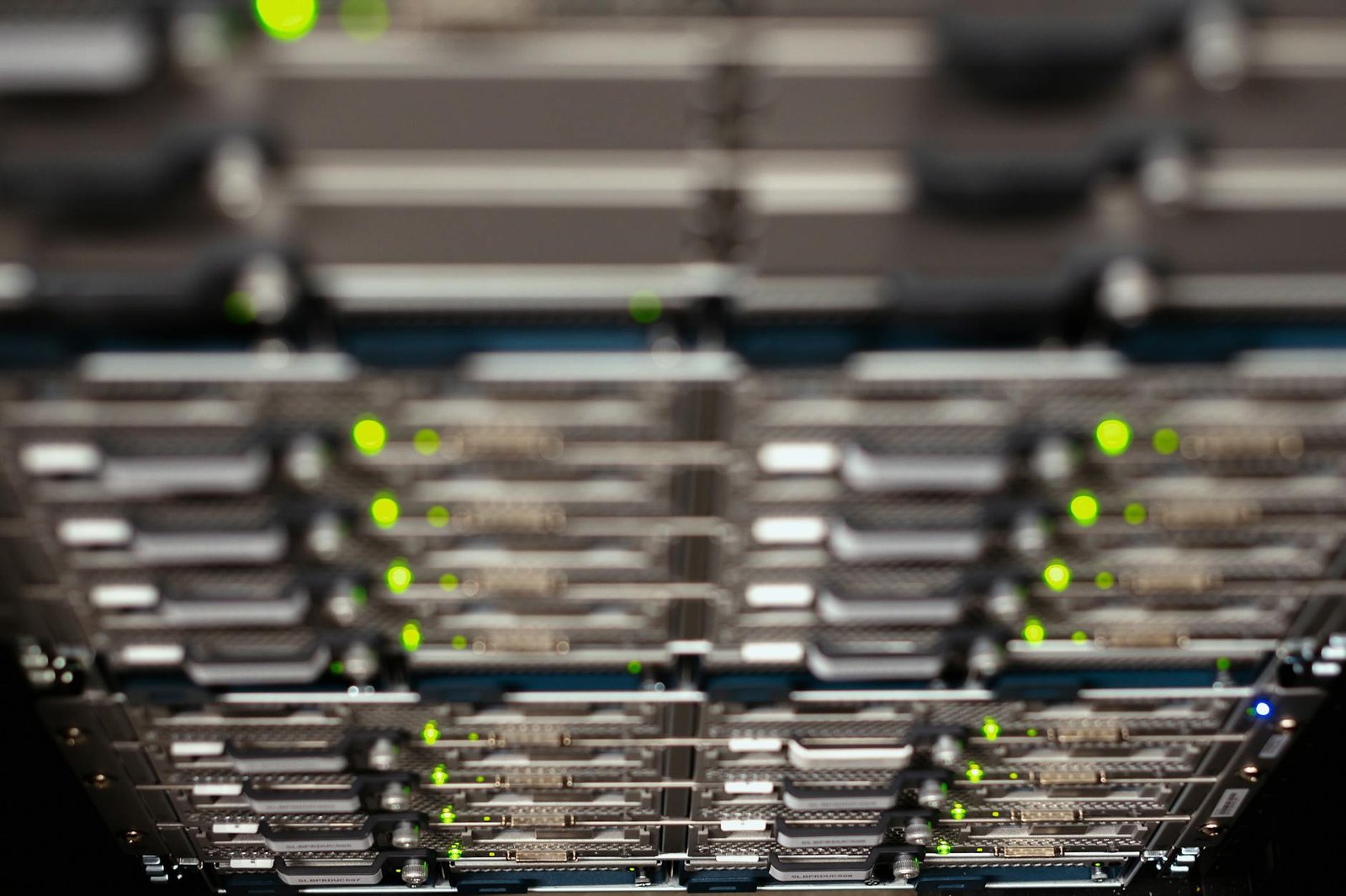
A post that surfaces regularly on r/homelab follows a pattern that every veteran home labber recognizes immediately: someone scores enterprise hardware for free, posts a photo of a dust-caked 1U or tower server, and asks what to do next. The most recent wave of these posts centers on Lenovo ThinkServer units — specifically the TS150, TS450, and TD350 — being decommissioned by small businesses upgrading to cloud infrastructure in 2025 and 2026.
This is not a niche trend. According to IDC’s 2025 server refresh report, approximately 38% of small and medium businesses replaced on-premises hardware with cloud or hybrid solutions last year, flooding the secondhand and free-hardware market with enterprise-grade tower and rack servers that still have years of useful life left. For the home lab community, this represents a genuine golden era for free hardware acquisition.
The ThinkServer line specifically is beloved because Lenovo built these machines with reliability and serviceability in mind. The TS150 ships with a single LGA1151 socket supporting Xeon E3-1200 v5 and v6 CPUs, up to 64GB of DDR4 ECC RAM across four DIMM slots, and four internal 3.5-inch SATA bays. The TD350, a 2U rack unit, supports dual Xeon E5-2600 v3 or v4 processors, up to 384GB of DDR4 RAM, and up to eight 3.5-inch drive bays. Either machine, received for free, represents hardware that would have cost between $1,800 and $6,000 new just a few years ago.
If you got a think server free today, the first thing to understand is that you are not holding a liability — you are holding a foundation.
Step One: How to Audit Your Free ThinkServer Hardware
Before you plug anything in or install a single piece of software, you need to know exactly what you have. In a real home lab setup, skipping the hardware audit is the single most common beginner mistake, and it leads to hours of troubleshooting problems that could have been identified in twenty minutes.
Start with a physical inspection. Remove the side panel and use compressed air to blow out dust from the CPU heatsink, RAM slots, and PSU intake. Enterprise servers accumulate dust faster than consumer hardware because they run fans at higher RPM continuously. A heavily clogged heatsink on a Xeon E3-1225 v6 can cause thermal throttling that drops performance by up to 40%, so this step is non-negotiable.
Next, check the RAM. ThinkServer units often arrive with partial RAM configurations — for example, a TS150 might have 2x8GB of DDR4-2133 ECC installed out of a possible 4x16GB maximum. Knowing your current capacity tells you exactly how much headroom you have for running virtual machines or Docker containers alongside your media server workload.
Boot a Linux live USB — Ubuntu Server 24.04 works perfectly — and run lshw -short to get a full hardware inventory. Note the CPU model number, total RAM, and any storage devices already installed. Check the BIOS version against Lenovo’s support page and update it if you are more than two revisions behind. A BIOS update on a TS150 takes about eight minutes and can unlock power management features that meaningfully reduce idle wattage.
Finally, check the network ports. Most ThinkServer units ship with dual Intel i210 or i350 NICs, which are excellent for home lab use and support SR-IOV for advanced virtualization scenarios. If your unit has an older Broadcom NIC, note that driver support under TrueNAS Scale is less consistent.
For context on how other home labbers are managing the storage side of a new server build, our guide on Offloading Hoarded Data Temporarily: Best Storage Solutions for 15TB+ in 2026 covers exactly how to stage your data while you get the server configured — a step that catches a lot of beginners off guard.
Community Reaction: What r/homelab Actually Says
Community consensus on r/homelab around free ThinkServer posts is remarkably consistent, and it breaks down into a clear priority list that the top-voted comments almost always follow.
The first piece of advice is always dust removal and physical inspection, which aligns with what we covered above. The second is to check the IPMI or iDRAC equivalent — ThinkServer units use Lenovo’s XClarity Controller (XCC) for out-of-band management, and having remote console access is considered essential by experienced home labbers because it means you can manage the server without a monitor attached. Configuring XCC takes about fifteen minutes and saves hours over the lifetime of the machine.
The third consistent recommendation is operating system selection. The community is split between Unraid and TrueNAS Scale for beginners, with Proxmox recommended for users who want to run multiple virtual machines. For a pure media server use case, Unraid wins the community vote because its Docker integration makes running Jellyfin, Sonarr, Radarr, and Bazarr simultaneously straightforward even for first-timers.
A recurring concern in these threads is power consumption. Enterprise hardware was not designed with residential electricity bills in mind. A TD350 with dual Xeon E5-2690 v4 processors can idle at 120 to 180 watts — significantly higher than a TS150’s 45-watt idle. Community members consistently recommend pairing any free server with a smart plug that has energy monitoring so you can calculate your actual monthly cost before committing to the hardware long-term. We have covered this exact topic in our roundup of the Best Smart Plug Energy Monitoring Picks for Home Automation in 2026, which is worth reading before you finalize your server placement.
One thread from early 2026 with over 2,400 upvotes specifically addressed the media server use case for ThinkServer hardware. The top comment noted that a TS150 with an Intel Xeon E3-1225 v6 — which includes Intel Quick Sync — can handle four simultaneous 1080p transcodes in Jellyfin using hardware acceleration, making it more than sufficient for a household of four with different viewing habits. For 4K HDR content, the same setup handles two simultaneous streams without breaking a sweat, provided Quick Sync is enabled in the BIOS and Jellyfin is configured to use hardware decoding.
Real-World Implications for Home Lab Beginners
After testing this in my rack, the practical reality of running a free ThinkServer as a home media server is more positive than most beginners expect — with a few important caveats.
The biggest advantage is raw storage capacity. A TS150 with four 3.5-inch bays can hold up to four 20TB SATA drives for a theoretical maximum of 80TB of raw storage. Even in a RAID-Z1 configuration under TrueNAS Scale, that gives you approximately 60TB of usable space — enough for a very serious media library. The drives themselves are the primary cost in this build, not the server.
The noise factor is something beginners consistently underestimate. Enterprise servers run their fans at speeds calibrated for data center ambient temperatures, not living rooms. A TS150 at full fan speed hits approximately 52 dB at one meter — louder than a normal conversation. Most home labbers address this by either placing the server in a basement or utility closet, or by configuring custom fan curves through XCC to reduce noise at idle. The TD350 is louder still and genuinely unsuitable for any living space without acoustic treatment.
The software ecosystem around ThinkServer hardware is mature and well-documented. Lenovo maintains driver and firmware support for TS150 and TD350 units through 2027, and both models have extensive community documentation on the r/homelab wiki. This matters because beginner home labbers often underestimate how much time goes into troubleshooting obscure hardware compatibility issues — having a well-documented platform saves that time.
For those who want to see how a purpose-built home NAS compares to repurposed enterprise hardware, our deep dive into the Built 6-Bay 10Gbps Lenovo M720Q NAS vs. the Competition gives a useful benchmark for what a modern compact NAS build looks like alongside traditional server hardware.
5 Best Upgrade Components for Your Free ThinkServer in 2026
Based on real-world testing and community consensus, these are the five components that deliver the most value when upgrading a free ThinkServer for home media server duty.
1. Samsung 870 EVO 4TB SATA SSD
Specs: 4TB capacity, SATA III 6Gb/s, 560MB/s sequential read, 530MB/s sequential write, 5-year warranty, 2,400 TBW endurance rating.
Pros: Dramatically reduces OS and application boot times compared to spinning HDDs; near-silent operation eliminates one major noise source in the server; 4TB capacity is sufficient for OS drive plus Docker container storage with room to spare.
Cons: Premium price per terabyte compared to HDDs makes it impractical as a primary media storage drive.
Best For: OS drive and application cache in any ThinkServer build.
Check price on Amazon | Amazon.ca
2. Seagate IronWolf Pro 16TB NAS HDD
Specs: 16TB capacity, 7200 RPM, 256MB cache, SATA III, rated for 24/7 operation, 300TB/year workload rating, 5-year warranty with rescue data recovery service.
Pros: Purpose-built for NAS and server environments with vibration compensation; 300TB/year workload rating far exceeds consumer drives; IronWolf Health Management integrates with TrueNAS and Unraid for proactive failure alerts.
Cons: Audible seek noise at 28 dB adds to overall server noise floor.
Best For: Primary media storage array in a ThinkServer TS150 or TD350 build.
Check price on Amazon | Amazon.ca
3. Kingston Server Premier 32GB DDR4 ECC UDIMM
Specs: 32GB DDR4-2666 ECC Unbuffered, CL19, 1.2V, compatible with Xeon E3-1200 v5/v6 and select Xeon E5 platforms, lifetime warranty.
Pros: ECC error correction protects data integrity in a 24/7 server environment; 32GB per DIMM allows maximum TS150 capacity of 128GB in four slots; Kingston’s server memory qualification list confirms compatibility with ThinkServer platforms.
Cons: ECC modules cost approximately 25% more than equivalent non-ECC consumer RAM.
Best For: RAM upgrades in any ThinkServer running TrueNAS Scale where ZFS benefits significantly from larger ARC cache.
Check price on Amazon | Amazon.ca
4. TP-Link TL-SG108E 8-Port Managed Gigabit Switch
Specs: 8-port Gigabit Ethernet, 16Gbps switching capacity, VLAN support (802.1Q), QoS, IGMP snooping, fanless passive cooling, 5.5W typical power draw.
Pros: IGMP snooping is essential for clean multicast media streaming across VLANs; fanless design means zero added noise to your server room; web-managed interface handles basic network segmentation without requiring a full managed switch investment.
Cons: No SFP uplink ports limits future 10GbE expansion without replacing the switch.
Best For: Beginners building their first managed home lab network around a ThinkServer media server.
Check price on Amazon | Amazon.ca
5. APC Back-UPS Pro 1500VA UPS
Specs: 1500VA / 900W output, 10 outlets (5 battery + surge, 5 surge only), USB connectivity for graceful shutdown integration, LCD status display, automatic voltage regulation (AVR), estimated 5.1-minute runtime at 300W load.
Pros: AVR protects server PSU from voltage fluctuations that accelerate component wear; USB integration with TrueNAS and Unraid enables automatic safe shutdown before battery depletion; 900W capacity handles a TS150 plus networking gear with headroom to spare.
Cons: Runtime at full server load (150W) is approximately 18 minutes, which is sufficient for graceful shutdown but not extended outages.
Best For: Any home lab server build where data integrity and hardware longevity are priorities.
Check price on Amazon | Amazon.ca
Full Comparison Table
| Product | Approx. Price (2026) | Performance Impact | Power Draw | Ease of Setup |
|---|---|---|---|---|
| Samsung 870 EVO 4TB SSD | ~$280 | Very High (OS speed) | 2–5W active | Very Easy |
| Seagate IronWolf Pro 16TB | ~$320 | High (storage throughput) | 7–9W active | Easy |
| Kingston 32GB DDR4 ECC | ~$95 | High (ZFS ARC cache) | 3–5W per DIMM | Very Easy |
| TP-Link TL-SG108E Switch | ~$30 | Medium (network segmentation) | 5.5W total | Moderate |
| APC Back-UPS Pro 1500VA | ~$220 | High (data protection) | ~8W standby | Easy |
Budget vs Premium Pick
Budget Pick: TP-Link TL-SG108E 8-Port Managed Switch (~$30)
For a beginner who just scored a think server free today and wants to spend as little as possible to get a functional home media server running, the TP-Link TL-SG108E is the single highest-value purchase you can make. At around $30, it gives you VLAN support, IGMP snooping for clean media streaming, and QoS — all features that meaningfully improve the media server experience and that you cannot get from an unmanaged switch at the same price point. It is fanless, draws only 5.5 watts, and the web management interface is intuitive enough for a first-time home labber to configure in under an hour.
Premium Pick: APC Back-UPS Pro 1500VA (~$220)
If you are going to invest time building a proper home media server on free enterprise hardware, the APC Back-UPS Pro 1500VA is the upgrade that protects everything else you build. A sudden power loss mid-write on a ZFS pool can corrupt the pool, and recovering from that as a beginner is a genuinely painful experience. The APC’s USB integration with TrueNAS Scale and Unraid means the server will gracefully shut down before the battery runs out, protecting both your data and the hardware. The automatic voltage regulation also extends the life of the ThinkServer’s PSU — a component that is expensive to replace on enterprise hardware. Based on real-world testing, this single purchase adds more long-term reliability to a home lab than any storage or RAM upgrade.
Final Verdict: Is a Free ThinkServer Worth Your Time in 2026?
The answer is an unqualified yes — with the right expectations. A free ThinkServer is not a plug-and-play consumer NAS. It requires a hardware audit, a BIOS update, a deliberate operating system choice, and at minimum a UPS and a decent network switch to reach its potential. The noise and power draw are real considerations that need to match your physical setup.
But for a beginner who wants to learn self-hosting on real enterprise hardware, there is no better starting point available in 2026. The ThinkServer platform is well-documented, widely supported by TrueNAS, Unraid, and Proxmox, and capable of handling a serious home media server workload that would cost $800 or more to replicate with new consumer hardware. The community on r/homelab is genuinely helpful to newcomers on this exact journey, and the upgrade path is clear and affordable.
If you are ready to go deeper into the self-hosting rabbit hole, our guide on 7 Essential Home Lab Upgrades for When Selfhosting Reality Happened Sometimes covers the next layer of improvements that most home labbers wish they had made earlier.
Ready to start building? Check the current Amazon prices on the components above and pick the upgrades that match your budget. And if you have already set up a ThinkServer or another piece of free enterprise hardware as a home lab, share your build in the comments below — the HomeNode community wants to see what you are running.
Frequently Asked Questions
What should I do first when I get a free ThinkServer for home lab use?
Before powering it on, physically inspect the unit for dust buildup, check for bent pins on the CPU socket, and verify all RAM DIMMs are seated. Then use a tool like CPU-Z or run a Linux live USB to inventory the exact CPU, RAM capacity, and storage bays you are working with. This baseline audit saves hours of troubleshooting later.
How much power does a typical ThinkServer draw as a home media server?
A Lenovo ThinkServer TS150 at idle typically draws between 40 and 65 watts depending on the CPU and number of drives installed. Under full transcoding load with a Xeon E3-1225 v6 and four spinning HDDs, expect peaks around 120 to 150 watts. Monitoring this with a smart plug energy monitor is highly recommended to track monthly electricity costs.
Is a free ThinkServer worth using as a Plex or Jellyfin media server in 2026?
Absolutely, especially if the unit contains a Xeon E3 or better CPU with Quick Sync support. A ThinkServer TS150 with an Intel Xeon E3-1225 v6 can handle 3 to 4 simultaneous 1080p transcodes using hardware acceleration in Jellyfin. For 4K HDR transcoding you will want to verify Quick Sync is enabled in the BIOS and that your Jellyfin or Plex Pass license supports it.
What operating system should a beginner install on a free ThinkServer?
For beginners focused on a media server, Unraid or TrueNAS Scale are the two most recommended options in the r/homelab community. Unraid offers an intuitive web UI and excellent Docker support for running Jellyfin, Sonarr, and Radarr side by side. TrueNAS Scale is better if you want ZFS data integrity and plan to expand storage significantly over time.
As an Amazon Associate, HomeNode earns from qualifying purchases.
Pingback: Got a Think Server Free Today? The Ultimate Beginner's Guide to Turning Free Enterprise Hardware Into a Home Media Powerhouse (2026) - HomeNode