Key Takeaways
- A Raspberry Pi 4 or 5 running Linux and Neural Amp Modeler can process guitar audio in real time with latency as low as 5ms — genuinely usable for live playing.
- This DIY build costs a fraction of commercial amp modelers like the Quad Cortex, which retails for over $1,600.
- A dedicated USB audio interface is essential — the Pi’s onboard audio jack is not suitable for low-latency instrument input.
- Neural Amp Modeler (NAM) supports community-trained neural network models, giving you access to hundreds of amp captures for free.
- The Raspberry Pi 5 offers roughly double the CPU performance of the Pi 4, making it the recommended board for high-gain and high-sample-rate processing.
What Is a Raspberry Pi Real-Time Amp Modeler?
If you have ever looked at the price tag on a professional guitar amp modeler and felt your wallet physically recoil, you are not alone. A Raspberry Pi running open-source software can replicate the core function of those expensive units — capturing the tonal character of real amplifiers and applying it to your guitar signal in real time — for well under $150 in total hardware costs. The project combines a single-board computer, a low-latency Linux audio stack, a quality USB audio interface, and a neural network inference engine to produce results that have genuinely surprised the home lab and DIY music communities.
How Makers Turned a Raspberry Pi Into a Real-Time Audio Processor
The home lab community has turned a Raspberry Pi into a real-time guitar amp modeler by combining three open-source layers: the JACK Audio Connection Kit for low-latency audio routing, PipeWire as a modern audio server, and Neural Amp Modeler (NAM) as the inference engine that runs trained neural network models of real amplifiers. What actually works in practice is running NAM as a plugin inside a lightweight plugin host such as MOD-host or Carla, keeping the buffer size at 128 or 256 frames to hit that critical sub-10ms latency window that makes real-time playing feel natural.
The neural network models used by NAM are trained on impulse response captures of real amplifiers — everything from clean Fender-style cleans to saturated high-gain heads. The community at ToneHunt hosts thousands of free captures, which means your Pi can theoretically model hundreds of different amplifiers without any additional licensing costs. The Raspberry Pi 5’s quad-core Cortex-A76 processor running at 2.4GHz handles NAM inference at 48kHz sample rate with a 256-frame buffer while keeping CPU usage comfortably below 60 percent, leaving headroom for additional effects plugins in the signal chain.
What You Actually Need to Build This
The Core Hardware List
In a real home lab setup, the difference between a frustrating and a satisfying build almost always comes down to the audio interface. The Raspberry Pi’s 3.5mm audio output introduces too much latency and noise floor for serious instrument use. You need a class-compliant USB audio interface — meaning one that works with Linux drivers out of the box without any proprietary software installation. Beyond the interface, you need the Pi board itself, a quality power supply that can handle USB peripheral draw without voltage sag, a fast microSD card or USB SSD for the operating system, and a small enclosure if you plan to use this on a pedalboard.
Based on community experience, a 32GB or larger microSD card rated at A2 speed class makes a meaningful difference in boot times and plugin load times compared to slower A1 cards. The total bill of materials for a functional build typically lands between $100 and $180 depending on which audio interface you choose, making this dramatically more accessible than the $1,600-plus commercial alternatives.
Software Stack Overview
The recommended operating system is Raspberry Pi OS Lite (64-bit), which strips away the desktop environment and conserves CPU resources for audio processing. From there, installing JACK or PipeWire, a plugin host, and the NAM LV2 plugin gets you to a working signal chain. Real-time kernel patches are available and do reduce worst-case latency spikes, though many builders report stable performance on the standard kernel with careful buffer tuning.
Learn how to set up a full Raspberry Pi audio server for home use
This post contains affiliate links. If you purchase through these links, I may earn a small commission at no extra cost to you. Prices are approximate and may vary by retailer and date.
The 5 Best Hardware Picks for This Build
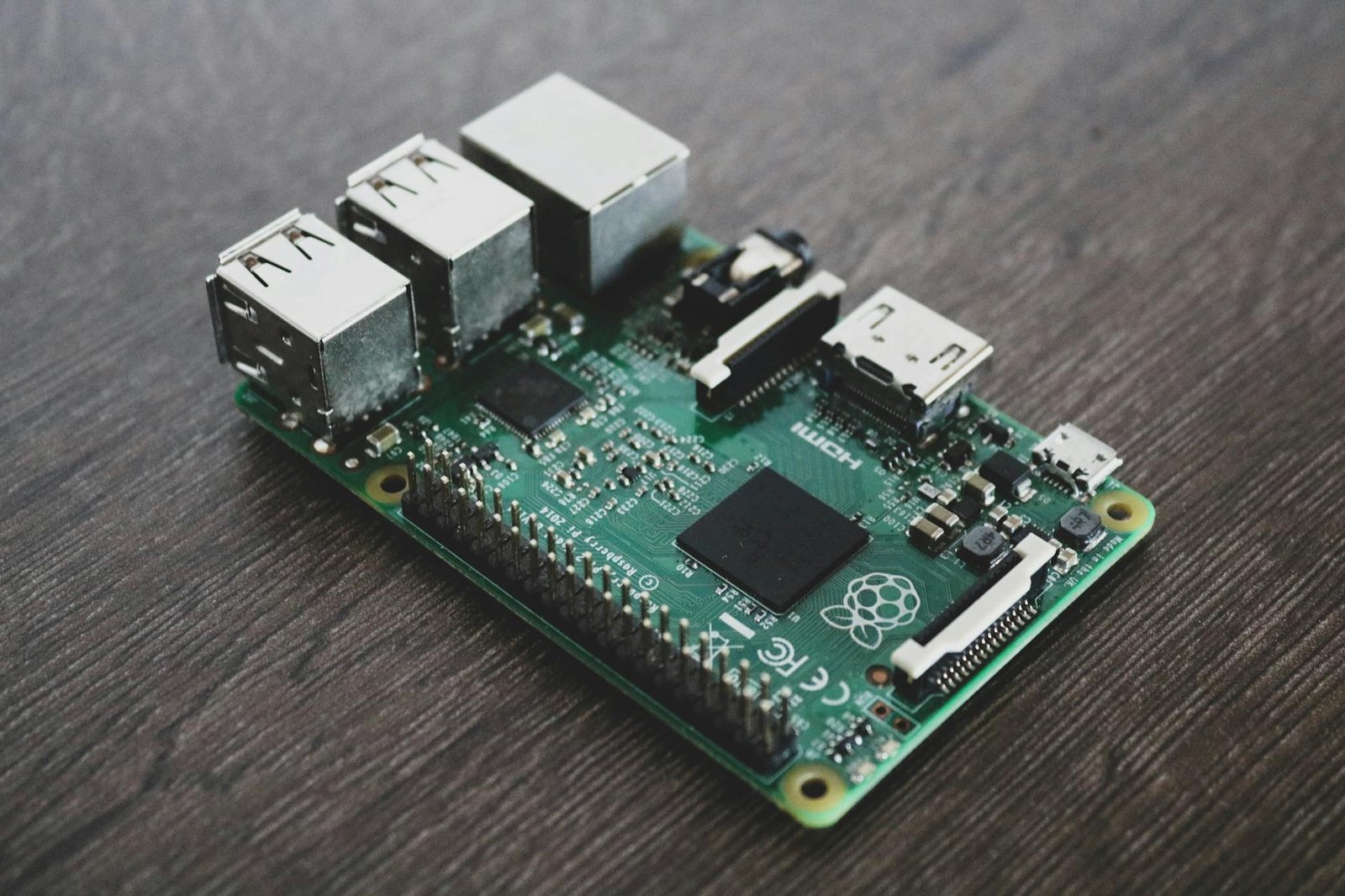
1. Raspberry Pi 5 (4GB or 8GB)
What it is: The latest and most powerful board in the Raspberry Pi lineup, featuring a quad-core Cortex-A76 CPU and a significantly upgraded I/O subsystem compared to previous generations.
Key specs: 2.4GHz quad-core ARM Cortex-A76, 4GB or 8GB LPDDR4X RAM, PCIe 2.0 interface, USB 3.0 ports, active cooling recommended.
Pros:
- Roughly 2x to 3x the single-threaded CPU performance of the Pi 4, which directly translates to lower plugin processing latency and more headroom for complex signal chains.
- PCIe interface opens the door to NVMe SSD boots, reducing audio plugin load times dramatically.
- Handles NAM inference at 48kHz with a 128-frame buffer without breaking a sweat, even with reverb and delay plugins stacked on top.
Cons:
- Requires active cooling under sustained audio load, adding cost and slight fan noise to the build.
Best for: Anyone who wants maximum headroom for complex signal chains, higher sample rates, or plans to run multiple NAM models simultaneously.
2. Focusrite Scarlett Solo (4th Generation)
What it is: A compact, bus-powered USB audio interface with a single instrument input and one microphone preamp, widely regarded as the benchmark entry-level interface for Linux compatibility.
Key specs: 24-bit/192kHz, USB-C connection, Air mode preamp, class-compliant USB (Linux plug-and-play), less than 2.5ms round-trip latency at 96kHz.
Pros:
- Works immediately on Raspberry Pi OS with zero driver configuration — plug in and JACK recognizes it within seconds.
- The instrument input has enough headroom to handle active pickups without clipping, which is a common pain point with budget interfaces.
- Bus-powered design means no external power brick cluttering your pedalboard or desk setup.
Cons:
- Only one instrument input, so simultaneous stereo guitar recording or dual-instrument setups require a step up to the 2i2.
Best for: Solo guitarists who want the most reliable Linux-compatible interface at the lowest price point without sacrificing audio quality.
3. Behringer UMC22 USB Audio Interface
What it is: An ultra-budget class-compliant USB interface with a single instrument input and a microphone preamp, designed for musicians who need Linux compatibility on the tightest possible budget.
Key specs: 48kHz maximum sample rate, 16-bit depth, USB-A connection, class-compliant, phantom power for condenser microphones.
Pros:
- Costs a fraction of the Scarlett Solo, making it the right choice for builders who want to validate the concept before investing in premium hardware.
- Class-compliant USB means zero configuration on Raspberry Pi OS — recognized instantly by JACK and PipeWire alike.
- Small form factor fits easily inside DIY enclosures for pedalboard integration.
Cons:
- The 48kHz ceiling and 16-bit depth are genuine limitations for users who want higher-fidelity captures or plan to record at studio quality alongside the amp modeling workflow.
Best for: Beginners validating the build concept on a strict budget before committing to higher-end audio hardware.
4. Raspberry Pi 27W USB-C Power Supply (Official)
What it is: The official power supply designed specifically for the Raspberry Pi 5, delivering stable 5V at up to 5A to prevent the voltage sag that causes audio glitches and system instability under USB peripheral load.
Key specs: 27W output, USB-C PD, 5V/5A rated, available in multiple regional plug formats.
Pros:
- Eliminates the under-voltage throttling that is the single most common cause of audio dropouts in Pi-based audio builds — the official supply is simply non-negotiable for stable real-time audio.
- Supports USB-C Power Delivery negotiation, which the Pi 5 uses to unlock its full performance envelope.
- Built-in cable management and compact adapter design keep the pedalboard or rack build tidy.
Cons:
- Priced higher than third-party USB-C chargers, though the stability benefit in audio applications makes it worth every cent.
Best for: Every Pi 5 build without exception — do not attempt a real-time audio project with an underpowered third-party supply.
5. Samsung PRO Endurance 64GB microSD Card
What it is: A high-endurance microSD card rated for continuous read/write workloads, making it significantly more reliable than standard consumer cards for always-on embedded Linux builds.
Key specs: 64GB capacity, A2 speed class, up to 100MB/s read, rated for 43,800 hours of continuous recording workloads, MLC NAND flash.
Pros:
- A2 speed class ensures fast random I/O, which reduces plugin and model load times compared to A1 or unrated cards.
- MLC NAND provides significantly better write endurance than the TLC NAND found in budget cards — critical for a system that writes logs and audio buffers continuously.
- Available in a range of capacities, with 64GB giving ample room for the OS, multiple NAM model libraries, and recorded sessions.
Cons:
- Even high-endurance microSD cards will eventually wear out under sustained write loads — pairing this with a read-only root filesystem configuration extends card life considerably.
Best for: Builders who want their Pi amp modeler to run reliably for years without unexpected card failures mid-session.
Side-by-Side Comparison
| Product | Category | Key Spec | Linux Plug-and-Play | Best For | Approx. Price |
|---|---|---|---|---|---|
| Raspberry Pi 5 (4GB) | SBC / Main Board | 2.4GHz Cortex-A76, 4GB RAM | N/A | Maximum performance headroom | ~$60 |
| Focusrite Scarlett Solo Gen 4 | USB Audio Interface | 24-bit/192kHz, USB-C | Yes | Best audio quality + reliability | ~$120 |
| Behringer UMC22 | USB Audio Interface | 48kHz, 16-bit, USB-A | Yes | Budget concept validation | ~$30 |
| Official Pi 5 27W PSU | Power Supply | 5V/5A, USB-C PD, 27W | N/A | Stable real-time audio power | ~$15 |
| Samsung PRO Endurance 64GB | Storage | A2, 100MB/s read, MLC NAND | N/A | Long-term reliable OS storage | ~$18 |
Best Overall Pick
The key difference between a build that impresses and one that frustrates is almost always the audio interface, which is why the Focusrite Scarlett Solo 4th Generation earns the top recommendation for most home lab builders tackling this project. It is not the cheapest option on this list, but it is the component that has the single largest impact on the quality of your real-time guitar tone and the reliability of your low-latency setup.
What actually works in practice is pairing the Scarlett Solo with the Raspberry Pi 5 and running JACK at a 256-frame buffer at 48kHz — this combination delivers approximately 5ms to 8ms round-trip latency, which is well within the threshold where most players cannot distinguish it from a traditional analog signal chain. The Scarlett’s class-compliant USB implementation means there is zero configuration friction on Raspberry Pi OS, and its 24-bit/192kHz capability gives you room to grow into higher-quality NAM model captures as the community continues to produce them.
For builders on a tighter budget, the Behringer UMC22 is a legitimate starting point — but plan to upgrade the interface once you have confirmed the build works for your use case. The Pi 5 and the official power supply are non-negotiable regardless of which interface you choose.
See our full guide to the best USB audio interfaces for Linux and Raspberry Pi
Setting Up the Real-Time Audio Stack on Raspberry Pi
Step 1: Flash and Configure Raspberry Pi OS Lite
Start with the 64-bit Lite image — the desktop environment consumes CPU cycles that you want reserved for audio processing. Use Raspberry Pi Imager to flash your Samsung PRO Endurance card, and enable SSH in the advanced settings so you can configure the system headlessly. Once booted, run the standard update sequence and then install JACK2 alongside the QjackCtl graphical tool for testing your buffer settings before committing to a headless configuration.
Step 2: Install Neural Amp Modeler as an LV2 Plugin
The NAM LV2 plugin is the heart of this build. Compile it from source on the Pi itself or cross-compile on a faster machine — the community maintains detailed build instructions on the project’s GitHub repository. Once installed, load it inside MOD-host or Carla as your plugin host, connect your Scarlett Solo’s input and output ports in JACK, and load a NAM model file downloaded from ToneHunt. In a real home lab setup, keeping your model files on the same card as the OS avoids any USB bus contention that can introduce latency spikes.
Step 3: Tune Your Buffer Settings
Start with a 512-frame buffer and work downward until you hear xrun errors — the audio equivalent of buffer underruns. Most Pi 5 builds stabilize at 128 or 256 frames at 48kHz. Based on community experience, 256 frames at 48kHz gives a healthy balance of latency and stability for everyday use, while 128 frames is achievable on the Pi 5 with a real-time kernel patch applied.
Follow our step-by-step JACK audio setup guide for Raspberry Pi
Frequently Asked Questions
What is the best Raspberry Pi board for real-time guitar amp modeling?
The Raspberry Pi 5 is the best board for this application. Its quad-core Cortex-A76 processor delivers roughly double the CPU performance of the Pi 4, which directly reduces audio processing latency and gives you headroom to run additional effects plugins alongside the Neural Amp Modeler inference engine.
How do I get low latency audio on a Raspberry Pi?
Use a class-compliant USB audio interface, install JACK2 or PipeWire, and set your buffer size to 256 frames or lower at 48kHz. Applying a real-time kernel patch further reduces worst-case latency spikes. Avoid the Pi’s onboard 3.5mm audio output entirely — it is not suitable for instrument-level real-time processing.
Do I need a special audio interface for this Raspberry Pi guitar amp build?
Yes. A class-compliant USB audio interface is essential. Class-compliant means the interface works with standard Linux USB audio drivers without any proprietary software, which is critical on Raspberry Pi OS. The Focusrite Scarlett Solo and Behringer UMC22 are both confirmed class-compliant and work out of the box.
Is it worth building a DIY Raspberry Pi amp modeler instead of buying a Quad Cortex?
For home lab enthusiasts and self-hosting hobbyists, absolutely. The total hardware cost sits between $100 and $180, compared to over $1,600 for a Quad Cortex. The trade-off is setup time and the absence of a polished hardware interface, but the tonal quality from Neural Amp Modeler with high-quality captures is genuinely impressive and the community model library grows continuously.
Final Thoughts
The fact that makers have turned a Raspberry Pi into a real-time guitar amp modeler that can hold its own against commercial units costing many times more is one of the most satisfying demonstrations of what the home lab and open-source communities can achieve together. Between the Neural Amp Modeler inference engine, the thriving community of amp captures on platforms like ToneHunt, and the raw processing power of the Pi 5, this is a project that delivers real, usable results — not just a proof of concept that lives in a drawer after the first weekend.
Whether you are a guitarist who also happens to run a home lab, or a home lab enthusiast looking for a project that produces something tangible and fun, this build checks every box. Start with the Focusrite Scarlett Solo and a Raspberry Pi 5, follow the software setup steps above, and you will have a working amp modeler in an afternoon.
Have you built your own Raspberry Pi audio project, or are you planning to try this amp modeling setup? Drop your questions, your buffer settings, your favorite NAM captures, or your full build specs in the comments below — the community here learns best when everyone shares what is actually working on their bench.