
AI-narrated version of this post using a synthetic voice. Great for accessibility or listening while busy.
Your hydro bill arrives and the number makes you wince. You know you’re using more electricity than you should, but beyond “the dryer runs a lot” and “maybe the old chest freezer is dying,” you’re guessing. Whole-home energy monitors promise to end that guessing — but between the hardware, the electrician, and the monthly fees some vendors sneak in, the real cost picture is murkier than the marketing suggests. Here’s what Canadian homeowners actually need to know before buying one.
What a Whole-Home Energy Monitor Actually Does
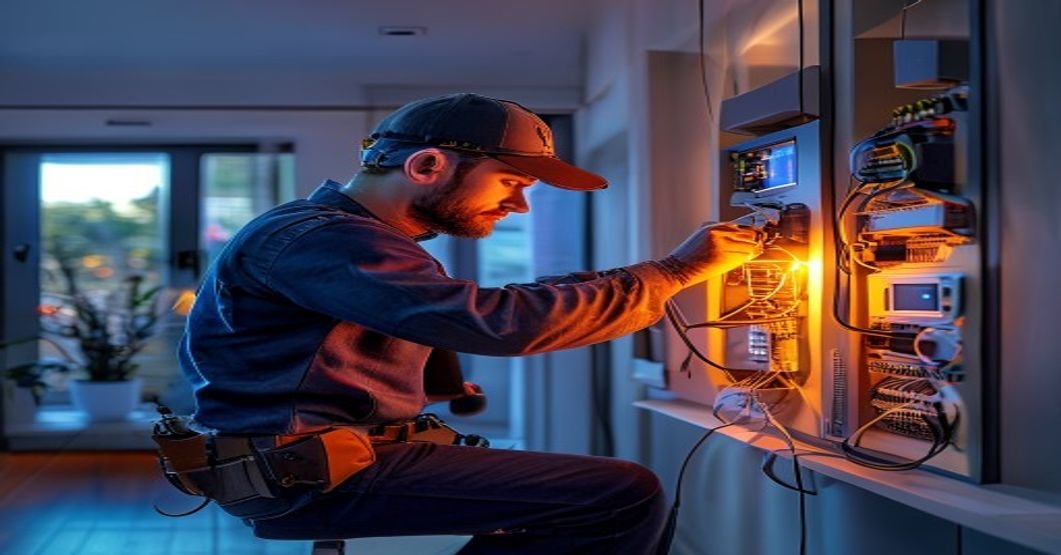
A whole-home energy monitor clamps onto the two main service conductors inside your electrical panel — the fat wires that bring power into your house before it splits into circuits. Current transformers (CTs) measure the flow on each leg continuously, typically sampling several thousand times per second, and a small hub transmits that data to an app or local dashboard.
The result is a live, running total of your home’s consumption in watts or kilowatt-hours, plus historical graphs you can use to find waste, diagnose problems, or verify that a solar system is performing as expected.
Circuit-Level vs. Whole-Panel Monitoring
Basic units give you two numbers: Leg 1 and Leg 2 consumption, combined into a total. More capable systems let you clamp individual circuits — your EV charger, heat pump, hot water tank — so you know exactly what each load costs. This distinction matters a lot for the value calculation, which we’ll come back to.
Device-Level Disaggregation
Some monitors (Sense is the main example) use machine learning to identify individual appliances from their electrical “fingerprint” without any extra hardware. It works, eventually, and imperfectly. Expect three to six months before Sense reliably identifies your major loads, and accept that it may never distinguish between two similar devices on the same panel.
The Hardware Landscape in Canada (May 2026)
The Canadian market has consolidated around a handful of devices. Here’s a frank look at the main options, priced in CAD at current street prices.
Emporia Vue 2 — Around $85–$95 CAD
The Emporia Vue 2 remains the best value entry point for most homeowners. The base unit includes two 200A CTs for whole-panel monitoring and eight smaller CTs for individual circuits, all for roughly $85–$95 depending on where you buy it. A 16-circuit expansion kit adds another $40. Data is cloud-dependent (Emporia’s servers), the app is functional if unspectacular, and there is currently no monthly fee. The main caveat for Canadians: the app’s billing calculator requires manual entry of your utility rate, which means you need to know your time-of-use rates from your utility — something Ontario Hydro One customers have to dig out of their bill details carefully.
Sense Energy Monitor — Around $350–$380 CAD
Sense is the premium option, and it demands a premium price. The hardware includes two 200A CTs and the hub; no individual circuit CTs are included in the base kit. The appliance-detection AI is the selling point, but it requires cloud connectivity permanently — there is no local mode. Sense has no monthly fee as of this writing, which is better than it used to be. For Canadians on time-of-use pricing (most of Ontario, parts of BC and Alberta), Sense’s newer rate scheduling features are genuinely useful once set up correctly.
Shelly EM and Shelly Pro EM — $80–$160 CAD
Shelly’s energy monitoring hardware has earned a serious following in the home automation community because it supports local control via MQTT and integrates natively with Home Assistant. The Shelly Pro 3EM (~$120–$160 CAD) handles three-phase monitoring, which matters for rural properties or any home with three-phase service. If you’re already running Home Assistant, Shelly is frequently the right choice. If you’re not, the setup is considerably more involved than Emporia or Sense.
Eyedro — Canadian Company, ~$150–$200 CAD
Eyedro is a Gatineau-based company, which gives it a small but real advantage: their billing calculator supports Canadian utility structures including Ontario TOU rates and BC Hydro’s tiered billing out of the box. Hardware quality is solid, the data portal works well, and customer support is actually reachable. The app is less polished than Sense’s, but the local market knowledge embedded in the product earns it a genuine recommendation, especially for homeowners who don’t want to manually configure rate tables.
Installation: What It Really Costs
This is where a lot of blog posts go quiet, and they shouldn’t.
The DIY Reality
Installing a whole-home energy monitor involves opening your main electrical panel. In Canada, the rules around who can work inside a panel vary by province. In Ontario, a homeowner can perform electrical work on their own home but the work must be inspected and a permit may be required depending on scope. In BC, Alberta, and most other provinces, similar homeowner exemptions exist, but the details differ. Installing CTs — which clamp around existing wires without making new connections — is lower risk than running new circuits, but you are still inside a live panel during part of the process. If you are not comfortable with that, hire an electrician.
For a genuinely handy homeowner, installation is 45–90 minutes. The CTs clamp around the conductors; a small data cable runs to the hub; the hub plugs into a nearby outlet. The physical process is not complicated.
Electrician Costs
If you hire an electrician for a straightforward energy monitor installation, expect to pay $150–$250 for the labour in most Canadian cities, plus whatever the hardware costs. In Toronto or Vancouver, that labour number can push $300 for a first-hour minimum call. A circuit-level installation with eight or more individual CTs will take longer — budget $300–$450 all-in for labour in a major metro.
If your panel is old (Federal Pacific, Zinsco, or early Federal Pioneer panels are common in homes built before 1990), an electrician may flag issues while they’re in there. That’s actually a good thing to know, but budget for it emotionally.
Total Installed Cost Summary
- Emporia Vue 2, DIY: ~$90–$135 CAD all-in
- Emporia Vue 2, electrician installed: ~$290–$385 CAD
- Sense, DIY: ~$350–$380 CAD
- Sense, electrician installed: ~$550–$680 CAD
- Eyedro, electrician installed: ~$400–$500 CAD
- Shelly Pro 3EM, DIY with Home Assistant: ~$150–$200 CAD hardware only
Do the Savings Actually Pay for It?
This is the honest question, and the honest answer is: it depends entirely on what you do with the information.
The Passive Owner
If you install an energy monitor, check the app for a week, and then leave it alone, you will save almost nothing. The monitor itself uses 2–4 watts continuously, which adds a few dollars per year to your bill. Awareness alone does reduce consumption slightly — studies consistently show 5–15% reductions when homeowners can see real-time usage — but that effect fades if you stop paying attention.
The Active Owner
The real payback comes from specific findings. Common discoveries Canadian homeowners report after installing monitors:
- An old electric water heater running on a failed thermostat, keeping water at 75°C instead of 55°C — adding $30–$60/month to the bill
- A chest freezer in the garage drawing 150–200W continuously because a seal has failed, costing $180–$250/year
- Electric baseboard heat left on in an unused room through a shoulder-season month
- A pool pump running on an inefficient single-speed motor during peak TOU hours — something easily shifted to an overnight schedule once you can see the load clearly
- Phantom loads from older entertainment systems and desktop computers that genuinely surprised their owners
Find one of these problems and fix it, and a $90 Emporia pays for itself in one to three months. In Ontario, where electricity costs roughly $0.10–$0.17/kWh depending on time of use plus delivery charges that can nearly double the effective rate, waste is expensive. A 500W load running unnecessarily 24 hours a day costs roughly $26–$45 per month at typical all-in Ontario rates.
Solar Owners
If you have a rooftop solar installation, a whole-home monitor becomes much more valuable. Knowing your net consumption in real time lets you shift discretionary loads — dishwasher, EV charging, laundry — to midday when your panels are generating. This is increasingly common in BC and Ontario, and the payback on the monitor hardware is fast.
Integration with Smart Home Systems
For homeowners already running Home Assistant, the integration story matters as much as the hardware specs.
Emporia has an unofficial Home Assistant integration that works reliably but depends on cloud polling — not ideal. Shelly devices integrate locally and natively, making them the clear choice if local control is a priority. Sense has a Home Assistant integration via its cloud API, which is functional but carries the usual cloud-dependency caveats.
Eyedro offers API access on their paid data plans, which works with custom automations but requires more setup than the others.
If your goal is to trigger automations based on energy data — turning off a dehumidifier when whole-home load peaks, or notifying you when the dryer finishes — local control matters. Shelly wins that category clearly. If you just want to see charts and find waste, Emporia or Eyedro are simpler and get you there faster.
Honest Recommendations by Homeowner Type
Cutting through the options:
- Budget-conscious, wants to find waste fast: Emporia Vue 2. Install it yourself on a weekend, use the circuit-level CTs on your top five loads, and give it three months. Lowest cost, good enough data.
- Ontario or BC homeowner with solar: Sense or Eyedro. The rate structure support and solar net-metering visibility justify the higher price.
- Home Assistant user who wants local control: Shelly Pro EM or Shelly Pro 3EM if you have three-phase. Accepts more setup complexity in exchange for full local operation.
- Rural homeowner, older home, wants Canadian support: Eyedro. The domestic customer service and Canadian rate knowledge are worth the slight premium over Emporia.
- Rental property or vacation home: Any cloud-based option with good alert features. Being notified that your cottage water heater is drawing 3,000W in November when no one is there is worth a lot.
None of these products are magic. They show you numbers. What happens next depends on whether you act on them. But for a Canadian family averaging $150–$250/month on electricity, the arithmetic on finding even one significant waste source is hard to argue with — especially at the Emporia’s entry price point.
Related Auburn AI Products
Building a homelab or self-hosting content site? Auburn AI has practical kits:
- 500 Homelab and Self-Hosting Blog Titles ($27)
- Auburn AI Monitoring Stack ($37) – 6 production PowerShell scripts
- Podcast Automation Kit ($37)
- Browse all Auburn AI products
The setup cost versus ongoing cost trap
After running energy monitoring in my lab for three years, I’ve noticed most Canadian guides skip over something critical: the real expense isn’t the hardware. It’s what happens after month two when you realize you actually need to *do something* with the data.
The initial install feels manageable. You buy a clamp meter, maybe a hub, plug it in. But then you hit the part nobody budgets for: integration work. If you want alerts when your water heater spikes, or you want historical data that doesn’t evaporate when the device reboots, you’re looking at either paying for cloud subscriptions or spending weekends writing automations in Home Assistant. Neither is free. I’ve spent more time troubleshooting MQTT connectivity than I spent installing hardware.
There’s also the Alberta-specific reality nobody mentions: our utility rates are already relatively transparent and volatile. Detailed home monitoring shows you *when* you use power, but in a deregulated market, that knowledge doesn’t always translate to savings. You optimize consumption, but you can’t optimize pricing like you can in provinces with time-of-use rates.
- Expect to spend 40â80 hours on configuration, not installation
- Cloud-based solutions look cheaper upfront but lock you into $10â15/month subscription costs that add up
- Local data storage (Raspberry Pi, NAS) is cheaper long-term but requires actual maintenance and backups
If you’re looking at this post because you think monitoring will cut your bill by 20%, recalibrate. In most Canadian homes, the insight is useful. The savings are modest.