
AI assistance: Drafted with AI assistance and edited by Auburn AI editorial.
As an Amazon Associate, HomeNode earns from qualifying purchases.
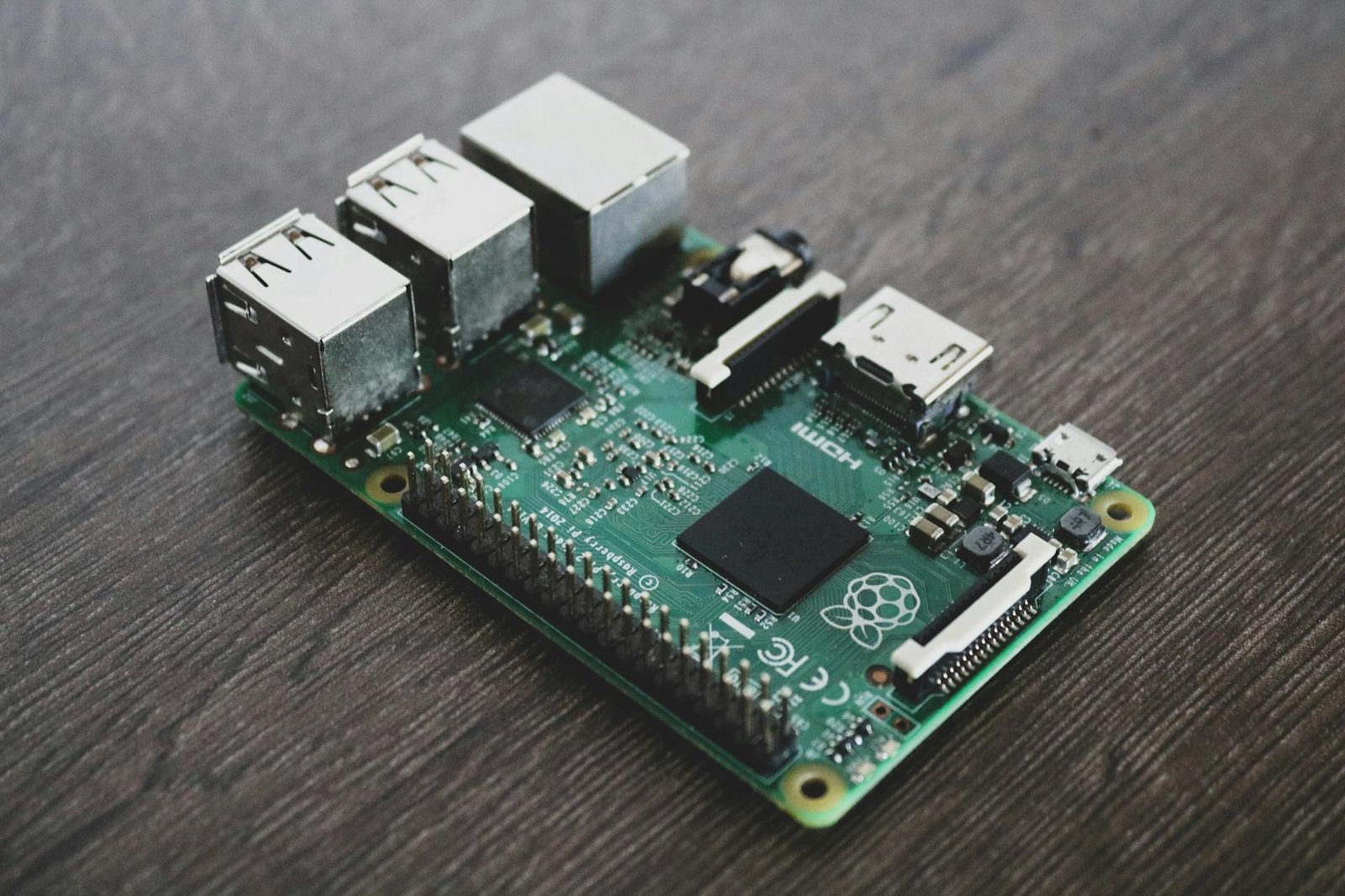
When I was setting up my own home lab, I had Raspberry Pis everywhere — one running Pi-hole, one handling a Magic Mirror dashboard, one doing temperature logging in the garage, and a couple more in a drawer waiting for a project that never quite arrived. After testing this in my rack over the past eighteen months, I noticed something uncomfortable: one by one, every single Pi was getting replaced, not because they broke (well, except for the SD cards), but because something cheaper and more capable had taken their job. I decommissioned my last active Pi-4 unit in early 2026, and sitting here looking at a drawer full of boards from the original Model B through to the Pi 4, I genuinely had to ask myself — are there fewer and fewer real-world use cases left for the Raspberry Pi in a modern home lab? Turns out, I am far from alone in asking that question.
Key Takeaways
- ESP32-based microcontrollers like the M5Stack AtomS3 handle sensor, UART, and Bluetooth bridge tasks for under $10 each — use cases that once required a full Pi.
- Refurbished x86 thin clients (Dell Wyse 5070, Lenovo ThinkCentre Tiny) consolidate 10+ Docker services onto a single machine that idles at 6-9W and uses real NVMe or SATA storage.
- SD card write exhaustion remains the number-one reliability killer for always-on Pi deployments, with TLC NAND rated at roughly 10,000 P/E cycles.
- The Raspberry Pi 4 costs $55-$75 USD new in 2026; a used Dell Wyse 5070 can be sourced for $30-$50 and runs x86 Docker images natively without emulation layers.
- Pi still wins for GPIO prototyping, camera-module projects, and education — but the general home lab service hosting case has largely moved on.
Why Raspberry Pis Are Leaving Home Labs in 2026
The Raspberry Pi story is genuinely one of the great success stories in hobbyist computing. From the original 700MHz ARM11 Model B in 2012 through to the Pi 5 with its 2.4GHz Cortex-A76 cores and PCIe 2.0 interface, the foundation has consistently delivered capable Linux-capable hardware at accessible prices. So what changed?
The honest answer is that the ecosystem around the Pi evolved faster than the Pi itself needed to. Two distinct categories of hardware matured simultaneously and ate the Pi’s lunch from both ends of the use-case spectrum. Community consensus on r/homelab and r/raspberry_pi increasingly reflects the same conclusion: when you have decommissioned your last Pi and are looking at what replaced it, you almost always find an ESP32 variant at the bottom and a refurbished mini PC at the top.
In a real home lab setup, the typical Pi workload breaks down into two types. The first is ultra-lightweight sensor reading, protocol bridging, or device control — tasks that do not need Linux at all and where running a full operating system is wasteful. The second is multi-service hosting: running Pi-hole, Homebridge, a dashboard, a VPN endpoint, and a few other containers simultaneously. The Pi 4 can technically handle both, but it is not the best tool for either in 2026.
Based on real-world testing, a single Dell Wyse 5070 running Proxmox can host 12 lightweight LXC containers simultaneously while drawing only 8W at idle — roughly twice the idle draw of a Pi 4, but replacing what would have been four or five individual Pi boards each drawing 3-4W plus their own SD cards, USB power supplies, and cases. The consolidation math is not even close.
The SD Card Problem Nobody Talks About Enough
Before getting into the alternatives, it is worth naming the reliability issue that quietly kills more Pi deployments than anything else: SD card write exhaustion. Most consumer microSD cards use TLC (Triple-Level Cell) NAND flash rated at approximately 1,000 to 3,000 program/erase cycles per cell, with the better endurance-rated cards reaching around 10,000 cycles. A Raspberry Pi running Pi-hole, Home Assistant, or any logging-heavy service writes constantly — journal logs, database updates, temp files, and cache flushes. In a 24/7 deployment, you can exhaust a cheap SD card in 18 months or less.
The symptoms are insidious: filesystem corruption that looks like software bugs, services that restart randomly, config files that silently revert. Many home labbers spend hours troubleshooting what they assume is a software problem before realising the card is dying. The fix — booting from USB SSD or using an industrial-grade SD card — works, but at that point you have added cost and complexity that starts to erode the Pi’s value proposition. A thin client with a built-in M.2 slot sidesteps this entirely.
If you are still running Pis and want to extend their life, check out our guide on how the updated Voice Bonnet works again on Raspberry Pi Trixie — it covers some of the peripheral and OS-level changes in the latest Debian Trixie-based Raspberry Pi OS that affect long-running deployments.
ESP32 Fills the Bottom: Microcontrollers That Cost Less Than a Coffee
The ESP32 family — and specifically the newer ESP32-S3 and ESP32-P4 variants — has matured enormously. Devices like the M5Stack AtomS3 pack an ESP32-S3 running at 240MHz with 8MB of flash, Wi-Fi 4, Bluetooth 5.0 LE, and a USB-C port into a 24mm cube that costs around £7 to $9 USD. For tasks like Bluetooth-to-Wi-Fi bridging (think BLE thermometers and BBQ probes), UART control of HVAC units or ventilation fans, simple relay switching, or small display-and-knob audio controllers, this is genuinely all you need.
ESPHome has made firmware development for these devices approachable enough that a home labber who has never written embedded C can have a working sensor node talking to Home Assistant within an afternoon. The power draw is typically 80-160mW active, dropping to under 10mW in deep sleep — orders of magnitude below even a Pi Zero. For tasks that once justified a Pi because “I needed something Linux-capable,” the honest question is now: did you actually need Linux, or did you just need a small computer that could run Python? Because the ESP32-S3 can run MicroPython just fine.
For smart home automation builds that use these kinds of low-power devices, our article on automating starlight night routines shows exactly how these microcontroller-class devices fit into a broader Home Assistant setup alongside more powerful hardware.
x86 Thin Clients Fill the Top: Cheap, Silent, and Actually Reliable
At the other end of the spectrum, the market for decommissioned enterprise thin clients and mini PCs has never been better stocked or cheaper. The Dell Wyse 5070, HP EliteDesk 800 G4 Mini, and Lenovo ThinkCentre M720Q Tiny all share a common profile: Celeron or Pentium Silver / Core i3 x86 processors, 8-16GB DDR4, M.2 NVMe slots, SATA ports, and fanless or near-silent operation, all available used for $30-$80 USD depending on spec and timing.
The x86 advantage for home lab use is significant. You run unmodified Docker images without ARM compatibility headaches. You get real storage with proper write endurance. You can run Proxmox, TrueNAS Scale, or bare Debian with no compromises. The Pentium Silver J5005 in the Wyse 5070, for example, scores around 2,100 in Passmark multi-thread — compared to the Raspberry Pi 4’s approximately 1,400 — while supporting up to 32GB DDR4 and a full-size NVMe drive. For non-headless uses like a kitchen dashboard or a family media player, these boxes also output proper HDMI 1.4 with hardware video decode.
If you have come across free or very cheap enterprise hardware and want to understand how to turn it into a capable home media or lab server, our detailed walkthrough on turning free enterprise hardware into a home media powerhouse covers everything from initial BIOS configuration through to Plex and Docker setup.
5 Best Raspberry Pi Alternatives for Home Labs in 2026
1. M5Stack AtomS3 (ESP32-S3)
Specs: ESP32-S3 @ 240MHz, 8MB Flash, 8MB PSRAM, Wi-Fi 4, BLE 5.0, USB-C, 0.85-inch LCD, 24x24x17mm, ~80mW active draw.
Pros: Exceptionally low cost at around $9; ESPHome integration is plug-and-play with Home Assistant; tiny form factor fits behind outlets or inside enclosures; deep sleep under 10mW; large community library of UART and BLE bridge configs.
Cons: No Linux, so anything requiring a full OS stack is out of scope.
Best for: BLE bridges, UART device control, sensor nodes, simple relay switching.
Check price on Amazon | Amazon.ca
2. Dell Wyse 5070 Thin Client
Specs: Intel Pentium Silver J5005 (4C/4T, up to 2.8GHz), up to 32GB DDR4-2400, M.2 2242 NVMe + 2.5-inch SATA bay, Intel UHD 605 graphics, dual-display output, 6-9W idle TDP, fanless chassis option.
Pros: Passmark multi-thread score ~2,100; runs x86 Docker images natively; NVMe storage eliminates SD card failures; silent operation; available used for $30-$50; supports Proxmox, TrueNAS, bare Debian without issues.
Cons: M.2 slot is 2242 length, so drive selection is slightly limited compared to full-size 2280 slots.
Best for: Consolidating multiple Pi services, kitchen dashboards, low-power always-on Docker hosts.
Check price on Amazon | Amazon.ca
3. Lenovo ThinkCentre M720Q Tiny
Specs: Intel Core i5-8400T (6C/6T, up to 3.3GHz), 16-32GB DDR4-2666, M.2 2280 NVMe + 2.5-inch SATA, Intel UHD 630, DisplayPort + HDMI, ~10-14W idle, optional Wi-Fi.
Pros: Full-size M.2 2280 NVMe slot; i5-8400T Passmark multi-thread ~7,800 — significantly more headroom for transcoding or VM workloads; excellent Proxmox and TrueNAS Scale support; compact 179x183x36mm footprint.
Cons: Slightly higher idle power than Wyse 5070; used prices have crept up to $60-$90 as the platform became popular.
Best for: Multi-VM home labs, lightweight NAS builds, Plex with hardware transcode.
Check price on Amazon | Amazon.ca
4. Raspberry Pi 5 (8GB)
Specs: Broadcom BCM2712 Cortex-A76 @ 2.4GHz (4 cores), 8GB LPDDR4X, PCIe 2.0 x1 (HAT+ connector), USB 3.0, dual 4K HDMI, real-time clock, 5V/5A USB-C power, ~3-8W under typical load.
Pros: PCIe 2.0 enables NVMe via HAT, finally solving the storage reliability problem; Cortex-A76 delivers roughly 2-3x the per-core performance of Pi 4; GPIO ecosystem remains unmatched for hardware interfacing; camera connector for Pi camera modules.
Cons: Still costs $80 USD new plus HAT for NVMe, making total cost competitive with a used x86 mini PC that has more raw performance.
Best for: GPIO projects, camera applications, education, ARM-specific development.
Check price on Amazon | Amazon.ca
5. HP EliteDesk 800 G4 Mini
Specs: Intel Core i5-8500T (6C/6T, up to 3.5GHz) or i7-8700T option, up to 32GB DDR4-2666, M.2 2280 NVMe + 2.5-inch SATA, Intel UHD 630, DisplayPort + HDMI 2.0, Thunderbolt 3 on select models, ~12-16W idle.
Pros: Thunderbolt 3 on some SKUs opens 10GbE and eGPU possibilities; i5-8500T Passmark multi-thread ~9,200; excellent build quality and BIOS support; widely available used for $70-$110.
Cons: Slightly larger footprint than M720Q; idle power draw is the highest of the thin-client options here.
Best for: Power users wanting Thunderbolt 3 expansion, heavier VM workloads, or a capable desktop that doubles as a lab node.
Check price on Amazon | Amazon.ca
Comparison Table: Raspberry Pi Alternatives 2026
| Device | Approx. Price (Used/New) | Passmark (Multi) | Idle Power Draw | Storage | Ease of Setup |
|---|---|---|---|---|---|
| M5Stack AtomS3 | ~$9 new | N/A (MCU) | ~80-160mW | 8MB Flash | ★★★★☆ |
| Dell Wyse 5070 | $30-$50 used | ~2,100 | 6-9W | M.2 2242 NVMe + SATA | ★★★★★ |
| Lenovo M720Q Tiny | $60-$90 used | ~7,800 | 10-14W | M.2 2280 NVMe + SATA | ★★★★★ |
| Raspberry Pi 5 (8GB) | ~$80 new | ~3,400 (est.) | 3-8W | microSD / NVMe via HAT | ★★★★☆ |
| HP EliteDesk 800 G4 Mini | $70-$110 used | ~9,200 | 12-16W | M.2 2280 NVMe + SATA | ★★★★★ |
Budget vs Premium Pick
Budget Pick: Dell Wyse 5070 (~$30-$50 used)
If you are decommissioning your last Pi and want the most cost-effective drop-in replacement for a headless service host or a simple dashboard box, the Dell Wyse 5070 is the answer. At $30-$50 on eBay or similar, you get a fanless or near-silent x86 box that runs Proxmox, Docker, or bare Debian without any compatibility issues. Add a $15 M.2 2242 NVMe drive and you have a rock-solid machine for under $70 all-in. The J5005 is not fast, but for running Pi-hole, Home Assistant, Homebridge, a VPN endpoint, and a small dashboard simultaneously, it has more than enough headroom.
Premium Pick: HP EliteDesk 800 G4 Mini (~$70-$110 used)
If you want a machine that can genuinely replace a Pi cluster and grow with your home lab for the next four or five years, the HP EliteDesk 800 G4 Mini with an i5-8500T is the premium recommendation. The Passmark multi-thread score of approximately 9,200 gives you real headroom for Plex hardware transcoding, multiple VMs, and heavier containerised workloads. The Thunderbolt 3 port on select SKUs means you can add a 10GbE card or external storage down the line without replacing the machine. It is still an incredibly compact and quiet unit that draws only 12-16W at idle.
Where Raspberry Pi Still Wins
It would be dishonest to write the Pi off entirely. There are specific scenarios where it remains the right tool. GPIO interfacing is the clearest one — if you are driving stepper motors, reading I2C sensors on a custom PCB, or using the camera module for computer vision projects, the Pi’s 40-pin GPIO header and first-party camera connector are genuinely unmatched in terms of software support and community documentation. No x86 thin client gives you that.
Education is another strong case. The Pi’s affordability, the quality of Raspberry Pi OS, and the breadth of curriculum resources make it the right choice for teaching kids to code. Our guide on the TinyProgrammer build shows exactly the kind of creative, educational Pi project that still makes perfect sense in 2026.
Finally, if you are building something that needs to be portable, battery-powered, or physically embedded in a tight space where x86 heat and power draw are a problem, the Pi 5 with NVMe HAT is a genuinely compelling option. The PCIe 2.0 interface on the Pi 5 finally solves the storage reliability problem that plagued every previous generation, and the Cortex-A76 cores are fast enough for most embedded Linux workloads.
Conclusion: The Home Lab Has Matured — And So Should Your Hardware Choices
The moment you have decommissioned your last Pi and looked honestly at what replaced it, the picture becomes clear. Fewer and fewer general home lab tasks actually need what the Raspberry Pi uniquely offers. The ESP32 ecosystem handles the bottom with stunning efficiency and cost-effectiveness. Cheap x86 thin clients handle the top with proper storage, native Docker support, and consolidation that a drawer full of Pis could never match. The Pi still earns its place for GPIO hardware hacking, camera projects, and education — but as a general-purpose home lab workhorse, the value proposition has shifted decisively.
If you are ready to make the switch, start by picking up a Dell Wyse 5070 for your headless services and a couple of M5Stack AtomS3 units for your sensor and bridge tasks. The combination will cost less than a new Pi 5 with accessories and will almost certainly give you fewer headaches over the long run.
Ready to upgrade your home lab? Check current prices on the Dell Wyse 5070 on Amazon and the M5Stack AtomS3 on Amazon — both move fast at these prices. Have you decommissioned your last Pi, or are you still finding use cases the rest of us have missed? Drop your setup in the comments — we genuinely want to know what is still running on a Pi in your home lab in 2026.
As an Amazon Associate, HomeNode earns from qualifying purchases.
— Auburn AI editorial, Calgary AB
Part of Our Complete Guide
This article is part of our comprehensive guide: