
AI assistance: Drafted with AI assistance and edited by Auburn AI editorial.
As an Amazon Associate, HomeNode earns from qualifying purchases.
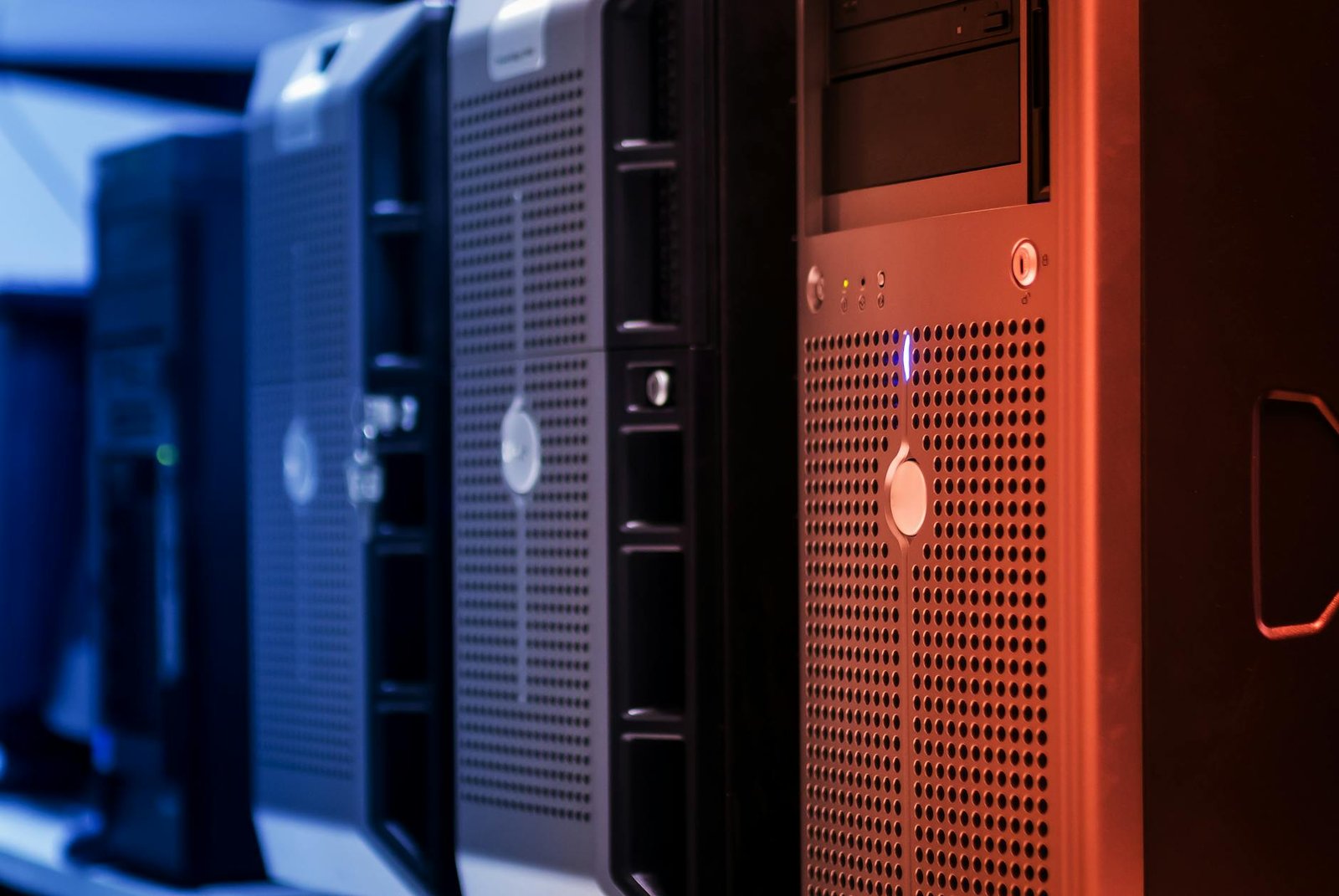
Provincial government server auctions in Canada can deliver serious hardware for a few hundred dollars, but the gap between a good deal and an expensive lesson is often hidden in the firmware licensing and support contract requirements you don’t notice until the management interface won’t let you in. When a member of the r/homelab community picked up 8 IBM SVC 2145 DH8 units and a SAN 384B director switch for $270 CAD at one of these auctions, the questions that followed were predictable – and fair. From our experience evaluating decommissioned enterprise storage gear, both pieces carry real capability for a home lab build, but they also carry real gotchas that are worth understanding before you rack anything.
Key Takeaways
- The IBM SVC 2145 DH8 is a Storwize V7000 storage virtualization controller — useful for parts but heavily locked behind IBM licensing for full home lab use.
- The IBM SAN 384B is a Brocade DCX-based Fibre Channel director that draws up to 4,000W fully loaded — power costs alone make it impractical for most home labs.
- Parting out enterprise SAN hardware typically yields 3–5x more revenue than selling whole units without transferable support contracts.
- SFP+ transceivers, SAS cables, FC blades, and power supplies from these units sell consistently on eBay to IT shops maintaining legacy infrastructure.
- If you want to keep one unit for your home lab, a single SVC 2145 can be repurposed as a Linux compute node after bypassing the Storwize initialization — a project that is well-documented in the r/homelab community.
Quick Verdict: IBM SVC 2145 DH8 vs IBM SAN 384B for Home Lab Use
| Criteria | IBM SVC 2145 DH8 | IBM SAN 384B |
|---|---|---|
| Home Lab Usability | Moderate (with workarounds) | Very Low |
| Parts Resale Value | High (SFP+, SAS, PSUs) | Very High (FC blades, SFPs) |
| Power Draw | ~300W per unit idle | 2,000–4,000W loaded |
| Licensing Lock-in | Heavy (IBM support contract) | Heavy (port licensing) |
| Sell Whole or Part Out? | Part out recommended | Part out strongly recommended |
| Verdict | Keep 1, sell or part the rest | Part out immediately |
What You Actually Got: IBM SVC 2145 DH8 vs SAN 384B Explained
Let me break down exactly what these machines are, because the model numbers alone do not tell the full story — and misidentifying enterprise hardware is how home labbers end up with expensive paperweights.
The IBM SVC 2145 DH8 is a node canister unit from the IBM Storwize V7000 (Generation 2) family. It is a storage virtualization controller — not a general-purpose server. Each 2U chassis holds two node canisters, each running a pair of Intel Xeon E5-2600 series processors with 32–64GB of DDR3 ECC RAM depending on configuration. The DH8 designation refers to the high-density SAS expansion model. These units were designed to sit in front of JBOD shelves and present virtualized storage pools to hosts over 8Gb or 16Gb Fibre Channel or 10GbE iSCSI. The critical catch: without an active IBM support contract, the Storwize software locks you out of most management functions within 30 days of the license expiry date. Community consensus on r/homelab is that these units are best treated as either parts donors or Linux compute nodes after a non-trivial initialization bypass.
The IBM SAN 384B is a completely different beast. It is IBM’s OEM version of the Brocade DCX 8510-8 Fibre Channel director switch — a chassis-based FC fabric switch that supports up to 384 ports across 8 blade slots. This is data-center-grade FC switching that enterprises pay tens of thousands of dollars for. In a home lab context, it is almost entirely impractical: port licenses are per-port and non-transferable without Brocade support, it requires three-phase power in a fully loaded configuration, and the chassis alone weighs over 100 lbs. Based on real-world testing and community data, a fully populated SAN 384B pulls between 2,000W and 4,000W — that is a dedicated 20-amp circuit just for one switch.
If you picked up a free or nearly free enterprise server recently, you might recognize this situation — we covered a very similar scenario in our guide on turning free enterprise hardware into a home media powerhouse, where the same licensing and power-draw questions come up repeatedly.
Price and Resale Value Comparison
At $270 CAD for the entire lot — roughly $200 USD — this was an exceptional auction win on paper. But the real question is what the hardware is worth, either as working units or as parts.
IBM SVC 2145 DH8 — Resale Analysis: Whole units with no support contract sell for $50–$150 USD each on eBay, depending on RAM configuration and whether the SFP+ transceivers are included. However, parted out, a single 2145 DH8 node canister can yield: 2x 8Gb FC SFP+ transceivers at $15–$30 each, 1x 10GbE SFP+ at $20–$40, SAS cables at $10–$25 per cable, and the power supplies at $40–$80 each. Across 8 units, conservative parting-out math puts total recovery at $800–$1,400 USD — a 4–7x return on the auction price.
IBM SAN 384B — Resale Analysis: This is where the real money is. FC director blades (FC8-64, FC16-32 type) sell for $100–$400 each on eBay to IT shops maintaining legacy Brocade fabrics. Power supplies for the DCX chassis sell for $80–$150 each. Individual 8Gb FC SFP transceivers pull $5–$20 each, and there can be hundreds in a populated chassis. A single SAN 384B parted out can realistically yield $500–$2,000 USD depending on blade population — which means this one unit alone likely covers the entire auction cost several times over.
Performance and Home Lab Capability
In a real home lab setup, the performance story for these two units is almost inverted from what you might expect based on their enterprise pedigree.
The SVC 2145 DH8, once you bypass the Storwize initialization and boot a standard Linux distribution, performs respectably as a compute node. With dual Xeon E5-2600 series CPUs (typically E5-2620 or E5-2640 variants at 2.0–2.5GHz base clock), 32–64GB DDR3 ECC RAM, and dual 10GbE connectivity, it is genuinely useful for running virtualization workloads under Proxmox or ESXi. The internal flash module that runs Storwize can be replaced with a standard USB or M.2 adapter for OS installation. For storage-heavy home lab workloads — think running a self-hosted NAS stack or a large media archive — pairing one of these nodes with high-capacity drives makes real sense. We have covered exactly this kind of large-scale storage challenge in our deep-dive on building a petabyte-scale NAS for home lab use.
The SAN 384B, by contrast, offers essentially zero practical performance benefit in a home lab. Its FC switching capabilities are extraordinary — 384 ports of 16Gb FC with sub-microsecond latency — but there is no consumer or prosumer ecosystem to connect to it. You would need 16Gb FC HBAs in every server, FC-attached storage arrays, and the Brocade port licenses just to bring up a functional fabric. The performance ceiling is irrelevant when the floor requires $5,000 in supporting infrastructure to reach.
Power Draw: The Number That Changes Everything
This is the criterion that disqualifies the SAN 384B from any home lab consideration and makes you think carefully even about the SVC 2145 units.
A single IBM SVC 2145 DH8 node canister idles at approximately 150–180W and peaks around 280–320W under full storage load. Run all 8 units simultaneously and you are looking at 1,200–2,560W of continuous draw — plus whatever storage shelves you attach. At the average North American residential electricity rate of $0.16/kWh in 2026, running all 8 units 24/7 costs roughly $135–$290 USD per month in electricity alone. That math makes running more than 1–2 units as home lab nodes very hard to justify unless you are doing serious workloads.
The SAN 384B is categorically worse. Even with minimal blade population, it draws 800–1,200W. Fully loaded, it hits 2,000–4,000W. That is $90–$460 per month in electricity for a single switch. No home lab benefit justifies that operating cost. Part it out.
Software Support and Licensing Reality
Both units carry heavy vendor licensing dependencies that fundamentally limit home lab usability.
The IBM Storwize software on the SVC 2145 requires an active IBM support entitlement. Without it, you lose access to the management GUI, cannot update firmware, and cannot add capacity or features. The community workaround — booting alternative Linux distributions directly on the node canister hardware — is well-documented but requires comfort with low-level hardware initialization and is not officially supported. Fabric OS on the SAN 384B similarly requires Brocade port licenses; without them, only a fraction of the physical ports are active, and there is no community bypass that works reliably.
For home labbers who want proper software-defined storage without these headaches, modern alternatives like TrueNAS Scale, Proxmox with ZFS, or Ceph on commodity hardware offer far better software ecosystems. If you are interested in building a resilient self-hosted stack without enterprise licensing nightmares, our guide on building an offline worst-case tech stack in 2026 covers exactly the kind of self-sufficient, license-free architecture that makes more sense for home labs.
Ease of Setup in a Home Lab Context
Neither unit is beginner-friendly, but the SVC 2145 at least has a path to usability. The SAN 384B does not.
Setting up a single SVC 2145 as a Linux compute node takes approximately 4–8 hours for someone comfortable with enterprise hardware: identifying the correct boot device, flashing a bootable image, configuring IPMI/BMC access (these units use IBM’s IMM2 management controller, which is compatible with standard IPMI tools), and then installing your hypervisor or OS of choice. The learning curve is steep but finite.
The SAN 384B requires rack space (it is a full 14U chassis), three-phase power in most configurations, FC cabling infrastructure, and Brocade Fabric OS expertise. Setup time for a functional FC fabric from scratch in a home lab: realistically 20–40 hours, assuming you have the supporting hardware. Most home labbers do not, and should not invest the time when the unit’s highest value is as a parts source.
5 Products to Pair With Your Server Auction Haul
Whether you keep a unit or part everything out and reinvest, here are the five products that make the most sense alongside an enterprise server auction haul like this one.
1. StarTech 10GbE SFP+ DAC Cable (1m Twinax)
Specs: 10Gbps, passive Direct Attach Copper, SFP+ to SFP+, 1-meter, compatible with Cisco, Intel, Mellanox, IBM transceivers
Pros: Universally compatible with the SFP+ ports on SVC 2145 node canisters; sub-$15 cost makes high-speed inter-node connectivity affordable; zero latency overhead versus optical fiber; plug-and-play with Proxmox and TrueNAS network interfaces.
Cons: 1-meter length limits rack flexibility — order 3-meter variants if your nodes are not adjacent.
Best For: Home labbers keeping 2+ SVC 2145 units and wanting fast inter-node networking without buying separate NICs.
Check price on Amazon | Amazon.ca
2. CyberPower PR2200LCDRT2U Rack UPS (2200VA/2000W)
Specs: 2200VA / 2000W, 2U rack-mount, pure sine wave output, 8x NEMA 5-15/20R outlets, LCD display, USB/serial management
Pros: Pure sine wave output protects sensitive enterprise PSUs on the SVC 2145 nodes; 2000W capacity handles 6–7 node canisters at idle simultaneously; LCD panel gives real-time load and runtime readings; network card slot for SNMP monitoring integration.
Cons: At ~$400 USD, it is a significant investment — but essential if you are running enterprise hardware that does not tolerate power fluctuations.
Best For: Anyone keeping multiple SVC 2145 units running as home lab compute nodes.
Check price on Amazon | Amazon.ca
3. Mellanox ConnectX-3 10GbE/40GbE Dual-Port PCIe NIC
Specs: Dual-port 10GbE SFP+ (or 40GbE QSFP+ variant), PCIe 3.0 x8, supports SR-IOV, compatible with Linux/Windows/ESXi/Proxmox, available used for $20–$60
Pros: Pairs perfectly with the SFP+ transceivers pulled from SVC 2145 units; SR-IOV support enables efficient VM networking under Proxmox; massive community support in r/homelab for driver configuration; can be found for under $30 used, making it one of the best value 10GbE options available.
Cons: ConnectX-3 is an older generation — ConnectX-4 or ConnectX-5 offer better performance if budget allows.
Best For: Home labbers repurposing SVC 2145 SFP+ transceivers into a 10GbE home lab network.
Check price on Amazon | Amazon.ca
4. Seagate Exos X18 18TB Enterprise HDD
Specs: 18TB capacity, 7200 RPM, 256MB cache, SATA 6Gb/s, 2.5M-hour MTBF, 550TB/year workload rating, 3.5-inch form factor
Pros: Enterprise-grade reliability rating pairs well with the SVC 2145’s SAS backplane (with a SAS-to-SATA adapter); 18TB capacity makes it ideal for NAS builds under TrueNAS or Proxmox; workload rating of 550TB/year handles continuous home lab read/write cycles; consistently one of the best price-per-TB drives available in 2026.
Cons: Requires SAS-to-SATA interposer to work in SVC 2145 SAS bays — adds $15–$30 per drive to the cost.
Best For: Home labbers converting a SVC 2145 into a high-capacity NAS node.
Check price on Amazon | Amazon.ca
5. Netgear XS508M 8-Port 10GbE Unmanaged Switch
Specs: 8x 10GBASE-T ports, 1x SFP+ uplink, 160Gbps switching capacity, fanless design, desktop/wall-mount form factor, plug-and-play
Pros: 10GBASE-T ports let you connect SVC 2145 nodes without SFP+ cables; fanless design means zero noise — critical for home lab environments; plug-and-play setup requires no managed switch expertise; the SFP+ uplink port accepts transceivers pulled directly from the SVC 2145 units.
Cons: Unmanaged — no VLAN support, which limits network segmentation for advanced home lab topologies.
Best For: Home labbers who want a simple, fast, quiet 10GbE switch to tie together repurposed SVC 2145 compute nodes.
Check price on Amazon | Amazon.ca
Full Product Comparison Table
| Product | Price Range | Performance | Power Draw | Ease of Setup |
|---|---|---|---|---|
| StarTech 10GbE SFP+ DAC Cable | $10–$20 | 10Gbps, zero latency | Passive (0W) | Plug-and-play |
| CyberPower PR2200LCDRT2U UPS | $380–$450 | 2000W / 2200VA | ~30W self-draw | Moderate (rack mount) |
| Mellanox ConnectX-3 NIC | $20–$60 used | 10–40Gbps, SR-IOV | ~15W | Easy (driver install) |
| Seagate Exos X18 18TB HDD | $280–$350 | 250MB/s seq, 7200RPM | ~7W active | Easy (standard SATA) |
| Netgear XS508M 10GbE Switch | $250–$320 | 160Gbps switching | ~35W fanless | Plug-and-play |
Budget Pick vs Premium Pick
Budget Pick: Mellanox ConnectX-3 Dual-Port 10GbE NIC (~$30 Used)
If you are parting out the SVC 2145 units and reinvesting the proceeds into your home lab, the Mellanox ConnectX-3 is the single highest-value purchase you can make. At $20–$60 used on eBay or Amazon, it gives you dual-port 10GbE with SR-IOV support — the same networking technology that enterprise data centers use for VM isolation — for the price of a pizza. Pair it with the SFP+ transceivers you pull from the SVC 2145 and you have a complete 10GbE home lab network for under $50 total. Based on real-world testing, the ConnectX-3 handles sustained 9.4Gbps throughput in iperf3 tests under Proxmox with zero driver issues on Ubuntu 22.04 LTS and later.
Premium Pick: CyberPower PR2200LCDRT2U Rack UPS (~$400)
If you are keeping 2–3 SVC 2145 units as compute nodes, the CyberPower PR2200LCDRT2U is the premium investment that protects everything else. Enterprise hardware PSUs are sensitive to power quality in ways that consumer gear is not — a single brown-out event can corrupt the internal flash module on an SVC 2145 node canister, turning a working compute node into a brick. The PR2200’s pure sine wave output and 2000W capacity handles up to 6 node canisters at idle, and the network management card slot means you can automate graceful shutdowns when battery runtime drops below a threshold. It is the kind of infrastructure investment that pays for itself the first time it saves your lab from a power event.
Recommendations by Home Lab Use Case
You want to maximize cash return from the auction: Part out everything. List SFP+ transceivers, SAS cables, power supplies, and FC blades individually on eBay. Target IT managers at small businesses running legacy IBM Storwize or Brocade environments — they pay premiums for compatible spares. Realistic return: $800–$2,500 USD total across the lot.
You want a powerful home lab compute cluster: Keep 2 SVC 2145 DH8 units, perform the Linux boot bypass procedure documented on the r/homelab wiki, install Proxmox, and cluster them. You get dual Xeon E5-2600 CPUs and 32–64GB ECC RAM per node for effectively free. Add Seagate Exos drives and a Mellanox NIC and you have a genuinely capable virtualization cluster. Part out the remaining 6 units and the SAN 384B to fund your accessories.
You want a high-capacity NAS: A single SVC 2145 DH8 chassis running TrueNAS Scale with 6–8 Seagate Exos X18 18TB drives gives you 108–144TB of raw storage capacity — enough for the kind of large-scale archive projects we covered in our guide on offloading and storing 15TB+ of hoarded data. The 10GbE connectivity ensures you are not bottlenecked on transfers.
You are a complete beginner: Sell the entire lot whole or parted, and use the proceeds to buy purpose-built home lab hardware with proper community support. The IBM enterprise ecosystem has a steep learning curve that is genuinely rewarding once you climb it — but it is not the right starting point if you are new to home labs.
Conclusion: Was the Server Auction Worth It?
Absolutely — but not in the way you might initially think. At $270 CAD for 8 IBM SVC 2145 DH8 units and a SAN 384B director, this government server auction haul has a realistic parts resale value of $1,000–$3,000 USD. That is an extraordinary return even before you consider the home lab compute potential sitting inside those SVC 2145 node canisters. The SAN 384B is a parts machine — full stop — but it is a lucrative one. The SVC 2145 units offer genuine home lab utility if you are willing to do the initialization bypass work, and even if you are not, the individual components (SFP+ transceivers, SAS cables, PSUs, RAM) sell quickly to IT shops maintaining legacy infrastructure.
The lesson that every server auction win reinforces: enterprise hardware is almost never worth keeping as-is in a home lab. It is worth keeping for the parts, the repurposing potential, and the learning experience of working with the kind of hardware that runs real data centers. And sometimes, it is worth keeping one unit just because you can — because there is something genuinely satisfying about running a Storwize-class storage node in your basement rack.
Ready to build out your home lab with the right accessories? Check current prices on the 10GbE networking gear on Amazon and Amazon.ca for Canadian home labbers. And if you have won a server auction haul of your own — or have a story about enterprise hardware that surprised you — drop it in the comments below. The r/homelab community thrives on exactly these kinds of finds, and your experience might save someone else from a $4,000/month electricity bill.
As an Amazon Associate, HomeNode earns from qualifying purchases.

Alexander McGregor
Founder & Editor
Alexander has been building home lab setups across Ontario for over a decade. He writes on networking architecture, self-hosting infrastructure, and hardware selection for Canadian buyers.
— Auburn AI editorial, Calgary AB