
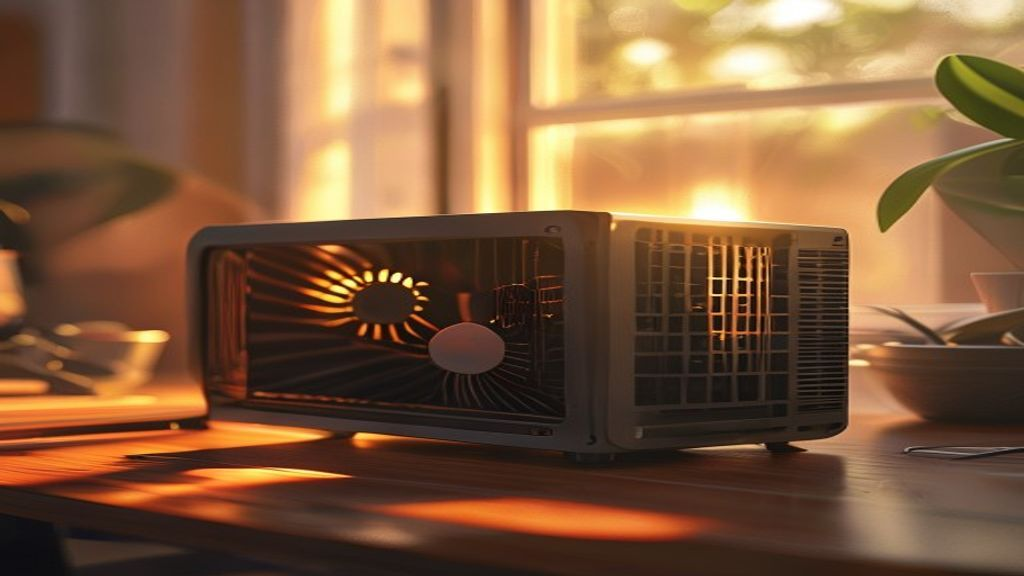
Summer thermal throttling is real.
Every home lab operator learns this lesson the hard way: mini PCs that ran perfectly through winter start throttling under summer ambient temperatures. Room hits 28C, mini PC internals hit 90C+, CPU clocks drop 30-40%, VMs start missing heartbeats, and Home Assistant becomes sluggish. Fix it with -80 in gear and 20 minutes of setup.
Disclosure: affiliate links below. We earn a small commission at no extra cost to you. Every recommendation here is gear we would install ourselves.
In this guide (jump ahead)
- The thermal problem in one paragraph
- Fix comparison
- 1. Elevate the mini PC + clear airflow (
Disclosure: affiliate links below. We earn a small commission at no extra cost to you. Every recommendation here is gear we would install ourselves.
-10)
- 2. External USB fan ($10-20)
- 3. Thermal pad + heatsink upgrade ($15-30)
- 4. Repaste CPU + swap internal fan for Noctua ($25-50)
- 5. Portable AC or dehumidifier for the room ($200-500)
- Monitoring: know when you have a problem
- Which fix for your situation?
- Related reading on HomeNode
- FAQ
- Related Auburn AI Products
- Related HomeNode guides
Mini PCs like the Beelink SER series, Minisforum UM series, and Intel NUC family are extraordinary value for home servers — but they were engineered for climate-controlled office environments, not for running Proxmox VMs 24/7 in a bungalow’s finished basement in July. This guide covers the five cooling upgrades that give you 8-15C headroom, ordered from cheapest to most-effective.
The thermal problem in one paragraph
Modern mini PCs use small internal fans + copper heat pipes tuned for 20-24C ambient. At 28-32C ambient (typical residential upstairs in July), the fan curves can no longer clear heat fast enough. The CPU package hits its thermal throttle point (usually 90-100C), clocks drop to protect the silicon, and any workload above idle becomes visibly slower. Sustained thermal throttling also shortens component lifespan through repeated thermal stress cycles.
See also: Best Father’s Day Tech Gifts $100-$250 in 2026: The Premium Tier
Fix comparison
| Fix | Cost | Time | Temp drop | Notes |
|---|---|---|---|---|
| 1. Elevate + open airflow | $0-10 | 5 min | 3-5C | Free wins |
| 2. External USB fan | $10-20 | 5 min | 5-8C | Cheap, effective |
| 3. Thermal pad + heatsink upgrade | $15-30 | 30 min | 6-10C | Void warranty risk |
| 4. Repaste + Noctua fan swap | $25-50 | 45 min | 8-12C | Best perf per dollar |
| 5. Portable AC or dehumidifier | $200-500 | 10 min | 10-15C ambient | Whole-room fix |
Our Top Pick for Most Setups: External USB fan + elevation
For under $20 and 10 minutes of setup, an AC Infinity Multifan S3 clipped to the back of your mini PC with a small rubber-foot riser under the unit typically drops CPU temps 8-12C. That is enough to eliminate throttling on 95% of home-lab workloads. No warranty risk, no disassembly, reversible in seconds.
1. Elevate the mini PC + clear airflow ($0-10)
Before spending money, do this. Most mini PCs have intake vents on the bottom and exhaust on the back. Sitting flat on a desk, the intake gets partially blocked and hot exhaust recirculates into the intake path. Two fixes:
- Raise the unit 1-2 inches using cheap furniture risers or self-adhesive rubber feet. Air enters from all sides freely.
- Position with rear exhaust facing open space (not into a corner, cabinet, or wall). Give it 6+ inches of exhaust clearance.
- Remove anything sitting on top of the mini PC. Books, external drives, mesh routers — they trap the small amount of heat that radiates up through the case.
One-box option (~$40): if you would rather solve elevation and airflow with a single product, an aluminum mini PC stand with a built-in 120mm fan does both. The HuseWming aluminum cooler stand raises the unit on an aluminum plate that works passively with the fan off, and the fan switches on when you need more airflow. It runs from a 5V USB port with a passthrough, so it doesn’t use up one of your ports. It is also sized for routers, modems and small switches, the other 24/7 boxes that tend to cook in a cabinet.
2. External USB fan ($10-20)
The single best cost-to-benefit cooling mod. Clip a small AC-powered or USB-powered fan to blow across the mini PC’s exhaust vents or over the top of the case. AC Infinity is the go-to brand for home lab enthusiasts because their fans run quietly at low RPM and have integrated speed controllers.
See also: Best USB-C Accessories for Mini PC and Home Lab Workstations in 2026
Two configurations that work:
- Exhaust boost — position the external fan pulling air away from the rear exhaust vent. Combines with the built-in fan to move more heat out.
- Top cooling — if your mini PC lives inside a shelf or cabinet, put the external fan on top pulling upward. Prevents heat pooling in the enclosure.
- AC Infinity Multifan S3 (single fan)
- AC Infinity Multifan S6 (dual fan)
- Noctua NF-A12x25 with USB adapter (premium option)
3. Thermal pad + heatsink upgrade ($15-30)
Now we get into “opens the case” territory. Many mini PCs ship with cheap thermal pads over the SSD and RAM modules, plus adequate but not great heatsink coverage. Replacing the SSD thermal pad with a 1.5mm Thermalright or Gelid pad, and adding self-adhesive small heatsinks on the RAM chips, drops sustained temps 6-10C.
Two important caveats:
- This voids warranty on most mini PCs. Weigh cost of unit vs cost of cooling gain.
- Check pad thickness carefully. Too thick = heatsink doesn’t touch. Too thin = poor thermal transfer. Measure or check your specific mini PC’s teardown guide before ordering.
4. Repaste CPU + swap internal fan for Noctua ($25-50)
The most technical fix but the highest thermal return. Factory thermal paste on mini PCs is usually applied by robots at OEM speed — adequate for warranty but rarely optimal. Repasting with Arctic MX-6 or Noctua NT-H2 drops CPU package temps 4-7C by itself. Swapping the tiny internal fan for a Noctua equivalent adds another 3-5C.
Compatibility varies by mini PC model. Beelink SER5 and SER6 have straightforward internal fan access; Minisforum UM series requires more disassembly; Intel NUC 12/13 are the most challenging. Check YouTube for a specific teardown of your model before starting.
- Arctic MX-6 thermal paste
- Noctua NT-H2 thermal paste
- Noctua NF-A4x20 (fits many mini PCs)
- Noctua NF-A6x25 (larger mini PCs)
5. Portable AC or dehumidifier for the room ($200-500)
If your ambient temperature is 30C+ (upstairs in July, southern basements without AC, garages, sheds), no amount of mini PC cooling saves you. The intake air is too hot for any heatsink to be effective. Cool the room.
A small portable AC unit for a home lab closet or small office is $300-500 and drops ambient 8-12C. A dehumidifier alone won’t lower temperature but does reduce humidity, which improves the heat capacity of the air and mini PC fans’ effectiveness by 2-4C.
- Portable AC 8000 BTU (small room)
- Portable AC 10000 BTU (medium room)
- Frigidaire 22-pint dehumidifier
Monitoring: know when you have a problem
Before spending money on fixes, confirm you actually have a thermal problem. Two ways to check:
- On Proxmox / Linux: install lm-sensors and run
watch -n 2 sensorsduring a stress test (stress-ng --cpu 4 --timeout 300). Watch the CPU package temp. Above 90C sustained = you have a problem. - On Windows-based home labs: HWiNFO64 gives real-time CPU/SSD/RAM temps. Free download, run during typical workload for 30 minutes and watch peaks.
If your peak sustained temp is under 80C, you have plenty of headroom and don’t need to spend money on cooling right now. Between 80-90C sustained you’re at risk of throttling under summer conditions. Above 90C = act now.
Which fix for your situation?
Just want temps down fast, cheap: elevation + USB fan ($10-20 total). AC Infinity Multifan S3
Cabinet or enclosed shelf setup: dual-fan on top of enclosure. AC Infinity Multifan S6
Comfortable opening the mini PC: repaste + Noctua fan swap. Arctic MX-6 paste + Noctua NF-A4x20
Room ambient hits 30C+: portable AC. Portable AC 8000 BTU is enough for most home lab closets.
Bonus: dedicated USB fan for router / AV cabinet cooling
The mini PC is one piece of your home lab. The other under-cooled devices are your router, cable modem, and any AV cabinet gear. A dedicated USB-powered fan pointed at those solves the summer thermal creep that causes random router reboots.
The ELUTENG 40mm USB Dual-Row Fan is the best pick — two 40mm fans in one metal grille, 6500 RPM, powered off any USB-A port. Around $13. See our ELUTENG buyer’s guide for other options.
Related reading on HomeNode
- Best UPS Battery Backup for Summer Storm Power Outages 2026
- Best Mini PCs for Proxmox in 2026
- Best Home Server CPU 2026: Watts per VM
Reader Favorite: JISULIFE 3-in-1 Handheld Fan
The JISULIFE handheld fan is one of Amazon’s top-selling summer items and pulls double duty for home lab operators. Point it at the mini PC intake or place it on the desk for personal cooling — the built-in USB-rechargeable battery means it works even during power outages when your UPS is protecting the servers.
Portable fan options: what to know
The JISULIFE 3-in-1 is our overall pick, but three other handheld fans deserve a look for specific use cases. All four are Amazon top-sellers this summer:
- JISULIFE Life9 Turbo Power — The turbo-power upgrade in the JISULIFE line. Higher airflow than the 3-in-1, longer runtime (12 hours max), 5 speed settings. Best pick when you need aggressive personal cooling. View JISULIFE Life9 on Amazon
- JISULIFE Life7 — The budget JISULIFE. Slightly smaller than the 3-in-1, same brand reliability, cheaper. Best when you want one for the desk and don’t need the multi-function angle. View JISULIFE Life7 on Amazon
- PlayHot Ice Cooling Turbo Fan — The differentiator here is an ice-tray attachment that runs cool air over frozen water for a 2-4C air-temperature drop. Genuinely useful during summer heatwaves when regular airflow alone isn’t enough. View PlayHot Ice Cooling Fan on Amazon
Which one for you? Everyday desk cooling: JISULIFE 3-in-1 (top pick above). Heavy-duty airflow: Life9 Turbo. Budget: Life7. Extreme heat (30C+ ambient): PlayHot with ice tray.
Want premium build quality? Look at the JISULIFE Pro line
The JISULIFE lineup extends beyond the everyday fans above. The Pro1 Mini and Pro1S (metal body, 40-hour runtime, 100-speed scroll wheel) are legitimately the best handheld fans on Amazon in 2026 — worth the $60-70 tier if you’re using a fan daily and want it to last 3+ years.
Bonus: keep dust out of the intakes
Cooling effectiveness drops sharply once dust cakes on the intake fins — often the real cause of mid-summer thermal creep on 2+ year old mini PCs. A quality electric air duster is a better long-term solution than canned compressed air (which cools the components with propellant residue) and pays for itself after 2-3 cleans.
FAQ
What CPU temperature is too high for a mini PC home server? Sustained package temps above 90C indicate thermal throttling. Above 100C the CPU auto-shuts-down to protect itself. Aim for peak sustained under 80C for headroom.
Will an external fan void my warranty? No. Anything that doesn’t require opening the case (external fans, elevation, repositioning) is fully warranty-safe.
Is repasting worth it on a 2-year-old mini PC? Yes if you’re comfortable opening the case. Factory paste dries out and loses thermal conductivity over 2-3 years. Repasting a 2-year-old unit typically drops temps 5-8C by itself.
Do I need a portable AC or is a fan enough? If room ambient stays below 28C, aggressive fans are enough. Between 28-32C you need mini PC-side cooling + room airflow. Above 32C ambient, cool the room.
Related HomeNode guides
- Best Home Server Fan and Cooling Kit 2026: Noctua, Arctic, and Rack Cooling Picks
- Best Mini PC for Home Server in 2026: Beelink vs Minisforum vs Intel NUC vs GMKtec
- Best Home Server Backup Software 2026: Proxmox Backup Server, Veeam, Duplicati, restic (Complete Comparison)
- Best Mini Rack for Home Lab 2026: 10-inch vs 19-inch Desktop Rack Buying Guide
Frequently asked questions
How were these products selected?
This guide is a research-based synthesis of product specs, brand reputation, current Amazon reviews, and category trends. It is not a hands-on review – use it to narrow options before you buy.
What price range should I expect?
Prices vary significantly across the categories above. Entry options start at the lower end of each tier listed, while premium picks can be several times more. Amazon pricing changes frequently, so confirm current numbers on the product listings.
Should I always buy the most expensive option?
Not necessarily. Premium products offer better materials, longer warranties, and higher-end features, but mid-tier picks meet the needs of most buyers. Match the pick to your actual use case rather than defaulting to the top of the price range.
How often is this guide updated?
This guide is refreshed as new products launch and older picks are discontinued. Amazon pricing and stock change daily – always confirm current price and availability on Amazon before purchase.
Where is the best place to buy?
Amazon is linked throughout this guide because it typically has broad selection, current pricing, and standardized return policies. Direct manufacturer sites and specialty retailers are also options depending on category and preference.
Shop the Amazon Storefront
Every mini PC, NAS, and networking pick from HomeNode – curated for home lab builders in one Amazon Storefront.
Try Amazon Prime free for 30 days – fast shipping on home lab gear plus Prime Video streaming
As an Amazon Associate and Amazon Influencer, we earn from qualifying purchases at no extra cost to you.