
AI-narrated version of this post using a synthetic voice. Great for accessibility or listening while busy.
Affiliate disclosure: As an Amazon Associate, HomeNode earns from qualifying purchases at no additional cost to you. Product availability subject to change.
A single flat network means a compromised smart plug can talk directly to your laptop, your NAS, and anything else on the same subnet. VLANs fix that by putting IoT gear on its own isolated segment, and the setup is less intimidating than most guides make it sound.
Why a flat network is the real risk, not any one device
Individual smart home devices get security patches inconsistently, and some never get them at all once a vendor stops supporting a model. The danger isn’t that one device gets compromised — it’s that a compromised device on a flat network can then probe every other device sharing that network, including your file server and backups.
You need a managed switch and an access point that both support tagged VLANs
This is the actual hardware requirement, and it rules out most consumer mesh routers. A managed switch handles VLAN tagging between wired devices, while your access point needs to broadcast a separate SSID mapped to the IoT VLAN so wireless smart devices land on the isolated segment automatically.
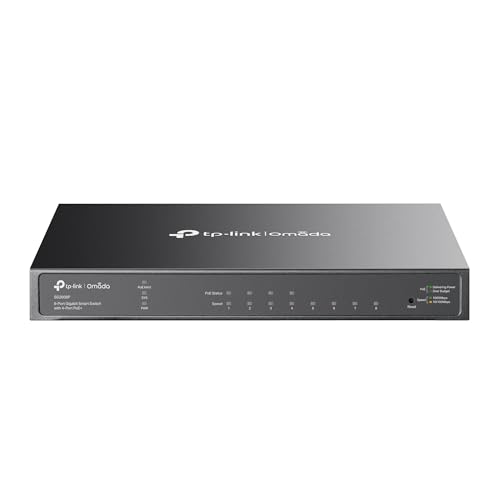
- 【Flexible Full Gigabit 8-Port Port Configuration】4× PoE+ (802.3at/af) 10/100/1000 Mbps RJ45 ports providing up to 30W per port…
- 【Integrated into Omada SDN】Omada SDN platform integrates network devices, including switches, access points & gateways with mul…
- 【Cloud Access】Remote cloud access and Omada app brings centralized cloud management of the whole network at different sites-all…
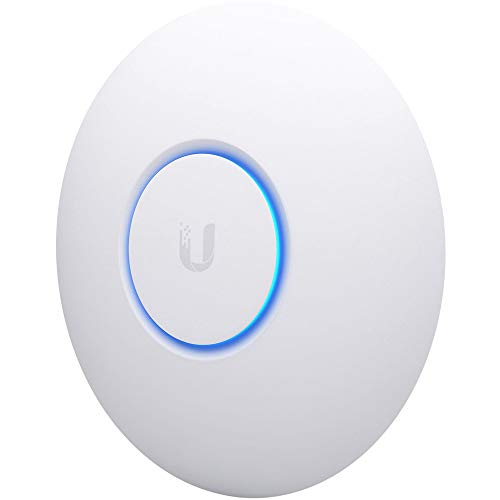
- Four stream 802.11AC Wave2 technology
- Supports 200+ concurrent users
- 802.3af PoE compatibility
Set firewall rules that block IoT-to-LAN, not just IoT-to-internet
The common mistake is assuming VLAN separation alone is enough. It isn’t — devices on two different VLANs can often still reach each other unless you explicitly add a firewall rule blocking traffic from the IoT VLAN to your main LAN. Allow IoT devices out to the internet for updates and cloud features, but block inbound connections back to your main network.
Exceptions you’ll need to carve out
Some smart home setups genuinely need cross-VLAN communication — a Home Assistant server on your main LAN discovering Zigbee bulbs or smart plugs on the IoT VLAN, for instance. Handle this with a narrow rule allowing only the specific ports Home Assistant needs, rather than opening the whole VLAN boundary back up.
The setup takes an evening the first time and needs almost no maintenance afterward. Once it’s running, a compromised smart bulb or budget camera is isolated to its own segment instead of being a stepping stone into everything else on your network.