
See also: Best Cat6a Ethernet Cable Bulk 2026: 500ft, 1000ft, Outdoor, and Patch Multi-Packs. See also: Complete Home Lab Starter Kit Under $500 in 2026: Everything to Launch Your First Homelab.
In this guide (jump ahead)
AI-narrated version of this post using a synthetic voice. Great for accessibility or listening while busy.
If your homelab rack looks like a plate of spaghetti, you are not alone. Cable chaos is the universal nemesis of every self-hoster and network DIYer, and the good news is that getting it under control does not have to cost more than a single cup of coffee. The right hook-and-loop ties, cable clips, and wire sleeves can transform a tangle of Ethernet runs and USB cables into something you are actually proud to show off on the subreddit.
The picks below are all available on Amazon for under $10 and have been chosen specifically for the kinds of cable situations that pop up in Raspberry Pi clusters, mini-PC server shelves, and DIY patch panels. Disclosure: As an Amazon Associate I earn from qualifying purchases on linked items.
1. Reusable Hook-and-Loop Cable Ties (Multi-Pack)
The backbone of any tidy rack — endlessly reusable and easy to reposition as your build evolves.
See also: Best Cat6a Ethernet Cable Bulk 2026: 500ft, 1000ft, Outdoor, and Patch Multi-Packs
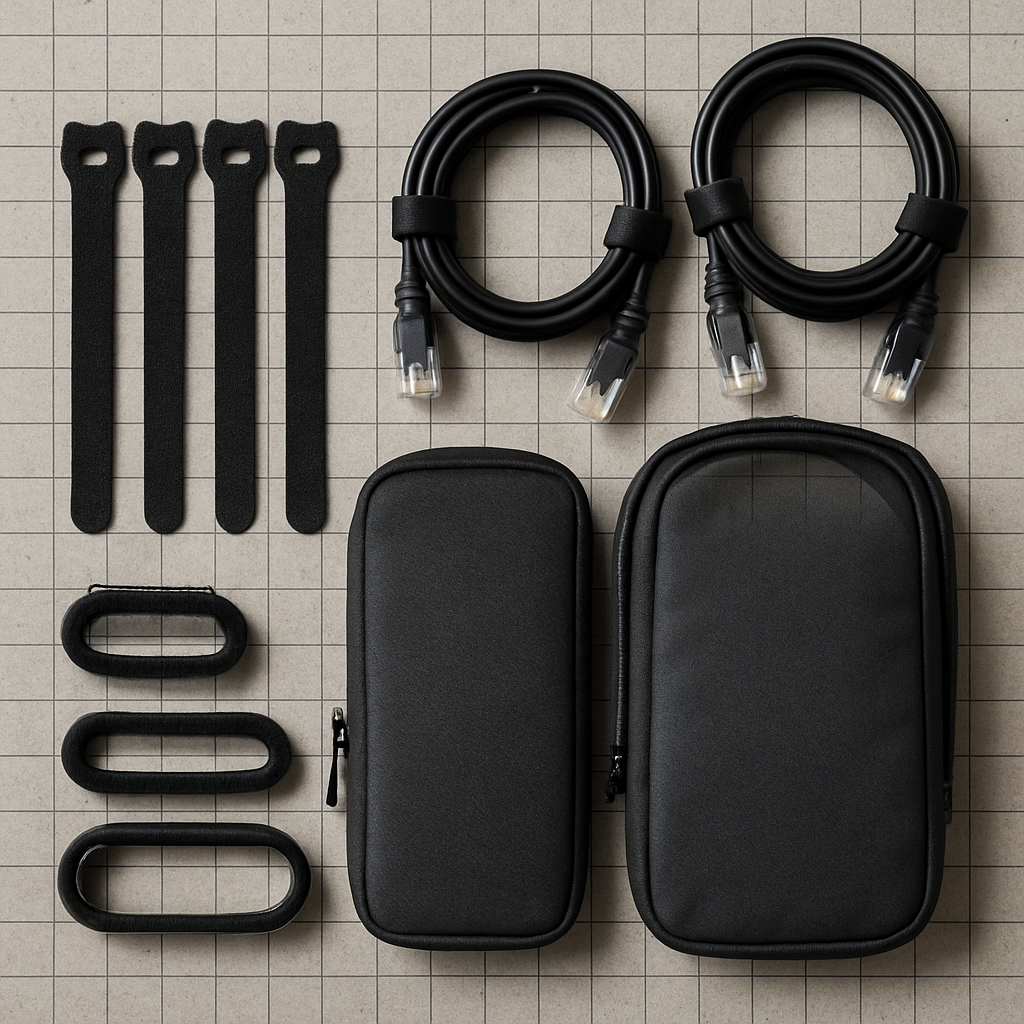
A bulk multi-pack of hook-and-loop ties is the single highest-value cable management purchase you can make. Because homelabs are always changing — new switch, new Pi, new NAS drive — you need ties you can undo and redo without scissors or frustration. Look for a pack that includes a mix of short (15 cm) and long (30 cm) ties so you can bundle thin USB cables and thick power bricks equally well. Soft-grip fabric versions are gentler on sleeved cables than hard plastic zip ties and leave no permanent marks on expensive Cat6 runs.
Shop reusable hook-and-loop cable ties on Amazon → ↗
2. Adhesive Cable Clips and Wall Mounts
Stick cables exactly where you need them — no drilling required on rented walls or server shelves.
See also: Best Cable Management for Home Lab 2026: Velcro, Patch Panels, and Vertical Manager Picks
Adhesive cable clips let you route Ethernet, power, and USB lines along the back of a desk, the inside of a cabinet, or the spine of an open-frame rack without a single screw. For homelabbers who rent or frequently reorganize their setup, the peel-and-stick base is a game-changer. Choose clips with a channel wide enough to hold Cat6 (roughly 6–7 mm) and look for a pack of 20 or more so you can do a full desk run without running out halfway through. Clear or black finishes both disappear nicely against most surfaces.
Shop adhesive cable clips on Amazon → ↗
3. Spiral Cable Wrap Sleeving
Bundle multiple cables into a single clean trunk line — perfect for the run from your switch to your patch panel.
See also: Best Network Cable Tester 2026: NOYAFA, Klein Scout Pro 3, and PoE Picks for Home Lab
Spiral wrap is the unsung hero of homelab aesthetics. Instead of managing twelve individual Ethernet cables between your router shelf and your mini-PC cluster, you feed them all through a spiral sleeve and suddenly it looks like one intentional cable trunk. It is flexible enough to bend around corners and can be cut to any length with ordinary scissors. A 10-metre roll under $10 will handle most single-rack or desk-shelf setups comfortably. Pairs especially well with hook-and-loop ties at entry and exit points to prevent the bundle from splaying open.
Shop spiral cable wrap sleeving on Amazon → ↗
4. Velcro-Backed Cable Management Strips (Rack-Mount Style)
Add structure to the back of any rack or shelf with a strip that holds multiple cables in a neat horizontal row.
These longer hook-and-loop strips with a rigid or semi-rigid backing give you a dedicated mounting point for cable bundles along the rear rail of an open-frame rack or the underside of a shelf. Unlike individual ties, a strip keeps every cable at the same height and tension, which makes labelling and future tracing much easier. Homelab veterans use these across the back of wall-mount patch panels to keep patch cords from drooping. At under $10 for a two- or three-piece set, they deliver a genuinely professional look without professional pricing.
Shop cable management strips on Amazon → ↗
5. Cable Label Tags and Marker Ties
You will thank yourself at 11 PM when you need to know which cable goes to which port — label everything now.
No cable organization project is truly finished until every run is labelled. Marker-writeable cable ties or loop-flag label tags slip over a cable and give you a small writable surface for port numbers, VLAN IDs, or device names. They are especially valuable in dense Pi clusters or multi-switch setups where one unplugged cable can take down a critical service. A pack of 100 or more keeps the cost well under $10 and means you will never be tempted to skip labelling because you have run out. Pair with a fine-tip permanent marker for best legibility.
Shop cable label tags on Amazon → ↗
A tidy homelab is a faster, safer, and more enjoyable homelab — and as this list proves, getting there costs almost nothing. Whether you are building your first Raspberry Pi cluster or finally cleaning up a rack that has grown organically for three years, even one or two of these picks will make a noticeable difference on your very first cable-management session.
Looking for more budget homelab upgrades? Browse the full gear and gift catalogue at homenode.tech for curated picks across networking, storage, single-board computing, and more.
- Father’s Day Tech Stocking Stuffers Under $10 for the Homelab Dad →
- 5 Sub-$10 Smart Home Gifts the DIY Dad Will Use This Father’s Day →
- Sub-$10 Tools Every Home Network Tinkerer Needs in Their Kit →
- 5 Cheap USB Flash Drives Under $10 for Pi and NAS Backups in 2026 →
- Prime Day 2026 Home Office Upgrades: 7 Picks That Actually See Real Discounts →
Related HomeNode guides
- Best Cable Management for Home Lab 2026: Velcro, Patch Panels, and Vertical Manager Picks
- Best Network Cable Tester 2026: NOYAFA, Klein Scout Pro 3, and PoE Picks for Home Lab
- Best Rack Cable Management Kit Under $100 2026: Complete Home Lab Setup
- 5 Best Home Lab Rack, NAS & Networking Gear Builds in 2026
Frequently asked questions
How were these products selected?
This guide is a research-based synthesis of product specs, brand reputation, current Amazon reviews, and category trends. It is not a hands-on review – use it to narrow options before you buy.
What price range should I expect?
Prices vary significantly across the categories above. Entry options start at the lower end of each tier listed, while premium picks can be several times more. Amazon pricing changes frequently, so confirm current numbers on the product listings.
Should I always buy the most expensive option?
Not necessarily. Premium products offer better materials, longer warranties, and higher-end features, but mid-tier picks meet the needs of most buyers. Match the pick to your actual use case rather than defaulting to the top of the price range.
How often is this guide updated?
This guide is refreshed as new products launch and older picks are discontinued. Amazon pricing and stock change daily – always confirm current price and availability on Amazon before purchase.
Where is the best place to buy?
Amazon is linked throughout this guide because it typically has broad selection, current pricing, and standardized return policies. Direct manufacturer sites and specialty retailers are also options depending on category and preference.
Shop the Amazon Storefront
Every mini PC, NAS, and networking pick from HomeNode – curated for home lab builders in one Amazon Storefront.
Try Amazon Prime free for 30 days – fast shipping on home lab gear plus Prime Video streaming
As an Amazon Associate and Amazon Influencer, we earn from qualifying purchases at no extra cost to you.