
AI-narrated version of this post using a synthetic voice. Great for accessibility or listening while busy.
Affiliate disclosure: As an Amazon Associate, HomeNode earns from qualifying purchases at no additional cost to you. Product availability subject to change. BrosTrend supplied this card for review at our request. They had no say in what we tested, what we wrote, or whether we published; the test plan below is the one we proposed to them before the card shipped. See also: Best 10 Gigabit Ethernet Upgrade Kit (2026).
The question we get about cheap 2.5GbE cards is never about speed. It is “will it work on my Proxmox box without me hunting for a driver?” So that is the test. We put the BrosTrend 2.5Gb PCIe network card into a used HP EliteDesk 800 G3 and booted four things on it in two days: the Windows 11 it came with, a Debian 13 live USB, a fresh Proxmox VE 9.2 install, and a TrueNAS SCALE 25.10 virtual machine with the card passed straight through. We never installed a driver on any of them, and we measured throughput on each of the Linux ones.
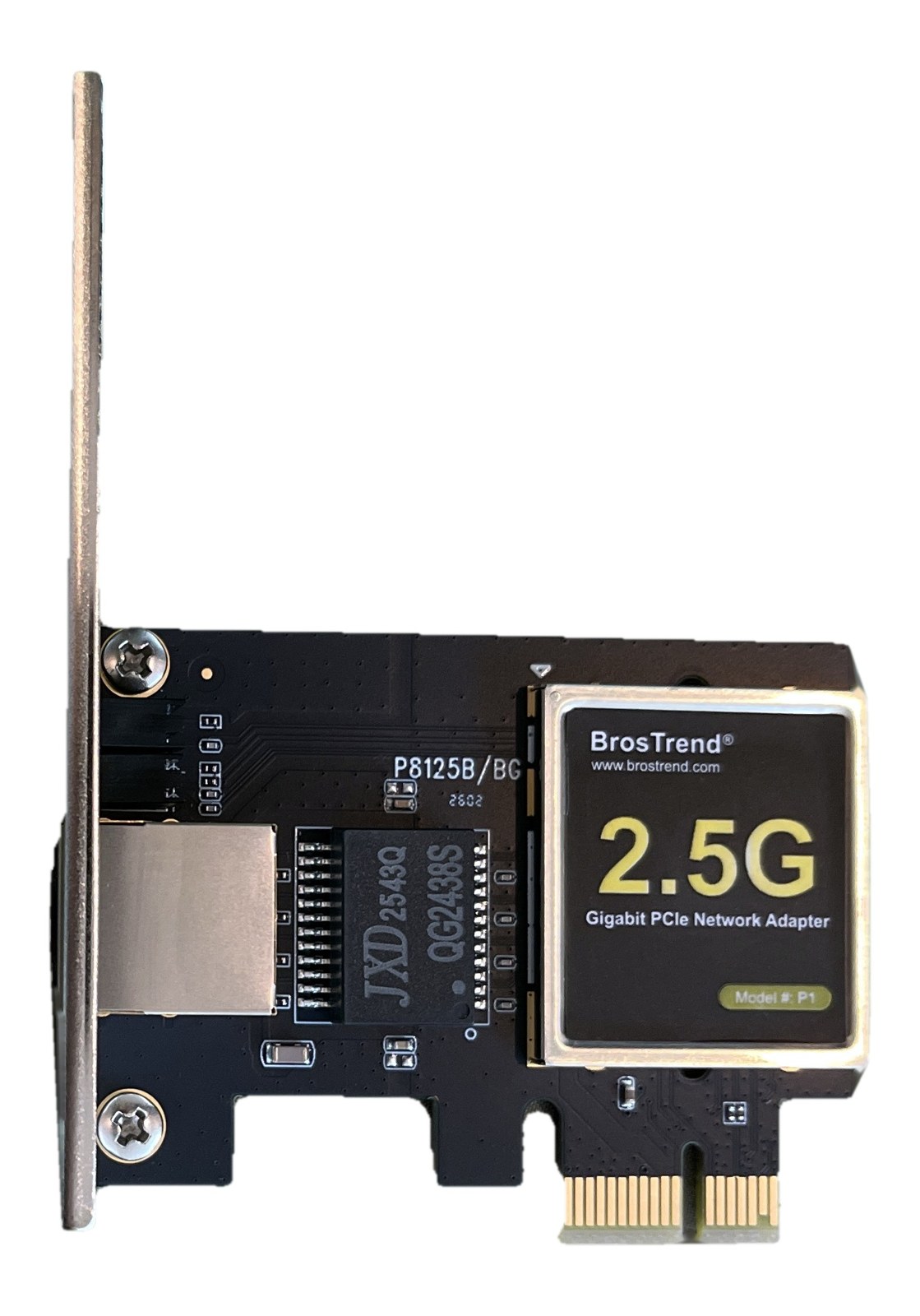
What is in the box
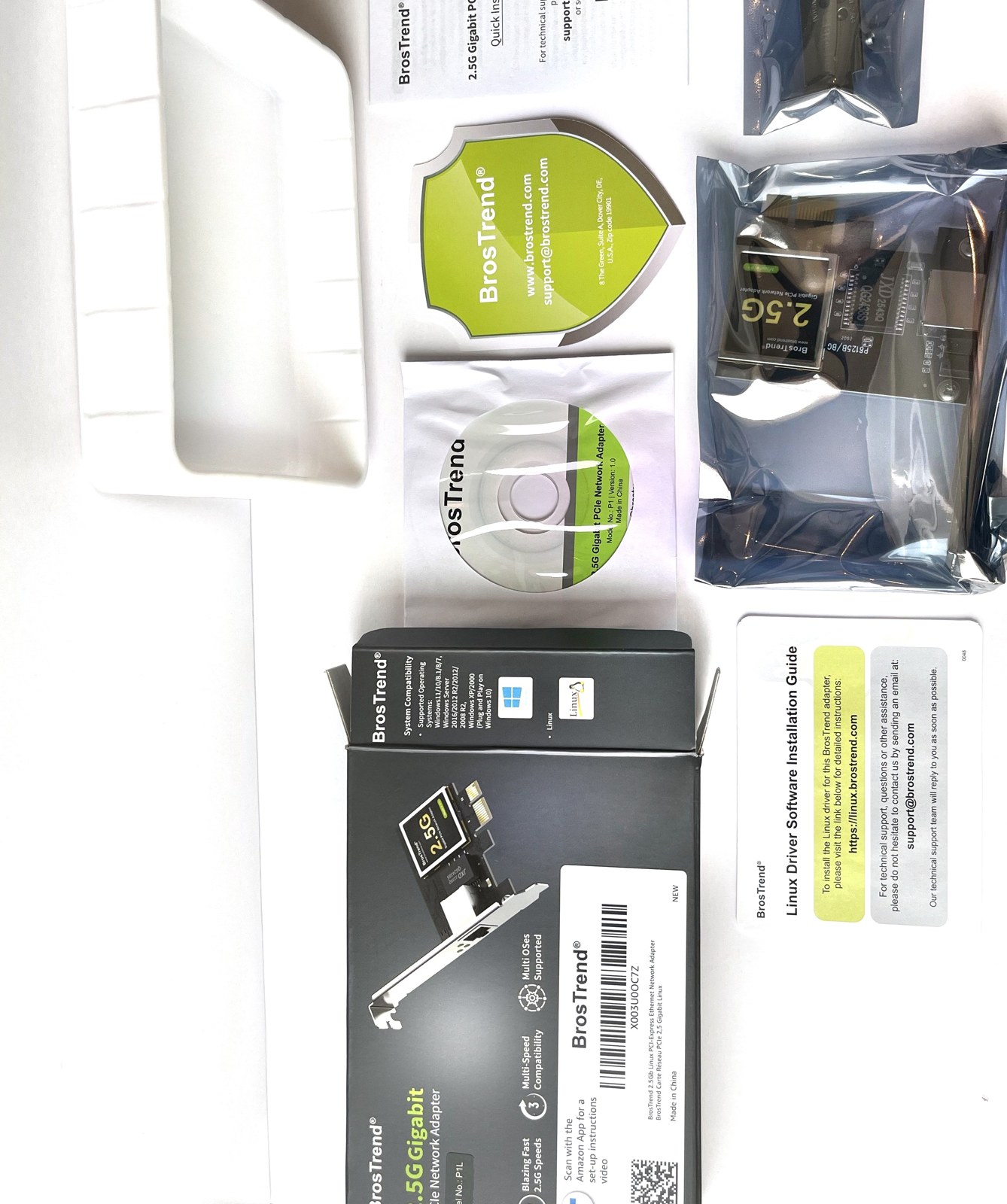
- The card, fitted with a full-height bracket.
- Two spare brackets: a low-profile one for small form factor cases, and a second full-height one. The low-profile bracket is the reason we could use a slim office desktop at all.
- A driver disc and a card with a link to BrosTrend’s Linux driver download. Keep reading for why neither was needed.
- A quick installation guide. The box also states a lifetime warranty.
What the card actually is
The main chip on our sample is marked JXD 2543Q, with the board silkscreened P8125B. We did not take that at face value. On every operating system we booted, the card identified itself to the system as a Realtek RTL8125 2.5GbE controller, PCI ID 10ec:8125, revision 05, and the Linux kernel’s own driver logged it as an RTL8125B. That identity is what matters, because it is what decides which driver loads. Whatever the marking on the package, this card behaves exactly like a Realtek 8125B card, and that is the best-supported 2.5GbE chip in the Linux kernel today.
Test bench
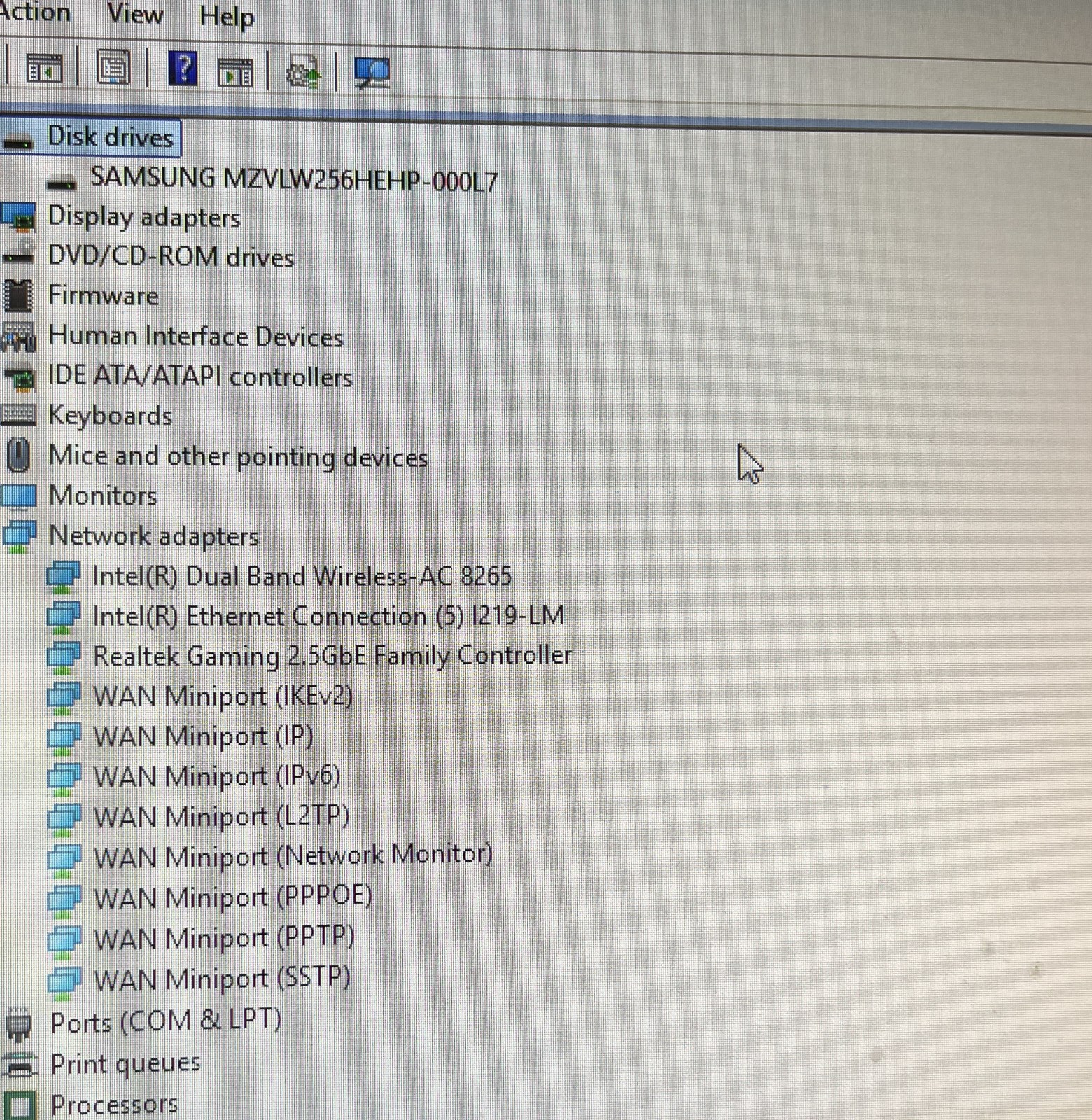
- Host: HP EliteDesk 800 G3 SFF, Intel Core i5-6500, 16 GB RAM, 256 GB NVMe. A refurbished office PC of the kind many home-lab builds start from; here is how we set it up as a Proxmox server. The card went into one of the two PCIe x1 slots using the low-profile bracket.
- Other end of the cable: a Windows 11 laptop with a TRENDnet TUC-ET2G USB-C 2.5GbE adapter, connected directly to the card with a Cat 6 patch cable. No switch in between, so every number below is the card talking to one other 2.5GbE port.
- Throughput tool: iperf3, ten-second runs, single stream and four parallel streams, both directions.
Windows 11: recognised before we touched anything
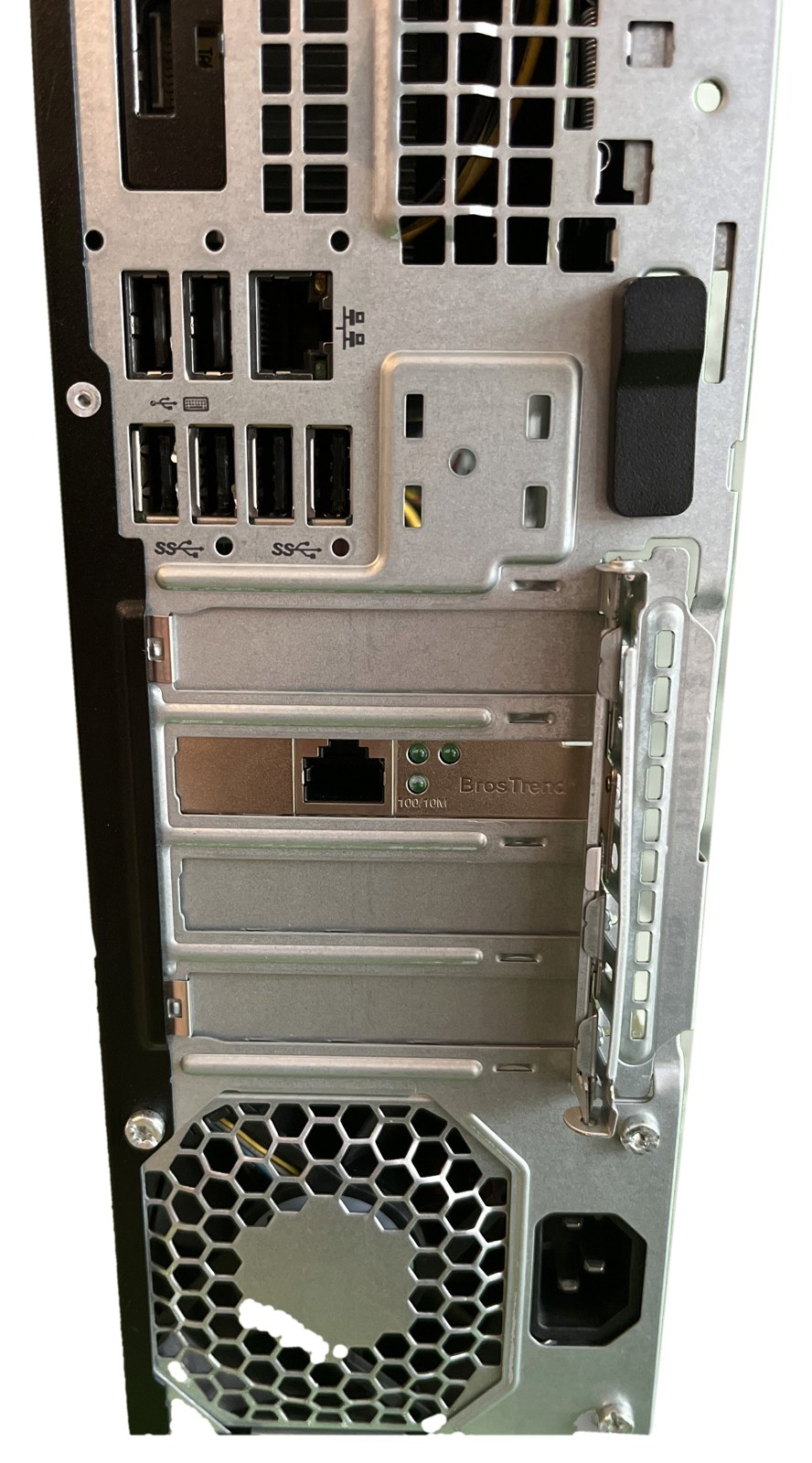
We booted the desktop into its Windows 11 Pro install before it had ever been online and opened Device Manager. The card was already there as “Realtek Gaming 2.5GbE Family Controller”, no warning icon. The driver tab showed a Realtek driver dated October 2022, signed by Microsoft’s Windows Hardware Compatibility Publisher, which means it shipped inside Windows itself. We then connected to Wi-Fi and checked Windows Update’s driver history: nothing was fetched for the card. The link to the laptop reported 2500/2500 Mbps.
Debian 13 live: in-kernel driver, 2.26 Gbit/s
Next we booted a stock Debian 13.7 live image from a USB stick. This is the cleanest test there is: nothing installed, nothing configured, just whatever drivers the Debian kernel carries. The card came up as enp2s0, state UP with carrier, bound to the kernel’s r8169 driver. Here is what lspci -nn reported:
02:00.0 Ethernet controller [0200]: Realtek Semiconductor Co., Ltd. RTL8125 2.5GbE Controller [10ec:8125] (rev 05)With iperf3 running as a server on Debian and the laptop as the client, the card sent 2.15 Gbit/s on a single TCP stream and 2.26 Gbit/s across four streams, steady for the full ten seconds. That is 86 to 90 percent of the 2.5 gigabit line rate, which is about where a single copper link tops out once protocol overhead is taken into account.
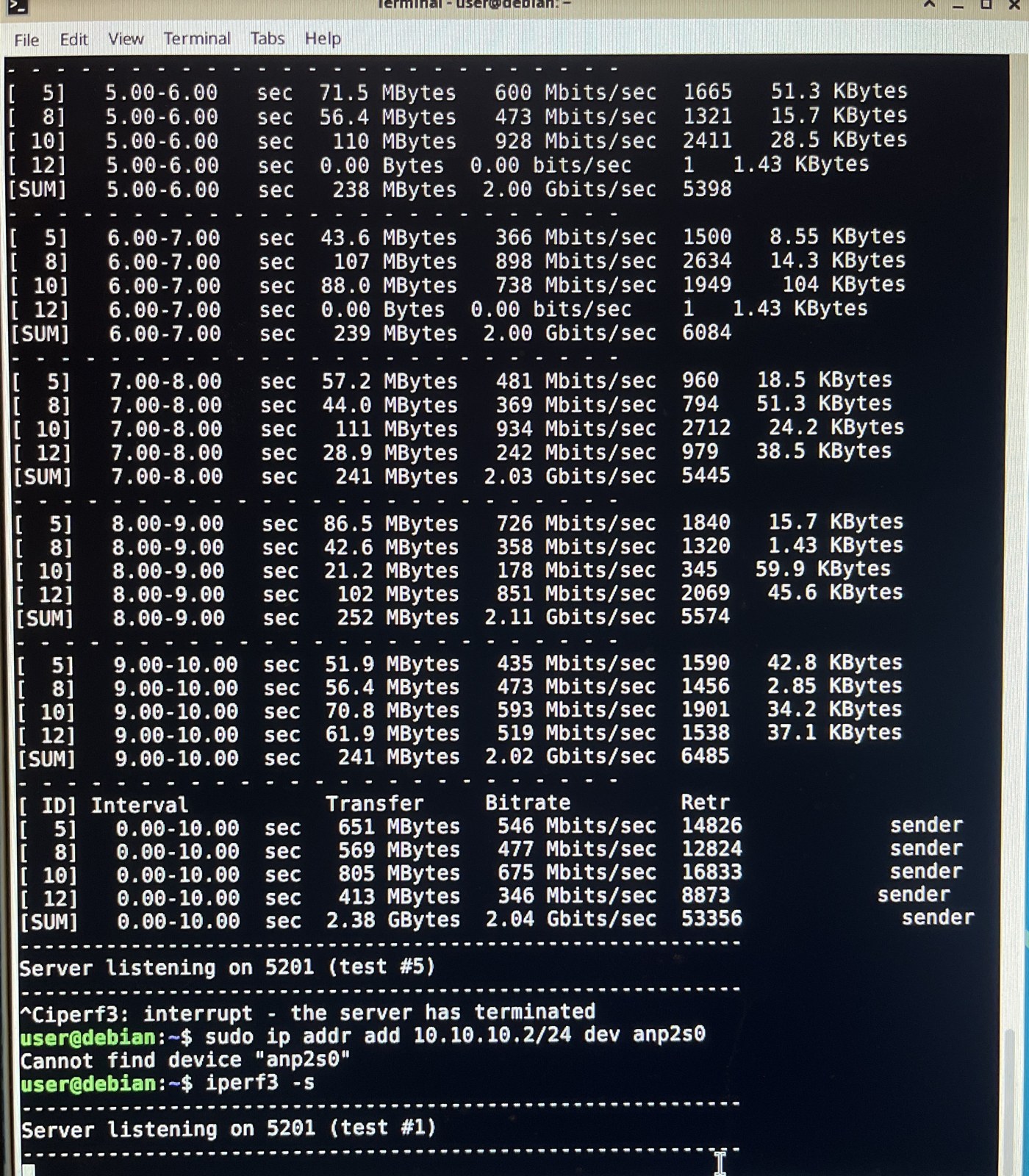
One honest note on the other direction. With the laptop sending, the card received between 0.8 and 0.9 Gbit/s. That figure is not the card’s: the laptop was pushing through a USB adapter from Windows, and it showed the same ceiling against every system we tested, including Debian on bare metal. A Linux-to-Linux client would be needed to put a fair number on the card’s receive path, and we will add one when we have a second wired Linux machine on the bench.
Proxmox VE 9.2: recognised at boot, clean for passthrough
We then wiped the SSD and installed Proxmox VE 9.2 bare metal. Its kernel bound r8169 to the card 1.3 seconds into the first boot, before Proxmox had even finished naming its interfaces. The part that matters more for a home-lab reader is what came next. We enabled Intel VT-d in the HP’s BIOS, turned on the IOMMU in Proxmox, and checked the card’s IOMMU group:
/sys/kernel/iommu_groups/10/devices/0000:02:00.0The card is alone in its group. That is the clean case for PCI passthrough: it can be handed to a virtual machine on its own, with no other device dragged along. On this particular HP board the onboard Intel port is in a group with five other chipset devices, so if you wanted to give a VM its own physical port here, the add-in card is the one you would pass through.
TrueNAS SCALE 25.10 as a VM with the card passed through
We created a TrueNAS SCALE 25.10.7 virtual machine on the Proxmox host and attached the card as a PCI device. The moment the VM started, the Proxmox host showed the card’s driver switch from r8169 to vfio-pci, meaning it had let go of the card. Inside the VM, TrueNAS saw it as enp1s0, loaded r8169 itself, and reported the link at 2500 Mb/s full duplex. Again, nothing installed. TrueNAS even ships iperf3, so the throughput test ran straight from its shell.
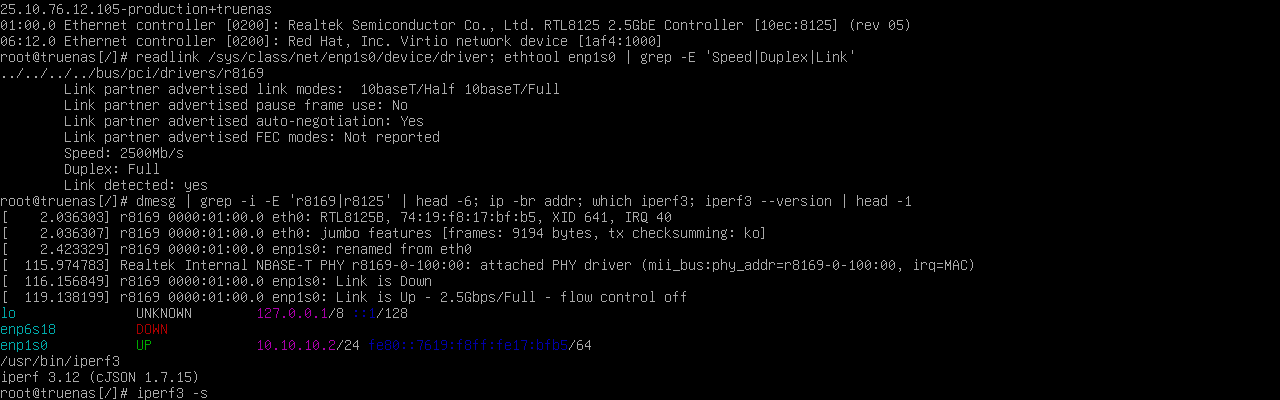
Through the passthrough, the card sent 2.01 Gbit/s single-stream and 2.04 Gbit/s on four streams, within five percent of the bare-metal Debian result. Virtualising the card cost almost nothing.
The numbers in one place
| Platform | Driver | Link | Card sending, 1 / 4 streams |
|---|---|---|---|
| Windows 11 Pro | Realtek, shipped in Windows | 2.5 Gbps | not measured |
| Debian 13.7 live | r8169, in kernel | 2.5 Gbps | 2.15 / 2.26 Gbit/s |
| Proxmox VE 9.2.2 host | r8169, in kernel | 2.5 Gbps | passed to VM |
| TrueNAS SCALE 25.10.7 VM, PCI passthrough | r8169, in kernel | 2.5 Gbps | 2.01 / 2.04 Gbit/s |
Things worth knowing before you buy
- You do not need the driver disc or the Linux driver download on anything we tested. Any Linux kernel from the last few years carries r8169 with RTL8125 support, and Windows 11 has the Realtek driver built in. BrosTrend’s download exists for older kernels and for people who want Realtek’s own r8125 module; we did not need it.
- It is a PCIe x1 card. It fits any slot length, and the x1 slot is where it belongs, leaving your x16 free. On a Gen 2 x1 slot it has more bandwidth than 2.5GbE can use.
- The low-profile bracket is in the box. That is not a given at this price and it is what made a slim office PC usable as the bench.
- 2.5 Gbit/s needs 2.5GbE on both ends and Cat 5e or better. Into a gigabit switch it negotiates down to 1 Gbps.
- The chip marking is not Realtek’s. If you care what is printed on the silicon, know that. If you care how it behaves, every OS treated it as an RTL8125B and the standard driver ran it at full rate.
Verdict
For a home-lab box, the whole value of a network card is that you can forget about it. This one earned that on four platforms in a row, including the two, Proxmox and TrueNAS, where a driver problem would hurt the most. It linked at 2.5 Gbps every time, pushed 2.0 to 2.3 Gbit/s in every Linux test, and passed cleanly into a VM. We would put it in a Proxmox or TrueNAS build without a second thought.
Frequently asked questions
Does the BrosTrend 2.5GbE card work on Proxmox without installing a driver?
Yes, in our test. Proxmox VE 9.2’s kernel bound its built-in r8169 driver to the card on first boot. We did not add any package or module.
Can it be passed through to a TrueNAS VM?
Yes. On our HP EliteDesk 800 G3 the card sat alone in its IOMMU group, the Proxmox host released it to vfio-pci when the VM started, and TrueNAS SCALE 25.10 drove it at 2.5 Gbps with its own in-kernel driver.
What chip is on the BrosTrend 2.5G card?
Our sample’s chip is marked JXD 2543Q on a board silkscreened P8125B. To every operating system it identifies as a Realtek RTL8125 (PCI ID 10ec:8125, rev 05), and the Linux kernel logs it as an RTL8125B. It is driven by the standard r8169 driver.
What speed did you actually get?
Sending from the card: 2.15 to 2.26 Gbit/s on Debian bare metal and 2.01 to 2.04 Gbit/s from a TrueNAS VM through PCI passthrough, measured with iperf3 over a direct Cat 6 link to a 2.5GbE USB adapter.
Does it fit a small form factor PC?
Yes. A low-profile bracket is included, and that is the one we used in an HP EliteDesk 800 G3 SFF.