
AI-narrated version of this post using a synthetic voice. Great for accessibility or listening while busy.
Affiliate disclosure: As an Amazon Associate, HomeNode earns from qualifying purchases at no additional cost to you. Product availability subject to change.
A Zigbee device that worked fine for months and then starts dropping offline intermittently is almost never actually broken — it’s a network problem, and Zigbee networks have a specific, diagnosable set of failure patterns once you know what to check.
Check for 2.4GHz WiFi interference first
Zigbee operates in the same 2.4GHz band as WiFi, and a router broadcasting on channel 1, 6, or 11 near your Zigbee coordinator can cause real interference. If your dropped devices cluster near your router or a WiFi access point, try shifting your Zigbee channel to one that doesn’t overlap with your WiFi channels, rather than assuming the devices themselves are failing.
USB 3.0 ports are a documented, specific cause of dropouts
USB 3.0 controllers emit broadband interference that lands right in Zigbee’s frequency range, and a coordinator dongle plugged directly into a USB 3.0 port on a home server is a genuinely common cause of exactly this symptom. Move the dongle to a USB extension cable positioned at least a foot away from the server case, or use a USB 2.0 port if one is available.

- Powerful EFR32MG24 chip. Powered by the advanced EFR32MG24 chip, offering richer resources and higher performance to deliver fa…
- Enhanced Antenna Gain. Default 3dBi antenna gain, optimized up to 4.5dBi for stronger signal strength and wider coverage, ensur…
- Wide platform compatibility. Zigbee Dongle works with Home Assistant, Zigbee2MQTT, openHAB and supports Zigbee 3.0 devices such…
Mesh strength depends on mains-powered repeaters, not just the coordinator
Battery-powered Zigbee devices (most sensors) don’t repeat signal for other devices — only mains-powered devices like smart plugs and bulbs do that job. A network with mostly battery sensors and few mains-powered devices has a genuinely weak mesh regardless of how good your coordinator is, and the fix is adding repeaters, not replacing the coordinator.
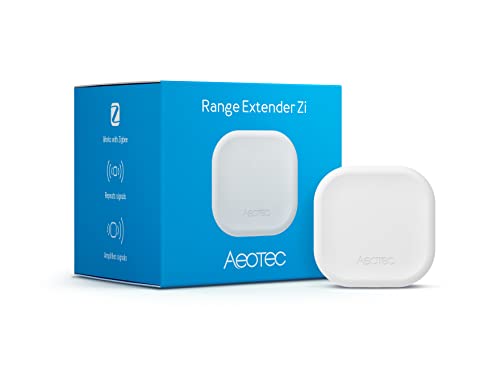
- Zigbee Extender – Extend the range of your SmartThings, HomeAssistant, or other Zigbee based wireless network
- Remove Dead Spots – The Range Extender Zi is the perfect solution to reach your Zigbee battery devices that may not have consis…
- Small and Discrete – Plugs directly into an outlet leaving the other outlet port accessible for use
Rule out a specific bad device before blaming the whole network
If only one device drops while everything else stays stable, check that device’s firmware version and battery level before touching network settings — a single failing device is a different problem than network-wide interference, and treating it as one wastes real troubleshooting time.
Work through interference, then USB port placement, then mesh density, in that order — most persistent dropout problems get solved by the first two steps before repeaters ever become necessary.